

ClickMeeting Webinars Meetings
ClickMeeting Sp. z o.o. Business iPhoneiPadiPod touch
ClickMeeting Webinars Meetings is a free Business app for iPhone and iPad by ClickMeeting Sp. z o.o. Rated 3.7/5 from 38 ratings. Requires iOS 13.0.
- Rating
- 3.7
- 38 ratings
- Price
- Free
- on the App Store
- Size
- 87 MB
- Age 4+
- Updated
- Sep 3
- 2026 · v6.0.7
Screenshots

About ClickMeeting Webinars Meetings
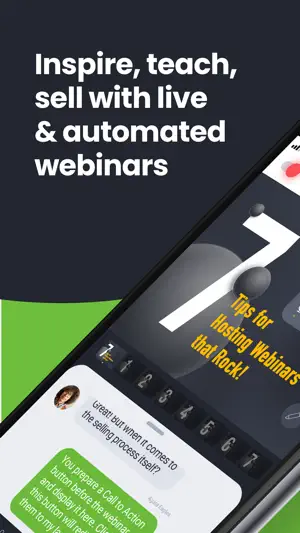
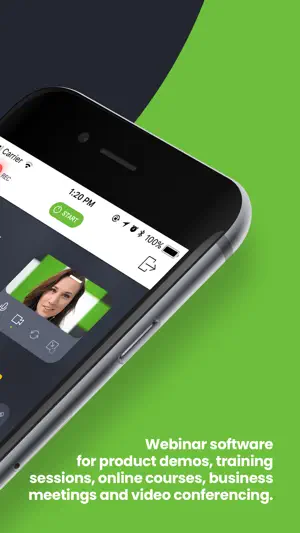
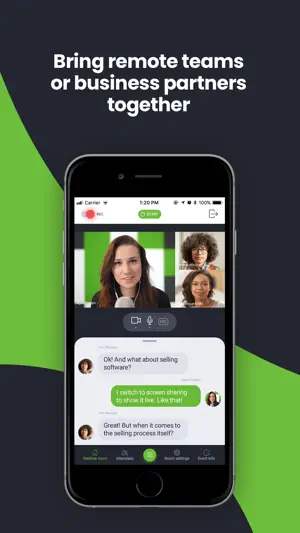
Attend or host online events of all shapes and sizes (online business meetings, virtual classrooms, mid-scale webinars, and huge virtual events) with the latest ClickMeeting app. Take valuable webinar content and important business meetings with you wherever you go. With fresh, intuitive UX design and stunning audio-video quality, the ClickMeeting online events app is a top choice for sharing knowledge and collaboration on the go. From now on, the app can work in the background, so your event is not going to turn off if: • You use other apps in the meantime, for instance, to send a message to a friend; • You don’t take any actions on your screen for a longer time. Attendees: What can you expect from using the app? • No screen-swiping to view a presentation, a presenter, and a chat. You can see it all on one screen. • An incredibly easy way to join online events. • The audio-video streaming quality will knock your socks off! J Organizers: With the ClickMeeting webinar app, you can: • Use a customized Call-To-Action button to redirect your events’ attendees to a landing page of your choice; • Stream your events live on Facebook or YouTube; • Interact with your audience in real-time through the Q&A mode; • Make the most of your files stored in your cloud (Dropbox, OneDrive, Google Drive). ClickMeeting – inspire, teach, sell, and collaborate ClickMeeting is a browser-based web conferencing platform loved by thousands of business customers all over the globe. Flexibility and scalability make their online events platform a top choice for solopreneurs, startups, small and medium companies, and large enterprises that discovered video conferencing as a perfect way to achieve their goals. Who makes the most of ClickMeeting digital get-togethers? • Marketers; • Sales teams; • Remote teams; • Online teachers and trainers; • C-level executives; • Business and professional associations; • HR specialists. What types of online events can you host on the ClickMeeting web conferencing platform? 1. Live webinars. A classic and most popular version of webinars. You schedule your online event to happen at a specific time and, then, you meet your audience live. Live webinars are an ideal match for onboarding and training purposes as well as with sales events and product demos. 2. On-demand webinars. With this option, you pre-record your webinar to release it to your contacts, leads, or students so they can watch it anytime and anywhere they want. If your goal is generating leads and running online courses, on-demand webinars will be a way to go! 3. Automated webinars. Unlike on-demand events, you schedule automated webinars to take place on a specific day and hour. However, just like above, you need to have a recorded material first and then enrich them with tools like Call-To-Action, a video clip, or a survey. 4. Online meetings. Planned in advance or organized spontaneously. Online meetings are smaller web gatherings where up to 25 participants can see, hear, and talk to each other in one virtual conference room. It’s a way to go if you’re on the lookout for a real-time collaboration tool and organize virtual meetups with your team, customers, or business partners. 5. Huge virtual events. Powered up with webcasting technology, huge virtual events give you a chance to stream your content for up to 10k viewers!
Ratings & reviews
3.7
38 ratings
What’s new
Version 6.0.7 · Updated September 3, 2026
We’ve introduced general improvements and fixes to provide better stability and an improved app experience.
App privacy
The developer, ClickMeeting Sp. z o.o., reported these privacy practices to Apple.
Data Not Linked to You
The following data, which may be collected but is not linked to your identity, may be used for the following purposes:
- Contact Info: Email Address, Name
- User Content: Photos or Videos, Audio Data, Customer Support
- Identifiers: User ID
Used for: App Functionality
Alternatives to ClickMeeting Webinars Meetings
Looking for apps like ClickMeeting Webinars Meetings? Here are 6 similar apps on the App Store. The highest rated is Teero - Dental Staffing (4.9/5), and all 6 are free to download.
-
 Teero - Dental Staffing
4.9
Teero - Dental Staffing
4.9
-
 Toothio Pro - Dental Jobs App
4.9
Toothio Pro - Dental Jobs App
4.9
-
 Kwikly - Dental Staffing
4.7
Kwikly - Dental Staffing
4.7
-
 GoTu: #1 in Dental Talent
4.7
GoTu: #1 in Dental Talent
4.7
-
 onDiem
3.8
onDiem
3.8
-
 Webby App
3.1
Webby App
3.1
| App | Rating | Price | Last updated | Compare |
|---|---|---|---|---|
| ClickMeeting Webinars Meetings | 3.7 / 5 (38 ratings) | Free | September 3, 2026 | |
| Teero - Dental Staffing | 4.9 / 5 (3,521) | Free | Oct 29, 2026 | Compare |
| Toothio Pro - Dental Jobs App | 4.9 / 5 (772) | Free | Aug 12, 2026 | Compare |
| Kwikly - Dental Staffing | 4.7 / 5 (528) | Free | Oct 29, 2026 | Compare |
| GoTu: #1 in Dental Talent | 4.7 / 5 (2,786) | Free | Oct 28, 2026 | Compare |
| onDiem | 3.8 / 5 (30) | Free | Aug 7, 2026 | Compare |
| Webby App | 3.1 / 5 (95) | Free | Sep 15, 2026 | Compare |