

MyNotebook - simple note app -
fumio ueda Productivity iPhoneiPadiPod touch
MyNotebook - simple note app - is a free Productivity app for iPhone and iPad by fumio ueda. Rated 4.8/5 from 43 ratings. Requires iOS 16.6.
- Rating
- 4.8
- 43 ratings
- Price
- Free
- on the App Store
- Size
- 5 MB
- Age 4+
- Updated
- Nov 3
- 2025 · v3.2
Screenshots
About MyNotebook - simple note app -
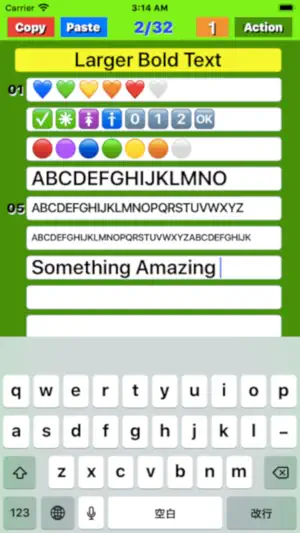
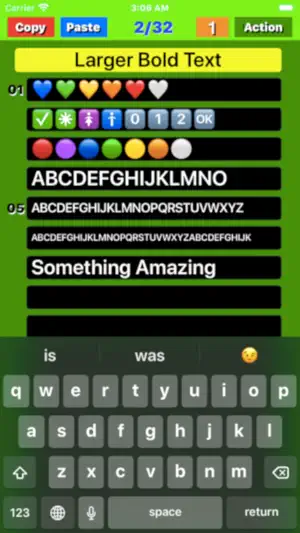
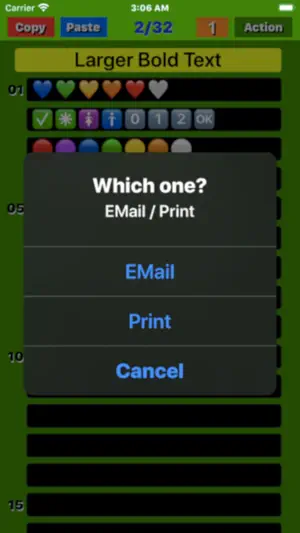
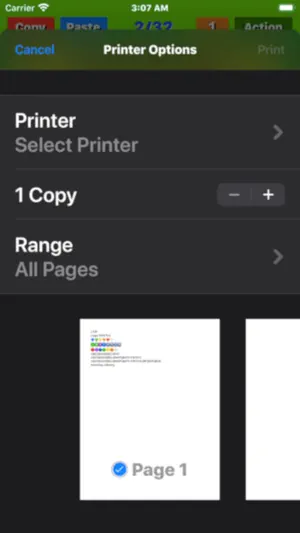
"My Notebook" Overview it is suitable for creating checklists, to-do lists, and writing diaries by genre using short sentences. And you may be even trained the ability to create short sentences. Text size can be changed by simply pinching the screen. (1) Notepad function ● Start up ; The display will start from the last finished page and it will be possible to edit. ● Page structure ; Consists of one title and 32 lines body. ● Font resizes ; When more than limited number of text is entered, font size automatically become smaller. ● Page turning ; Swipe the screen left / right or tap the left / right frame to page forward. ● Turning speed ; If you set the "Mode" button to "5", you can send 5 pages, if you set it to "1", you can send 1 page at a time. ● Infinite loop; Since it uses an infinite loop type page turning, the page is turned from the page near the rear end to the page near the front end when moving forward, and in the reverse direction when reversing. ● Character input; Tapping a position where you want to enter a character a cursor appears and a keyboard also appears at the bottom of the screen. Using the keyboard you can enter any character at the cursor position. ● "Done" button; Tapping the "Done" button, you can save the text you entered to your device's memory, for the next startup. (2) "Copy" function By tapping the "Copy" button on each page, the entered title and text will be stored in the device's memory. The text is also copied to the clipboard. (3) "Paste" function ● When you tap the "Paste" button on each page, a screen will pop up asking if you want to overwrite the page with the title and text saved in memory. Tap "Overwrite" on that screen to execute overwriting. ● You can erase all the characters at once by copying a blank page and pasting it on any page. (4) Table of contents creation function If you press the Paste button for a few seconds, a screen will pop up asking if you want to create a table of contents. Select Create to create a table of contents. (5) "Mail" function On any page, click the "Action" button, and a selection screen for email or print appears. Select an email and follow the instructions on the email screen. After setting and confirming the title, destination, Cc / Bcc, and sender, click the "Send" button to send, or the "Cancel" button to cancel. (6) "Print" function (v1.5) On any page, click the "Action" button, and a selection screen for email or print appears. Select "Print" and follow the instructions on the print screen. After selecting and checking the printer selection, number of prints, and print page range, press "Print" to execute printing. If you want to cancel, press "Cancel".
Ratings & reviews
4.8
43 ratings
What’s new
Version 3.2 · Updated November 3, 2025
Confirmed to work properly on iPhone with the latest IOS26.0.1.
App privacy
The developer, fumio ueda, reported these privacy practices to Apple.
Data Used to Track You
The following data may be used to track you across apps and websites owned by other companies:
- Location: Coarse Location
- Identifiers: User ID, Device ID
- Usage Data: Advertising Data
Data Linked to You
The following data, which may be collected and linked to your identity, may be used for the following purposes:
- Location: Coarse Location
- Identifiers: User ID, Device ID
- Usage Data: Advertising Data
Used for: Third-Party Advertising, Product Personalization
Alternatives to MyNotebook - simple note app -
Looking for apps like MyNotebook - simple note app -? Here are 6 similar apps on the App Store. The highest rated is EZ Notepad plus - Symple note (5.0/5), and all 6 are free to download.
-
 notes with folder
4.4
notes with folder
4.4
-
 Memopad - Simple&Classic Notes
4.9
Memopad - Simple&Classic Notes
4.9
-
 EZ Notepad plus - Symple note
5.0
EZ Notepad plus - Symple note
5.0
-
 Steno paper
2.0
Steno paper
2.0
-
 Color Notepad
4.5
Color Notepad
4.5
-
 Notepad Widget, Sticky Notes
5.0
Notepad Widget, Sticky Notes
5.0
| App | Rating | Price | Last updated | Compare |
|---|---|---|---|---|
| MyNotebook - simple note app - | 4.8 / 5 (43 ratings) | Free | November 3, 2025 | |
| notes with folder | 4.4 / 5 (10) | Free | May 28, 2024 | Compare |
| Memopad - Simple&Classic Notes | 4.9 / 5 (14) | Free | Feb 8, 2026 | Compare |
| EZ Notepad plus - Symple note | 5.0 / 5 (5) | Free | Mar 17, 2026 | Compare |
| Steno paper | 2.0 / 5 (1) | Free | Jan 3, 2026 | Compare |
| Color Notepad | 4.5 / 5 (605) | Free | Jul 31, 2025 | Compare |
| Notepad Widget, Sticky Notes | 5.0 / 5 (16) | Free | Oct 23, 2025 | Compare |