

Photo to PDF : Scan File & Doc
Thawatchai Boontan Productivity iPhoneiPadiPod touch
Photo to PDF : Scan File & Doc is a free Productivity app for iPhone and iPad by Thawatchai Boontan. Rated 4.1/5 from 262 ratings. Requires iOS 17.0.
- Rating
- 4.1
- 262 ratings
- Price
- Free
- on the App Store
- Size
- 22 MB
- Age 4+
- Updated
- Sep 23
- 2026 · v5.16
Screenshots
About Photo to PDF : Scan File & Doc
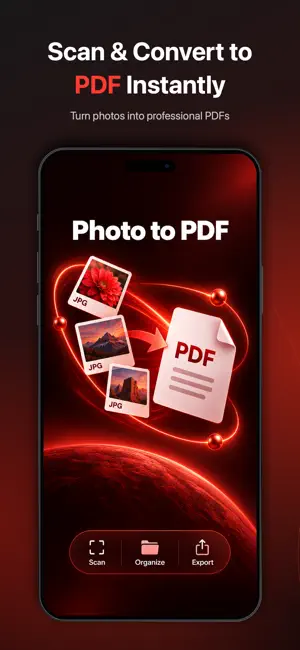
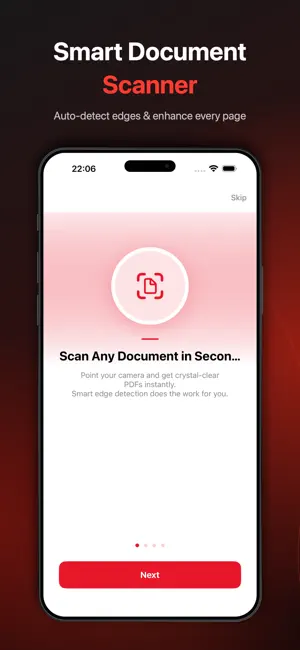
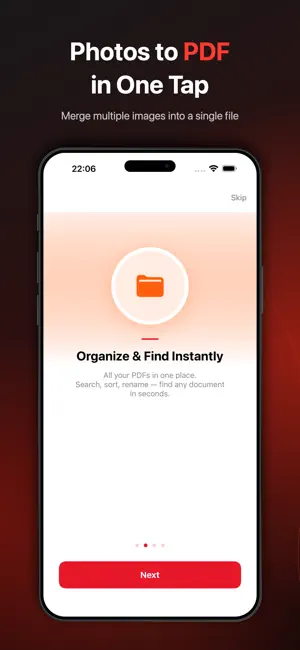
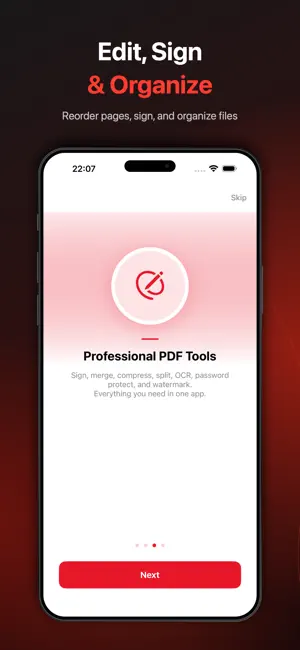
Photo to PDF Converter and Scanner - turn paper into perfect PDFs in seconds. Point your camera at any document, receipt, ID, or whiteboard, and Photo to PDF instantly creates a sharp, crystal-clear PDF. Smart edge detection, auto-enhancement, and pro-grade tools - all in one beautifully simple app. QUICK AND EASY DOCUMENT SCANNING - Auto edge detection - captures the page edges in real time - Auto-enhancement - clean, readable scans every time - Multi-page scanning - scan a stack in one session - Import from Photo Library or Files - turn existing images into PDFs PROFESSIONAL PDF TOOLS - Sign PDFs - draw your signature with your finger or stylus - Add Text - annotate any document - Merge PDFs - combine multiple files into one - Compress PDF - three quality levels to shrink file size - Split PDF - break a document into separate files - Reorder Pages - drag-and-drop arrangement - Add Watermarks - protect your documents - Password Protect - encrypt sensitive PDFs - Apply Filters - brightness, contrast, B and W - OCR (Text Recognition) - extract text from scanned pages ORGANIZE LIKE A PRO - Search any document instantly - Sort by name, date, size, or page count - Rename, duplicate, delete with a swipe - iCloud Sync across iPhone and iPad (Pro) SHARE EVERYWHERE - Share via Email, Messages, AirDrop, and other installed apps - AirPrint to any wireless printer - Save to the Files app or your preferred cloud storage - Export as PDF or images AVAILABLE IN 24 LANGUAGES English, Thai, Chinese (Simplified and Traditional), Japanese, Korean, Spanish, French, German, Portuguese (Brazil), Russian, Arabic, Hindi, Vietnamese, Indonesian, Malay, Italian, Dutch, Turkish, Polish, Ukrainian, Swedish, Danish, Finnish, and Norwegian. Note: OCR text recognition is available in selected languages supported by Apple's Vision framework. SIRI AND SHORTCUTS Scan documents hands-free - just say "Scan a document with Photo to PDF." FREE vs PRO The Free version includes basic scanning with ads. Upgrade to Photo to PDF Pro to unlock everything: - Unlimited scanning - no daily limits - All PDF tools (Merge, Sign, OCR, Compress, and more) - 100 percent ad-free experience - iCloud Sync across all your devices - Password protection and watermarks - Priority support Start with a 3-day free trial. Cancel anytime. SUBSCRIPTION PLANS - Annual - Best Value (Save up to 33 percent) - Monthly - Lifetime - One-time payment, no subscription See current pricing in your region inside the app. Subscriptions auto-renew at the end of each billing period unless canceled at least 24 hours before. Payment is charged to your Apple ID account. Manage or cancel any Pravicy : https://petapparel.xyz/privacy-policy-photo-to-pdf/ Terms of Use (EULA): https://www.apple.com/legal/internet-services/itunes/dev/stdeula/
Ratings & reviews
4.1
262 ratings
What’s new
Version 5.16 · Updated September 23, 2026
What's new in 5.16: • Fixed a crash that affected some devices • Improved stability and performance • Minor UI and translation improvements Enjoying Photo to PDF? A quick rating helps us a lot!
App privacy
The developer, Thawatchai Boontan, reported these privacy practices to Apple.
Data Used to Track You
The following data may be used to track you across apps and websites owned by other companies:
- Identifiers: Device ID
- Usage Data: Advertising Data
Data Linked to You
The following data, which may be collected and linked to your identity, may be used for the following purposes:
- Location: Coarse Location
- Identifiers: Device ID
- Usage Data: Advertising Data, Product Interaction
- Purchases: Purchase History
Used for: Third-Party Advertising, Developer’s Advertising or Marketing, Analytics, App Functionality
Data Not Linked to You
The following data, which may be collected but is not linked to your identity, may be used for the following purposes:
- Identifiers: Device ID
- Diagnostics: Crash Data, Other Diagnostic Data
- User Content: Photos or Videos
Used for: Developer’s Advertising or Marketing, Analytics, App Functionality
Alternatives to Photo to PDF : Scan File & Doc
Looking for apps like Photo to PDF : Scan File & Doc? Here are 6 similar apps on the App Store. The highest rated is Photo to PDF Converter: Scan (4.8/5), and all 6 are free to download.
-
 Photo to PDF, PDF Converter
4.4
Photo to PDF, PDF Converter
4.4
-
 Photo to PDF Converter ™
4.5
Photo to PDF Converter ™
4.5
-
 PDF Converter. Photo to PDF
4.7
PDF Converter. Photo to PDF
4.7
-
 Photo to PDF Converter: Scan
4.8
Photo to PDF Converter: Scan
4.8
-
 PDF Converter: Pictures To PDF
4.4
PDF Converter: Pictures To PDF
4.4
-
 PDF Converter• Convert to Word
4.6
PDF Converter• Convert to Word
4.6
| App | Rating | Price | Last updated | Compare |
|---|---|---|---|---|
| Photo to PDF : Scan File & Doc | 4.1 / 5 (262 ratings) | Free | September 23, 2026 | |
| Photo to PDF, PDF Converter | 4.4 / 5 (137) | Free | Jun 9, 2026 | Compare |
| Photo to PDF Converter ™ | 4.5 / 5 (77) | Free | May 10, 2025 | Compare |
| PDF Converter. Photo to PDF | 4.7 / 5 (666) | Free | Jan 26, 2026 | Compare |
| Photo to PDF Converter: Scan | 4.8 / 5 (38) | Free | Nov 12, 2024 | Compare |
| PDF Converter: Pictures To PDF | 4.4 / 5 (162) | Free | Apr 29, 2025 | Compare |
| PDF Converter• Convert to Word | 4.6 / 5 (145) | Free | Sep 24, 2026 | Compare |