

Swift Pixels
David Gavilan Graphics & Design iPhoneiPadiPod touchMac
Swift Pixels is a paid Graphics & Design app for iPhone and iPad by David Gavilan. Rated 4.7/5 from 14 ratings. Requires iOS 14.7. Updated February 18, 2024.
- Rating
- 4.7
- 14 ratings
- Price
- 1.99 USD
- on the App Store
- Size
- 3 MB
- Age 4+
- Updated
- Feb 18
- 2024 · v1.6.6
Screenshots


About Swift Pixels
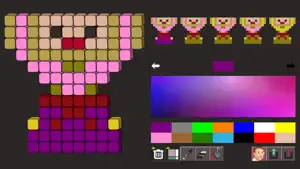
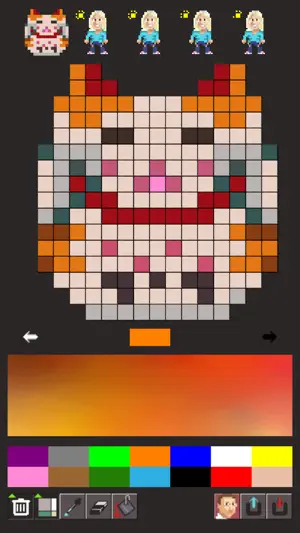
Simple and easy to use drawing application to create pixel art. Features: * Unique color palette based on universal color categories. Each color category expands a continuous gamut for that color. * Render pixels as simple squares, 3D boxes, beads, a towel, or as hexagons (hexels). * Save small images as PNG images with transparency (alpha/mask), or save them in hi-res and share them with the world :) * Load and import pictures from your Photo Library, or directly take a picture from your camera.
Ratings & reviews
4.7
14 ratings
What’s new
Version 1.6.6 · Updated February 18, 2024
This update fixes a bug that rendered the save and load buttons unusable after having opened the About screen.
App privacy
The developer, David Gavilan, reported these privacy practices to Apple.
Data Not Collected
The developer does not collect any data from this app.
Alternatives to Swift Pixels
Looking for apps like Swift Pixels? Here are 6 similar apps on the App Store.
-
 nemodot - Pixel Art Editor
-
 Pixel Art Maker - Anywhere
-
 SimplePixels
-
 Spryt - Pixel Art Editor
-
 Mosaic Pixel Studio
-
 Pixmaker
| App | Rating | Price | Last updated | Compare |
|---|---|---|---|---|
| Swift Pixels | 4.7 / 5 (14 ratings) | 1.99 USD | February 18, 2024 | |
| nemodot - Pixel Art Editor | – | Free | Oct 10, 2026 | Compare |
| Pixel Art Maker - Anywhere | – | Free | Aug 4, 2026 | Compare |
| SimplePixels | – | Free | May 25, 2026 | Compare |
| Spryt - Pixel Art Editor | – | Free | May 6, 2026 | Compare |
| Mosaic Pixel Studio | – | Free | May 22, 2026 | Compare |
| Pixmaker | – | Free | Oct 21, 2026 | Compare |
Compare Swift Pixels with the top alternatives: ratings, updates, ASO score and keyword gaps →