

Plume Home
Plume Design, Inc. Utilities iPhoneiPadiPod touch
Plume Home is a free Utilities app for iPhone and iPad by Plume Design, Inc. Rated 4.6/5 from 14,706 ratings. Requires iOS 16.0. Updated September 21, 2026.
- Rating
- 4.6
- 14.7K ratings
- Price
- Free
- on the App Store
- Size
- 191 MB
- Age 4+
- Updated
- Sep 21
- 2026 · v26.222.0
Screenshots
About Plume Home
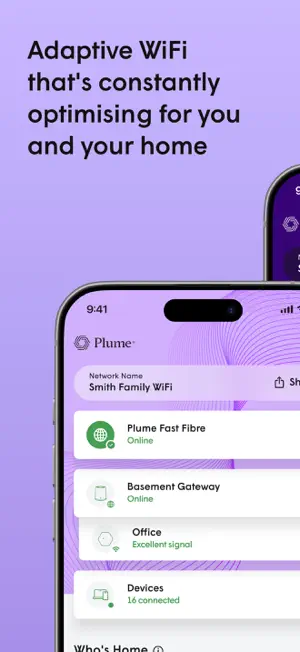
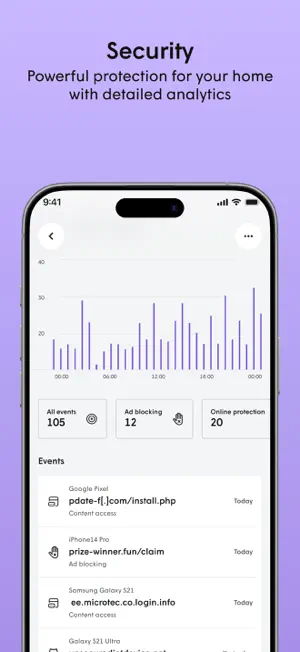
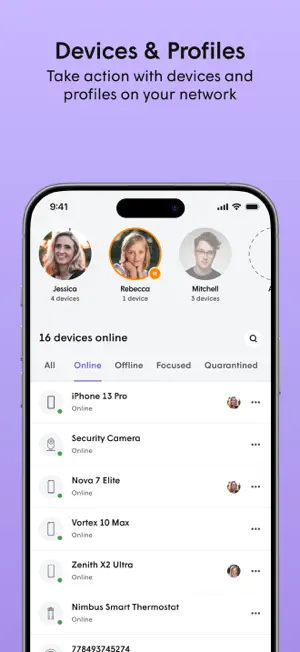
The Plume Home app brings together WiFi intelligence, security and easy management of your network and household to enhance your connectivity experience. Unlike other mesh WiFi systems, Plume automatically fine-tunes your network for peak performance—blocking interference, allocating bandwidth appropriately to all your connected devices, and prioritizing speed to live apps like video conferencing and streaming. All managed through a single mobile app. - Simple setup In a matter of minutes you will be able to add all your connected devices and ensure extenders are properly placed around the home for optimal coverage. - Profiles and groups Create user profiles for each member of the household to assign devices to them or even assign devices to groups like ‘light bulbs’ or ‘living room’ to easily manage them. Use profiles and device groups to set security policies, schedule Focus time, apply internet Timeouts, and optimize bandwidth with Traffic Boosts—giving you better control over online time and network performance. - Traffic Boost Prioritize your network how you want to. Choose to make sure specific applications, profiles, devices, or whole app categories are first in line for bandwidth. Feel confident that your video meeting, live TV stream, or gaming session has what it needs. Want Plume to handle it? Plume Home’s default Automatic Mode will prioritize any live traffic that needs it. - Home security Protect your devices from cyber threats like malware and phishing. No one home? Prioritize the network for security devices and applications like smart locks and cameras, and get instant alerts for any unusual activity. Use Motion to detect any movement when the home should be empty. - Parental controls Set predefined access profiles for kids, teens, or adults to automatically filter restricted content. Schedule Focus time to pause connectivity for specific profiles, devices, app categories, or the entire network. Need a quick break? Instantly restrict internet access from the home dashboard with a Timeout. Want to see where your bandwidth is going? See detailed usage graphs for all profiles and devices down to individual apps.
Ratings & reviews
4.6
14.7K ratings
What’s new
Version 26.222.0 · Updated September 21, 2026
New: MLO (Multi-Link Operation) Turn on MLO in Settings to let compatible devices use more than one WiFi band at the same time. On devices that support it, connections stay steadier and lag drops. Also in this release: bug fixes across onboarding, network settings, profiles, and speed test.
App privacy
The developer, Plume Design, Inc., reported these privacy practices to Apple.
Data Linked to You
The following data, which may be collected and linked to your identity, may be used for the following purposes:
- Identifiers: Device ID, User ID
- Usage Data: Product Interaction
- Diagnostics: Crash Data, Other Diagnostic Data, Performance Data
- Purchases: Purchase History
- Financial Info: Payment Info
- Location: Coarse Location
- Contact Info: Physical Address, Email Address, Name
- User Content: Photos or Videos
Used for: Analytics, App Functionality
Alternatives to Plume Home
Looking for apps like Plume Home? Here are 6 similar apps on the App Store. The highest rated is My C Spire (4.8/5), and all 6 are free to download.


| App | Rating | Price | Last updated | Compare |
|---|---|---|---|---|
| Plume Home | 4.6 / 5 (14,706 ratings) | Free | September 21, 2026 | |
| HTC My Account | 4.7 / 5 (3,603) | Free | Feb 26, 2026 | Compare |
| My Breezeline | 3.2 / 5 (2,333) | Free | Sep 29, 2026 | Compare |
| MyEPB | 3.5 / 5 (22) | Free | Apr 7, 2026 | Compare |
| My C Spire | 4.8 / 5 (27,237) | Free | Oct 4, 2026 | Compare |
| SmartHub | 2.7 / 5 (2,006) | Free | Oct 7, 2026 | Compare |
| Evergy Electric | 2.0 / 5 (521) | Free | Sep 17, 2026 | Compare |
Compare Plume Home with the top alternatives: ratings, updates, ASO score and keyword gaps →