

Text Art - Add Text to photos
Phung Doanh Photo & Video iPhoneiPadiPod touch
Text Art - Add Text to photos is a free Photo & Video app for iPhone and iPad by Phung Doanh. Rated 4.4/5 from 539 ratings. Requires iOS 17.0.
- Rating
- 4.4
- 539 ratings
- Price
- Free
- on the App Store
- Size
- 121 MB
- Age 4+
- Updated
- Sep 16
- 2026 · v3.0
Screenshots


About Text Art - Add Text to photos
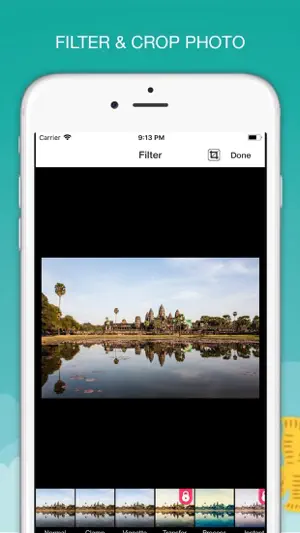
Text Art turns any photo into a card, a poster or a post — with beautiful fonts, curved text and the new text-behind-people effect. TEXT BEHIND PEOPLE Tuck big words behind the person, pet or building in your photo. One tap, processed on your device — your photos never leave it. 198 FONTS, READY TO TYPE Display, script, serif and handwriting fonts with favorites and recents. Each font preview shows your own words and warns you if a letter you typed is missing. Import your own .ttf and .otf fonts. STYLE IT YOUR WAY • 16 one-tap styles: neon, gold, ribbon, cutout, retro and more • Curved text, outlines, shadows, glow, gradients and multicolor letters • Text boxes and labels, letter and line spacing • Pinch to resize and rotate, with guides that snap to the center TEMPLATES & GREETINGS 53 ready-made designs for birthdays, love, travel, Christmas, shop sales and quotes — plus greeting phrases to drop into your text. STICKERS, SHAPES & FILTERS 373 stickers — labels, frames and doodles — in any color, plus shapes, 78 filters, crop, rotate and adjustments. NEVER LOSE A DESIGN Every design saves automatically. Undo and redo anything. Export at full resolution as JPG, PNG (with transparency) or HEIC. GREAT ON IPAD Keyboard shortcuts, trackpad support and drag and drop from other apps. NO ADS, NO WATERMARK TEXT ART PREMIUM Text Art is free to use with every font, style and curved text. Premium unlocks text behind people, every template, all 373 stickers, all filters and unlimited custom fonts. Choose monthly, yearly or a one-time lifetime purchase. If you bought Premium in an earlier version, it is already active. Subscriptions renew automatically unless cancelled at least 24 hours before the end of the current period. Payment is charged to your Apple Account. Manage or cancel your subscription in your App Store account settings. Terms of Use : https://phungdoanh.github.io/term.html Privacy Policy: http://phungdoanh.github.io/privacy_policy.html
Ratings & reviews
4.4
539 ratings
What’s new
Version 3.0 · Updated September 16, 2026
Text Art 3 is rebuilt from the ground up: • New: put text behind people and objects • 198 fonts, with favorites, recents and font import • 53 templates and ready-made greeting phrases • Undo, redo and automatic drafts — reopen any design • Curved text, gradients, glow, text boxes and 16 one-tap styles • Full-resolution export and transparent PNG • Better on iPad: keyboard shortcuts and drag and drop Premium from earlier versions carries over automatically.
App privacy
The developer, Phung Doanh, reported these privacy practices to Apple.
Data Not Collected
The developer does not collect any data from this app.
Alternatives to Text Art - Add Text to photos
Looking for apps like Text Art - Add Text to photos? Here are 6 similar apps on the App Store. The highest rated is Add Text: Videos & Photos (4.8/5), and all 6 are free to download.
-
 Textmania - Text on Photo
4.5
-
 Add Text: Videos & Photos
4.8
-
 Add Text: Write on Videos
4.8
-
 Text2Pic: Poster & Quote Maker
4.5
-
 Write on photos add text
4.7
-
 Add Text: Text on Photo
4.8
| App | Rating | Price | Last updated | Compare |
|---|---|---|---|---|
| Text Art - Add Text to photos | 4.4 / 5 (539 ratings) | Free | September 16, 2026 | |
| Textmania - Text on Photo | 4.5 / 5 (33) | Free | Aug 6, 2026 | Compare |
| Add Text: Videos & Photos | 4.8 / 5 (42) | Free | Jan 23, 2025 | Compare |
| Add Text: Write on Videos | 4.8 / 5 (27) | Free | May 4, 2026 | Compare |
| Text2Pic: Poster & Quote Maker | 4.5 / 5 (5,407) | Free | Apr 2, 2026 | Compare |
| Write on photos add text | 4.7 / 5 (23) | Free | Jan 15, 2024 | Compare |
| Add Text: Text on Photo | 4.8 / 5 (13) | Free | Oct 17, 2026 | Compare |