

QR Code Reader: Quick Scan
Komorebi Inc. Productivity iPhoneiPadiPod touch
QR Code Reader: Quick Scan is a free Productivity app for iPhone and iPad by Komorebi Inc. Rated 4.7/5 from 162,516 ratings. Requires iOS 15.0.
- Rating
- 4.7
- 162K ratings
- Price
- Free
- on the App Store
- Size
- 49 MB
- Age 4+
- Updated
- Oct 28
- 2026 · v4.1.1
Screenshots



About QR Code Reader: Quick Scan
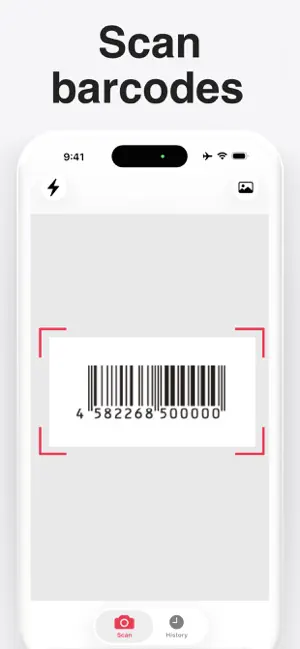
QR Code Reader is a fast, free QR code scanner for iPhone. Simple and easy to use: open the app, point your camera at a code and it reads instantly, with no buttons to press and no photos to take. The scanned content is recognized automatically, so URLs and text are ready to open, copy or share in seconds. Barcode scanning is supported too. ■ Scan QR codes in seconds The camera starts as soon as you open the app. Aim it at a QR code and it is detected automatically, so you can scan the moment you need to. The app recognizes what the code contains: open the link, copy the text or share it, without typing web addresses by hand. ■ Scan QR codes from images Got a QR code in a screenshot or a photo? The app reads QR codes directly from images in your photo library. When a code appears on your own iPhone screen, you don't need a second device: take a screenshot and read it right away. It also works for QR code images sent by email or chat. ■ Scan history always at hand Every scan is saved to your history automatically, so you can reopen links, websites and text anytime. You can also share the whole history list at once: scan many QR codes or barcodes in a row, then send them all together. Your history is stored locally on your device. ■ Scan barcodes to look up products Point the camera at a product barcode and jump straight to a product search: compare prices and check details while shopping. ■ Main features - Automatic scanning — point the camera at a code and scanning starts on its own - QR code & barcode scanner — reads both QR codes and barcodes - Scan from image — detect codes in photos and screenshots - Scan history — reopen any past scan with one tap - Share in bulk — send your scan history list in one go - Flashlight — scan even in the dark or in low light - Copy, open or share — open results in Safari or Chrome, copy them or send them to friends - Private — scan history stays on your device - No account — no sign-up, no registration - Free — all features are free to use ■ One scanner for many codes - QR codes — open websites, read text, view details - Restaurant menus — scan the code on the table to see the menu - Coupons & promos — scan discount codes from your favorite brands - Food packages — open product pages from QR codes on the label - Posters, flyers & ads — jump to campaigns and event pages - Product barcodes — scan an item and jump to a product search to compare prices ■ Simple, fast and easy to use QR codes are everywhere these days: menus, ads, posters, packages and tickets. With a simple QR scanner on your iPhone, you can check any code the moment you see it. The design is clean, there are no complicated settings, and the app is made for everyday use. If you are new to the iPhone, or you simply want a scanner that just works, this app is for you. ■ Good to know This app is a scanner only: it does not create or generate QR codes. Your scan history is stored locally on your device, and no account is needed at any point. ■ Pricing All features are free to use. The app shows ads, and there are no subscriptions, no in-app purchases and no paid plans. ■ Download QR Code Reader today Scan, save and share QR codes and barcodes with one simple app. Download now and read your first code just seconds after opening the app!
Ratings & reviews
4.7
162K ratings
What’s new
Version 4.1.1 · Updated October 28, 2026
Now supports iPhone Duo.
App privacy
The developer, Komorebi Inc., reported these privacy practices to Apple.
Data Used to Track You
The following data may be used to track you across apps and websites owned by other companies:
- Identifiers: User ID, Device ID
- Usage Data: Product Interaction
Data Not Linked to You
The following data, which may be collected but is not linked to your identity, may be used for the following purposes:
- Identifiers: User ID, Device ID
- Usage Data: Product Interaction
- Diagnostics: Crash Data, Performance Data
Used for: Third-Party Advertising, Analytics, App Functionality
Alternatives to QR Code Reader: Quick Scan
Looking for apps like QR Code Reader: Quick Scan? Here are 6 similar apps on the App Store. The highest rated is QR Reader- Scanner & Generator (5.0/5), and all 6 are free to download.
-
 QRCode Barcode
4.6
-
 QR Code Scanner Pro *
4.4
-
 QR Code Generator - QRHyper
4.8
-
 QR Reader- Scanner & Generator
5.0
-
 Qrafter: QR Code Reader
4.6
-
 Shared Family Calendar: FamCal
4.9
| App | Rating | Price | Last updated | Compare |
|---|---|---|---|---|
| QR Code Reader: Quick Scan | 4.7 / 5 (162,516 ratings) | Free | October 28, 2026 | |
| QRCode Barcode | 4.6 / 5 (810) | Free | Aug 15, 2026 | Compare |
| QR Code Scanner Pro * | 4.4 / 5 (330) | Free | Sep 6, 2026 | Compare |
| QR Code Generator - QRHyper | 4.8 / 5 (17,664) | Free | Oct 14, 2026 | Compare |
| QR Reader- Scanner & Generator | 5.0 / 5 (3) | Free | Dec 21, 2023 | Compare |
| Qrafter: QR Code Reader | 4.6 / 5 (4,012) | Free | Oct 9, 2026 | Compare |
| Shared Family Calendar: FamCal | 4.9 / 5 (27,992) | Free | Sep 8, 2026 | Compare |