

CAPTOR for Enterprise
Inkscreen LLC Productivity iPhoneiPadiPod touch
CAPTOR for Enterprise is a free Productivity app for iPhone and iPad by Inkscreen LLC. Rated 5.0/5 from 4 ratings. Requires iOS 18.0.
- Rating
- 5.0
- 4 ratings
- Price
- Free
- on the App Store
- Size
- 182 MB
- Age 4+
- Updated
- Oct 15
- 2026 · v5.7.1
Screenshots

About CAPTOR for Enterprise
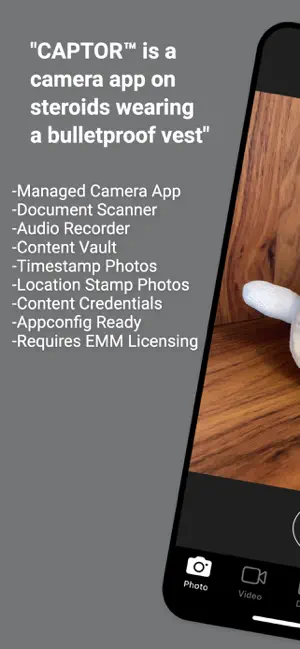
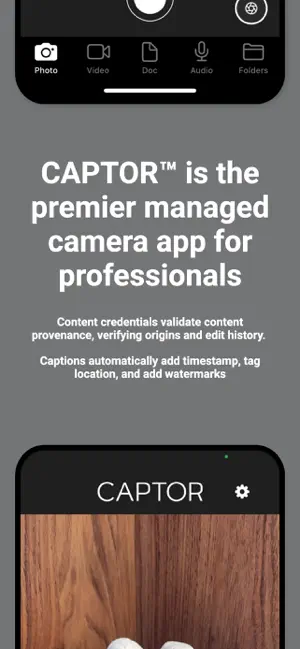
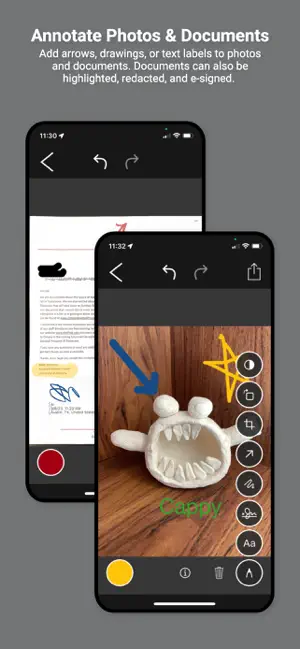
IMPORTANT: CAPTOR™ for Enterprise is an AppConfig app intended to be used as a managed app with an Enterprise Mobility Management (EMM) platform such as Citrix, Workspace ONE (AirWatch/VMware/Omnissa), AppTec360, or any other mobile management platform that supports AppConfig. CAPTOR™ enables the secure capture and control of sensitive business-related content (photos, videos, audio, and scanned documents) on iPhones and iPads. CAPTOR combines the productivity functions of a camera app, document scanning app, audio/video recording app photo/document annotator, and QR-Code reader. CAPTOR is used by organizations all over the world to securely capture content on iPhones and iPads, especially in regulated industries such as healthcare, legal, government, law enforcement, insurance, real estate, manufacturing, and financial services. CAPTOR is a critical component of any enterprise mobility solution. Key Features: -Scan multi-page documents with smart edge detection, edit, annotate, and save as PDF. -Combine/merge PDF files and rearrange or delete pages -e-Signature annotation for signing PDF documents. -Capture high resolution photos and videos. -Record ambient audio. -Read QR codes and launch secure browser. -Annotate photos and documents with arrows, drawings, highlighters, and text labels. -Apply informative captions to media including timestamps, location tags, authenticated user, and notes -Enhanced Search for photos and documents containing text, and audio and video using speech recognition -Configure IT policies to enforce authentication, PDF version, Open In, default browser, file naming, and much more. -Completely separate work content from personal to support BYOD/COPE, and enable personal privacy (GDPR compliance). -Backup content using SFTP, WebDAV, SMB, or to cloud services OneDrive, SharePoint, or Google Drive.
What’s new
Version 5.7.1 · Updated October 15, 2026
BETA - new option to backup to Google Shared Drives BETA - Kerberos authentication for SMB backups Bug fixes for Instant backups
App privacy
The developer, Inkscreen LLC, reported these privacy practices to Apple.
Data Not Linked to You
The following data, which may be collected but is not linked to your identity, may be used for the following purposes:
- Usage Data: Product Interaction
- Location: Precise Location
- Diagnostics: Crash Data
Used for: Analytics, App Functionality
Alternatives to CAPTOR for Enterprise
Looking for apps like CAPTOR for Enterprise? Here are 6 similar apps on the App Store. The highest rated is Autosource Mobile (5.0/5), and all 6 are free to download.
-
 Autosource Mobile
5.0
-
 Habit Harvest: Habit Tracker
-
 Magic Asset
-
 Bosch Fluid Energy Monitoring
-
 Pure Residence
-
 iLogSafe
5.0
| App | Rating | Price | Last updated | Compare |
|---|---|---|---|---|
| CAPTOR for Enterprise | 5.0 / 5 (4 ratings) | Free | October 15, 2026 | |
| Autosource Mobile | 5.0 / 5 (2) | Free | Jan 21, 2026 | Compare |
| Habit Harvest: Habit Tracker | – | Free | Aug 14, 2026 | Compare |
| Magic Asset | – | Free | Oct 16, 2026 | Compare |
| Bosch Fluid Energy Monitoring | – | Free | Oct 28, 2023 | Compare |
| Pure Residence | – | Free | Oct 7, 2026 | Compare |
| iLogSafe | 5.0 / 5 (1) | Free | Jul 11, 2026 | Compare |