

PDF Merge X: PDF Merger
Daniel Jirku Productivity iPhoneiPadiPod touch
PDF Merge X: PDF Merger is a free Productivity app for iPhone and iPad by Daniel Jirku. Rated 4.1/5 from 92 ratings. Requires iOS 26.0.
- Rating
- 4.1
- 92 ratings
- Price
- Free
- on the App Store
- Size
- 17 MB
- Age 4+
- Updated
- Oct 24
- 2026 · v2026.4
Screenshots

About PDF Merge X: PDF Merger
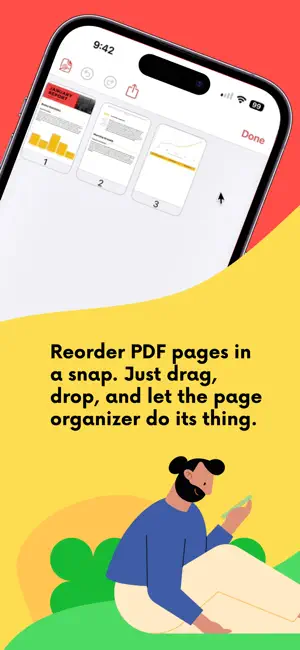
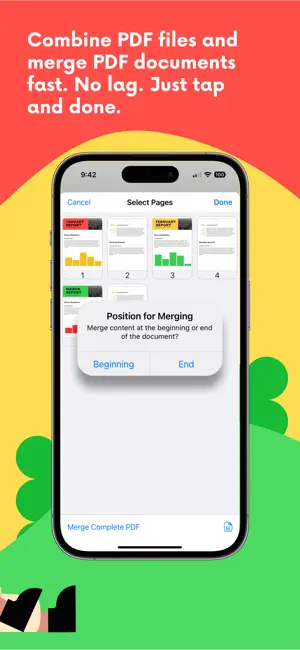
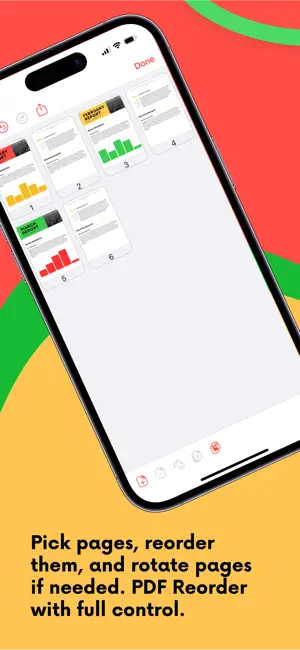
The Ultimate PDF Merger & Organizer – Fast, Simple, & Secure Need to reorder pages, merge PDF documents, or rotate PDFs? PDF Merge X is the smart, no-fuss solution. Whether you're a student organizing notes or a pro managing contracts, PDF Merge X gives you full control. Fast, offline, and without watermarks. Why PDF Merge X? Merge PDF in One Tap – Quickly combine multiple PDFs into a single, organized document. Join PDFs Without Quality Loss – Keep your document quality intact while merging. Rearrange & Organize – Easily reorder, delete, or duplicate pages within your PDF. Secure & Private – Process files offline with no data stored on external servers. Built-in Features for Better PDF Control Merge PDFs Effortlessly – Select multiple files and combine them into one seamless document. PDF Join & Combine – Keep files organized with fast PDF joining. Reorder & Rotate Pages – Drag-and-drop to organize or fix page orientation. Add Pages Easily – Insert blank pages or add images from your photo library directly into any PDF. Instant PDF Preview – Check your document before finalizing changes. Merge PDFs in One Go – Combine several PDFs at once with a dedicated merge action. Lightning-Fast Performance – Our PDF merger is optimized for speed and efficiency. Seamless Sharing – Export PDFs and share via email, iCloud Drive, or your favorite apps. Undo & Redo Support – Make adjustments confidently with undo and redo options. iCloud & Files App Integration – Open and save files directly from your preferred storage. Built-in PDF Previewer – Review your PDFs without leaving the app. How it Works Drag, Drop & Merge – Select your PDFs and join them instantly. Reorder & Rotate – Arrange pages in any order or adjust orientation. Preview & Share – Review before saving and share effortlessly. Free Version – Simple & Powerful PDF Editing Get started with PDF Merge X for free and access essential PDF editing tools without subscriptions. What’s Included in the Free Version? Merge PDFs – Combine up to two PDFs into a single document. Reorder & Rotate – Rearrange pages or adjust orientation. Delete Pages – Remove unwanted pages with one tap. Preview & Share – Check your document before saving and export seamlessly. Upgrade to Pro with a one-time purchase and unlock unlimited PDF editing, and advanced features—no recurring fees. No watermarks. No ads. No subscriptions. Just powerful, easy-to-use PDF tool! Try PDF Merge X Today! Merge, reorder, combine, and manage your PDF files with ease. Download PDF Merge X now and streamline your workflow in just a few taps!
Ratings & reviews
4.1
92 ratings
What’s new
Version 2026.4 · Updated October 24, 2026
New PDF operation: Extract. Select the pages you need and tap Extract. Undo brings the removed pages back.
App privacy
The developer, Daniel Jirku, reported these privacy practices to Apple.
Data Not Linked to You
The following data, which may be collected but is not linked to your identity, may be used for the following purposes:
- Usage Data: Product Interaction
- Diagnostics: Crash Data
Used for: App Functionality
Alternatives to PDF Merge X: PDF Merger
Looking for apps like PDF Merge X: PDF Merger? Here are 6 similar apps on the App Store. The highest rated is PDF Combiner - Merge & Split (4.8/5), and all 6 are free to download.
-
 PDF Splitter + PDF Merge
4.5
PDF Splitter + PDF Merge
4.5
-
 PDF Page Remover
3.2
PDF Page Remover
3.2
-
 PDF Combiner - Merge & Split
4.8
PDF Combiner - Merge & Split
4.8
-
 Merge PDF - Combine PDF
4.8
Merge PDF - Combine PDF
4.8
-
 Merge PDF - Combine PDF Files
4.6
Merge PDF - Combine PDF Files
4.6
-
 pdf merge, split, delete, swap
4.1
pdf merge, split, delete, swap
4.1
| App | Rating | Price | Last updated | Compare |
|---|---|---|---|---|
| PDF Merge X: PDF Merger | 4.1 / 5 (92 ratings) | Free | October 24, 2026 | |
| PDF Splitter + PDF Merge | 4.5 / 5 (140) | Free | Aug 25, 2026 | Compare |
| PDF Page Remover | 3.3 / 5 (8) | Free | Oct 27, 2026 | Compare |
| PDF Combiner - Merge & Split | 4.8 / 5 (293) | Free | Oct 22, 2026 | Compare |
| Merge PDF - Combine PDF | 4.8 / 5 (353) | Free | Oct 21, 2026 | Compare |
| Merge PDF - Combine PDF Files | 4.6 / 5 (15) | Free | Feb 19, 2026 | Compare |
| pdf merge, split, delete, swap | 4.1 / 5 (21) | Free | Jun 8, 2026 | Compare |