

MyEngine
Williams International Business iPhoneiPadiPod touch
MyEngine is a free Business app for iPhone and iPad by Williams International. Rated 5.0/5 from 3 ratings. Requires iOS 11.0. Updated July 1, 2024.
- Rating
- 5.0
- 3 ratings
- Price
- Free
- on the App Store
- Size
- 39 MB
- Age 4+
- Updated
- Jul 1
- 2024 · v1.11
Screenshots


About MyEngine
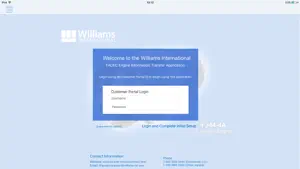
Overview Williams International - MyEngine - Information File Transfer This application facilitates the transfer of Engine Information (e-info) files from an Aircraft to Williams International. The MyEngine application has 2 Connection Modes, Aircraft and WI. In Aircraft Connection Mode the flight files on the Aircraft are acquired by the iPad. In WI Connection Mode, the e-info files are uploaded to Williams International. Acquiring Aircraft Files In order to acquire Aircraft flight files, change to Aircraft Connection Mode. Use the [ Make a Connection ], [ Connect to Aircraft ] or [ Connect to Internet ] button on the home page to access the iPad Settings (Wi-Fi) and select the appropriate Aircraft network. Once the Aircraft Wi-Fi setting is selected, return to the MyEngine home page and verify Aircraft availability via the [ Wi-Fi ] display. Aircraft file acquisition will begin automatically. Aircraft files can be re-acquired, or a cancelled acquisition can be restarted, by using the [ Retry Transfer ] button. Notifications will provide file acquisition progress or error messages. Transferring Files to Williams International After Aircraft flight files have been acquired, transfer to Williams International is available. Change to WI Connection Mode (via Internet) by using the [ Connect to Internet ] or [ Make a Connection ] button on the home page to access the iPad Settings (Wi-Fi) and select the appropriate Internet network. Once the Williams Connect (Internet) Wi-Fi setting is selected, return to the MyEngine home page and verify availability via the [ Wi-Fi ] display. File transfer to Williams International will begin automatically. Files can be re-sent, or a cancelled transfer can be restarted, by using the [ Retry Transfer ] button. Notifications will provide file transfer progress or error messages.
What’s new
Version 1.11 · Updated July 1, 2024
New release to speed up file transfers and remove interruptions to the file transfer process.
App privacy
The developer, Williams International, reported these privacy practices to Apple.
Data Not Collected
The developer does not collect any data from this app.
Alternatives to MyEngine
Looking for apps like MyEngine? Here are 6 similar apps on the App Store. The highest rated is DCTU (5.0/5), and all 6 are free to download.
-
 Honeywell Forge MxAdvisor
3.0
Honeywell Forge MxAdvisor
3.0
-
 INDS Data Manager (IDM)
1.0
INDS Data Manager (IDM)
1.0
-
 DCTU
5.0
DCTU
5.0
-
 iCAMP
3.5
iCAMP
3.5
-
 Field - Touch
5.0
Field - Touch
5.0
-
 POPA Convention
5.0
POPA Convention
5.0
| App | Rating | Price | Last updated | Compare |
|---|---|---|---|---|
| MyEngine | 5.0 / 5 (3 ratings) | Free | July 1, 2024 | |
| Honeywell Forge MxAdvisor | 3.0 / 5 (4) | Free | Jul 2, 2026 | Compare |
| INDS Data Manager (IDM) | 1.0 / 5 (11) | Free | Jun 3, 2026 | Compare |
| DCTU | 5.0 / 5 (1) | Free | Apr 27, 2024 | Compare |
| iCAMP | 3.5 / 5 (26) | Free | Sep 28, 2026 | Compare |
| Field - Touch | 5.0 / 5 (1) | Free | Feb 21, 2025 | Compare |
| POPA Convention | 5.0 / 5 (2) | Free | May 21, 2026 | Compare |
Compare MyEngine with the top alternatives: ratings, updates, ASO score and keyword gaps →