
Mobile Screen Stream For Web
IJAGER Tools
Users to easily share their device screen and view it directly in a web browser.
- Downloads
- 50+
- on Google Play
- Price
- Free
- No in-app purchases
- Updated
- Aug 19
- 2023 · v1.0
Screenshots
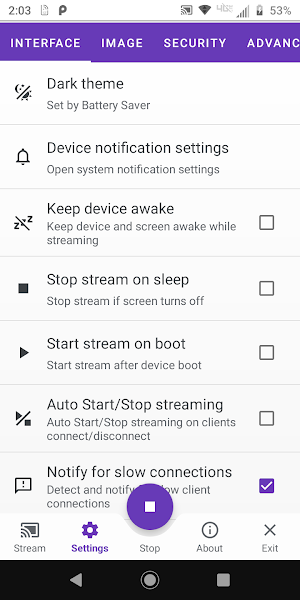


About Mobile Screen Stream For Web
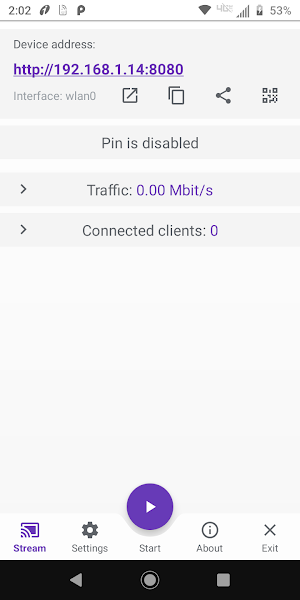
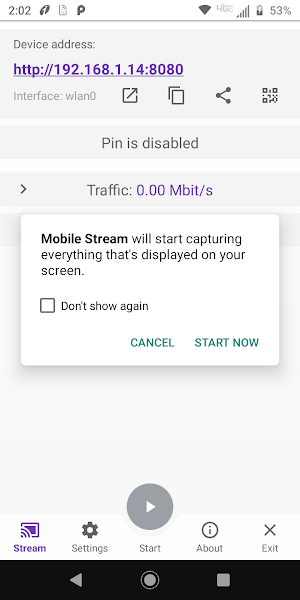
Mobile Stream is a user-friendly Android application that allows users to easily share their device screen and view it directly in a web browser. No additional software is required other than the Mobile Steam itself, a web browser, and an internet connection (for Global mode).
Mobile Stream offers two work modes: Global mode and Local mode. Both modes aim to stream the Android device screen with unique functionalities, restrictions, and customization options.
Global Mode (WebRTC):
Powered by WebRTC technology.
End-to-end encrypted communication.
Stream protection with password.
Supports both video and audio streaming.
Connect using unique stream ID and password.
Requires an internet connection for streaming.
Individual data transmission for each client, with more clients requiring increased internet bandwidth to maintain optimal performance.
Local Mode (MJPEG):
Powered by MJPEG standard.
Utilizes PIN for security (no encryption).
Sends video as a series of independent images (no audio).
Functions without an internet connection within your local network.
Embedded HTTP server.
Works with WiFi and/or mobile networks, supporting IPv4 and IPv6.
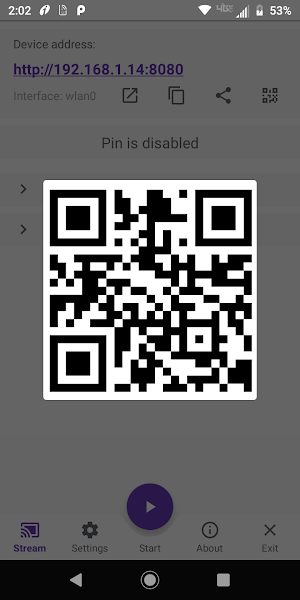
Clients connect via web browser using the app's provided IP address.
Highly customizable.
Individual data transmission for each client, with more clients requiring increased internet bandwidth to maintain optimal performance.
In both modes the number of clients is not directly limited, but it's important to keep in mind that each client consumes CPU resources and bandwidth for data transmission.
Important Warnings:
1. High Traffic on Mobile Networks: Use caution when streaming via mobile 3G/4G/5G/LTE networks to avoid excessive data usage.
2. Delay in Streaming: Expect a delay of at least 0.5-1 second or more in certain conditions: slow device, poor internet or network connection, or when the device is under heavy CPU load due to other applications.
3. Video Streaming Limitation: Mobile Stream is not designed for streaming video, particularly HD video. While it will function, the stream quality may not meet your expectations.
4. Incoming Connection Limitations: Some cell operators may block incoming connections for security reasons.
5. WiFi Network Restrictions: Some WiFi networks (usually public or guest networks) may block connections between devices for security reasons.
Mobile Stream offers two work modes: Global mode and Local mode. Both modes aim to stream the Android device screen with unique functionalities, restrictions, and customization options.
Global Mode (WebRTC):
Powered by WebRTC technology.
End-to-end encrypted communication.
Stream protection with password.
Supports both video and audio streaming.
Connect using unique stream ID and password.
Requires an internet connection for streaming.
Individual data transmission for each client, with more clients requiring increased internet bandwidth to maintain optimal performance.
Local Mode (MJPEG):
Powered by MJPEG standard.
Utilizes PIN for security (no encryption).
Sends video as a series of independent images (no audio).
Functions without an internet connection within your local network.
Embedded HTTP server.
Works with WiFi and/or mobile networks, supporting IPv4 and IPv6.
Clients connect via web browser using the app's provided IP address.
Highly customizable.
Individual data transmission for each client, with more clients requiring increased internet bandwidth to maintain optimal performance.
In both modes the number of clients is not directly limited, but it's important to keep in mind that each client consumes CPU resources and bandwidth for data transmission.
Important Warnings:
1. High Traffic on Mobile Networks: Use caution when streaming via mobile 3G/4G/5G/LTE networks to avoid excessive data usage.
2. Delay in Streaming: Expect a delay of at least 0.5-1 second or more in certain conditions: slow device, poor internet or network connection, or when the device is under heavy CPU load due to other applications.
3. Video Streaming Limitation: Mobile Stream is not designed for streaming video, particularly HD video. While it will function, the stream quality may not meet your expectations.
4. Incoming Connection Limitations: Some cell operators may block incoming connections for security reasons.
5. WiFi Network Restrictions: Some WiFi networks (usually public or guest networks) may block connections between devices for security reasons.
What’s new
Version 1.0 · Updated August 19, 2023
*New Release
Alternatives to Mobile Screen Stream For Web
Looking for apps like Mobile Screen Stream For Web? Here are 6 similar Android apps on Google Play. All of them are free to download.
-
Fast VPN Safe, Secure Internet
-
Crypto Rate Bitcoin Tracker
-
Info search - Wikipedia clone
-
MYSudoku - Sudoku Puzzle Game
-
DJMusic - Music, Songs App
-
Byte Monitor - Data Manager
| App | Rating | Price | Installs | Last updated | Compare |
|---|---|---|---|---|---|
| Mobile Screen Stream For Web | – | Free | 50+ | Aug 19, 2023 | |
| Fast VPN Safe, Secure Internet | – | Free | 50+ | Aug 4, 2023 | Compare |
| Crypto Rate Bitcoin Tracker | – | Free | 10+ | Aug 14, 2023 | Compare |
| Info search - Wikipedia clone | – | Free | 0+ | Aug 9, 2023 | Compare |
| MYSudoku - Sudoku Puzzle Game | – | Free | 10+ | Jul 28, 2023 | Compare |
| DJMusic - Music, Songs App | – | Free | 100+ | Jul 29, 2025 | Compare |
| Byte Monitor - Data Manager | – | Free | 100+ | Jul 20, 2023 | Compare |
Similar apps on Google Play
- Fast VPN Safe, Secure Internet
- Crypto Rate Bitcoin Tracker
- Info search - Wikipedia clone
- MYSudoku - Sudoku Puzzle Game
- DJMusic - Music, Songs App
- Byte Monitor - Data Manager
- Ebook - Download & Read Books
- Calculator - Calc
- Pery Air - Flight Booking App
- All India Suriya Fans Club
- ParadiseBride - Couple
- ParadiseBride - Planner
- BookJager - Online Book Store
- OrderNear E-Commerce Demo App
- Socialride - Crowdfunding
- Nigeria PhoneBook - People Inf