
Image Comparator
Tools
Compare two images: slider, side-by-side, onion blend, pixel difference & more.
- Downloads
- 1K+
- on Google Play
- Price
- Free
- No in-app purchases
- Updated
- Jun 6
- 2026 · v1.0
Screenshots


About Image Comparator
A FREE, offline, multi-language image comparison app.
Image Comparator is the most beautiful and complete way to compare two images on Android — and every feature is completely free.
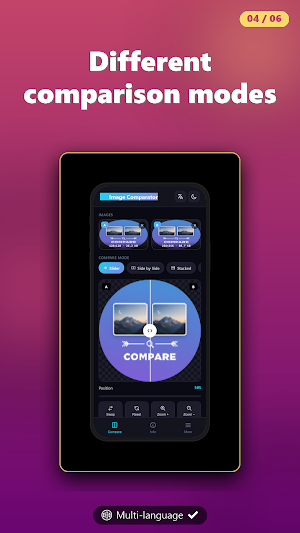
Whether you're a designer reviewing before/after edits, a photographer checking two shots, a developer comparing UI screenshots, or just curious how two pictures stack up — Image Comparator gives you six powerful comparison modes in one elegant app.
Six Comparison Modes:
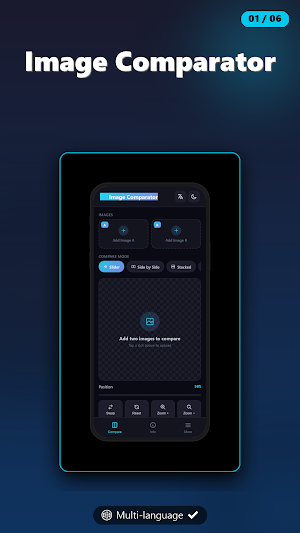
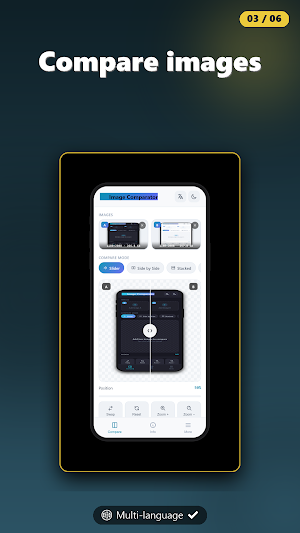
Slider — Drag a vertical line left and right to reveal one image over the other. The classic before/after view.
Side by Side — Two images placed next to each other for quick visual comparison.
Stacked — Images placed top-to-bottom, perfect for landscape photos.
Onion Skin — Blend the two images with adjustable opacity to spot tiny shifts and alignments.
Pixel Difference — Heatmap visualization that highlights exactly where the two images differ, with adjustable sensitivity. See match percentage, changed pixel count, and mean pixel difference in real time.
Flicker — Rapidly alternate between the two images at adjustable speed. The fastest way to spot subtle changes.
Built for Detail
- Pinch to zoom up to 8× with smooth two-finger panning
- Synchronized zoom and pan keeps both images aligned
- Double-tap to reset the view instantly
- Swap A/B with one tap
- A/B labels that can be toggled on or off
Detailed Image Info
Get rich information for every image you load:
- Dimensions, aspect ratio, and megapixel count
- File size and image format
- Side-by-side comparison stats
- Visual similarity score computed pixel-by-pixel
Beautifully Designed
- Clean, modern interface with smooth animations
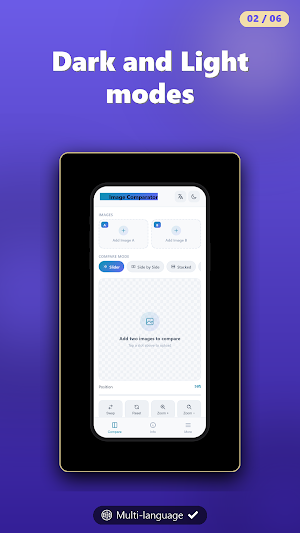
- Light and dark themes that follow your system settings
- Optimized for one-handed use
Export & Share
Export your comparison as a high-resolution PNG (1024×1024) — slider position, dividers, and labels all baked in. Share it directly with anyone.
100% Private
Your images never leave your device. Image Comparator works completely offline with no servers, no uploads, and no cloud processing.
Completely Free
Every feature, every mode, every export — all of it, free. No paywalls, no premium tier, no hidden costs.
Frequently used by:
- Designers reviewing before/after edits
- Photographers comparing shots
- Developers diffing screenshots and UI states
- Quality assurance and visual regression testing
- Spotting forgeries or manipulated images
- Anyone who just wants to compare two pictures
Image Comparator is the most beautiful and complete way to compare two images on Android — and every feature is completely free.
Whether you're a designer reviewing before/after edits, a photographer checking two shots, a developer comparing UI screenshots, or just curious how two pictures stack up — Image Comparator gives you six powerful comparison modes in one elegant app.
Six Comparison Modes:
Slider — Drag a vertical line left and right to reveal one image over the other. The classic before/after view.
Side by Side — Two images placed next to each other for quick visual comparison.
Stacked — Images placed top-to-bottom, perfect for landscape photos.
Onion Skin — Blend the two images with adjustable opacity to spot tiny shifts and alignments.
Pixel Difference — Heatmap visualization that highlights exactly where the two images differ, with adjustable sensitivity. See match percentage, changed pixel count, and mean pixel difference in real time.
Flicker — Rapidly alternate between the two images at adjustable speed. The fastest way to spot subtle changes.
Built for Detail
- Pinch to zoom up to 8× with smooth two-finger panning
- Synchronized zoom and pan keeps both images aligned
- Double-tap to reset the view instantly
- Swap A/B with one tap
- A/B labels that can be toggled on or off
Detailed Image Info
Get rich information for every image you load:
- Dimensions, aspect ratio, and megapixel count
- File size and image format
- Side-by-side comparison stats
- Visual similarity score computed pixel-by-pixel
Beautifully Designed
- Clean, modern interface with smooth animations
- Light and dark themes that follow your system settings
- Optimized for one-handed use
Export & Share
Export your comparison as a high-resolution PNG (1024×1024) — slider position, dividers, and labels all baked in. Share it directly with anyone.
100% Private
Your images never leave your device. Image Comparator works completely offline with no servers, no uploads, and no cloud processing.
Completely Free
Every feature, every mode, every export — all of it, free. No paywalls, no premium tier, no hidden costs.
Frequently used by:
- Designers reviewing before/after edits
- Photographers comparing shots
- Developers diffing screenshots and UI states
- Quality assurance and visual regression testing
- Spotting forgeries or manipulated images
- Anyone who just wants to compare two pictures
What’s new
Version 1.0 · Updated June 6, 2026
Compare two images: slider, side-by-side, onion blend, pixel difference & more. Free, fast and offline. Small size, only 1.3mb.
Alternatives to Image Comparator
Looking for apps like Image Comparator? Here are 6 similar Android apps on Google Play. The highest rated is Vice TV (Unofficial) (3.0/5), and all 6 are free to download.
-
Math Playground
-
Unicode Symbol Finder— offline
-
Vice TV (Unofficial) 3.0
-
Bar Chart Race Maker
-
Spirograph Art Studio
-
Checksum Calculator
| App | Rating | Price | Installs | Last updated | Compare |
|---|---|---|---|---|---|
| Image Comparator | – | Free | 1,000+ | Jun 6, 2026 | |
| Math Playground | – | Free | 1,000+ | Aug 5, 2026 | Compare |
| Unicode Symbol Finder— offline | – | Free | 100+ | – | Compare |
| Vice TV (Unofficial) | 3.0 / 5 | Free | 5,000+ | Aug 5, 2026 | Compare |
| Bar Chart Race Maker | – | Free | 100+ | – | Compare |
| Spirograph Art Studio | – | Free | 100+ | – | Compare |
| Checksum Calculator | – | Free | 100+ | May 4, 2026 | Compare |
Compare Image Comparator with the top alternatives: ratings, updates, ASO score and keyword gaps →