

WoWBils
WoWSQL Technologies Shopping
Read-only shop monitor for WoWBils — sales, stock, parties & reports on the go.
- Downloads
- 1+
- on Google Play
- Price
- Free
- No in-app purchases
- Updated
- Aug 21
- 2026 · v0.1.1
Screenshots


About WoWBils
WoWBil is the companion app for WoWBils GST billing on Windows.
View your shop live from your phone — without creating or editing bills. Designed for account owners and managers who need a quick, read-only look at the business while the counter runs on the desktop app.
What you can see
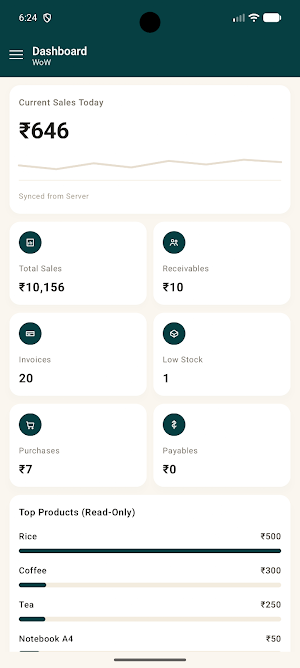
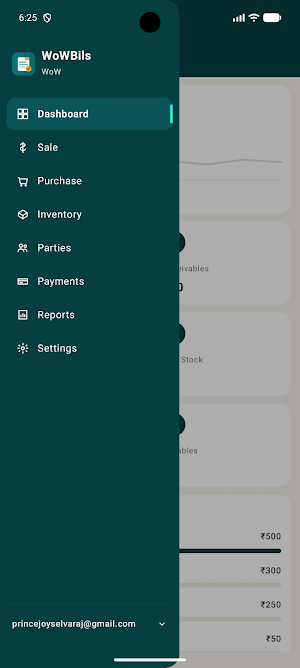
• Dashboard — today’s sales, totals, receivables, payables, and stock alerts
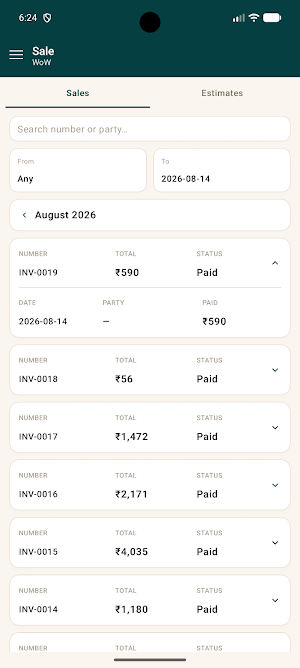
• Sale & estimates — invoice lists with party, amount, and balance
• Purchase — purchase bills at a glance
• Inventory — items, prices, and stock levels
• Parties — customers and suppliers with balances
• Payments — payment history by mode and party
• Reports — sales, tax summary, stock, and party statements
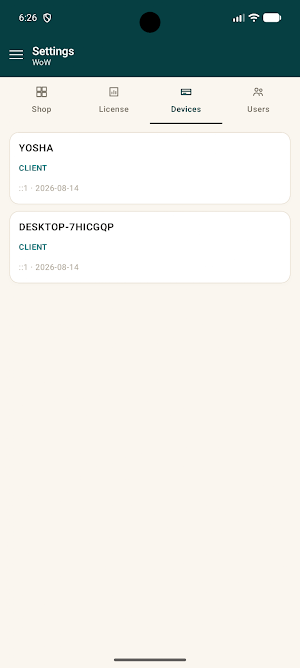
• Settings — account and shop overview
How it works
1. Create your WoWBils account at wowbils.in
2. Run WoWBils on your Windows Server PC and keep live sync on
3. Sign in to Monitor with the same account email and password
4. Pull down to refresh shop data synced from your Server
Important
• This app is read-only. It cannot create invoices, take payments, or change stock.
• Use your account email and password — not a cashier PIN.
• Requires an active WoWBils trial or subscription and internet access.
• Shop data appears after your Windows Server PC syncs with the portal.
WoWBils — GST billing that stays offline on your PC, and stays visible with Monitor.
Learn more: https://wowbils.in
View your shop live from your phone — without creating or editing bills. Designed for account owners and managers who need a quick, read-only look at the business while the counter runs on the desktop app.
What you can see
• Dashboard — today’s sales, totals, receivables, payables, and stock alerts
• Sale & estimates — invoice lists with party, amount, and balance
• Purchase — purchase bills at a glance
• Inventory — items, prices, and stock levels
• Parties — customers and suppliers with balances
• Payments — payment history by mode and party
• Reports — sales, tax summary, stock, and party statements
• Settings — account and shop overview
How it works
1. Create your WoWBils account at wowbils.in
2. Run WoWBils on your Windows Server PC and keep live sync on
3. Sign in to Monitor with the same account email and password
4. Pull down to refresh shop data synced from your Server
Important
• This app is read-only. It cannot create invoices, take payments, or change stock.
• Use your account email and password — not a cashier PIN.
• Requires an active WoWBils trial or subscription and internet access.
• Shop data appears after your Windows Server PC syncs with the portal.
WoWBils — GST billing that stays offline on your PC, and stays visible with Monitor.
Learn more: https://wowbils.in
What’s new
Version 0.1.1 · Updated August 21, 2026
Stability and compatibility improvements
Alternatives to WoWBils
Looking for apps like WoWBils? Here are 3 similar Android apps on Google Play. All of them are free to download.


| App | Rating | Price | Installs | Last updated | Compare |
|---|---|---|---|---|---|
| WoWBils | – | Free | 1+ | Aug 21, 2026 | |
| Line Game | – | Free | 10+ | Sep 24, 2026 | Compare |
| Snake mini | – | Free | 10+ | Sep 24, 2026 | Compare |
| WoWCare | – | Free | 10+ | – | Compare |
Compare WoWBils with the top alternatives: ratings, updates, ASO score and keyword gaps →