
DocZest – PDF & Document Tools
Productivity Contains ads
Scan, compress, merge, split & convert PDFs and photos — all on your device.
- Downloads
- 10+
- on Google Play
- Price
- Free
- No in-app purchases
- Updated
- Sep 11
- 2026 · v1.0.0
Screenshots


About DocZest – PDF & Document Tools
DocZest is a fast, private, everyday PDF and document toolkit.
Turn photos into a PDF, scan a document with your camera, compress a PDF (or shrink it to an exact target size), merge or split PDFs, convert PDF pages to images, and compress, resize or convert photos — all without an account, and without your files ever leaving your device.
WHY DOCZEST
• Private by design — document processing happens entirely on your device. Nothing is uploaded to a server.
• No account needed — open the app and start working.
• Fast and simple — built for the everyday PDF tasks people actually need, not a full professional editor.
WHAT YOU CAN DO
• Image to PDF — turn one or more photos into a PDF
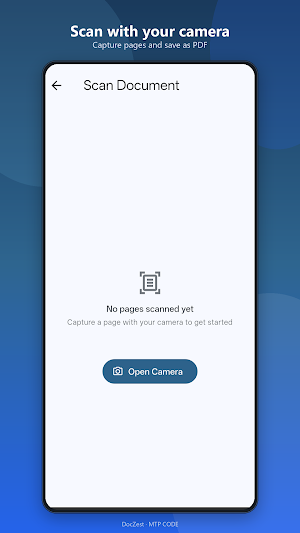
• Scan Document — scan with your camera, crop, enhance, and export a PDF
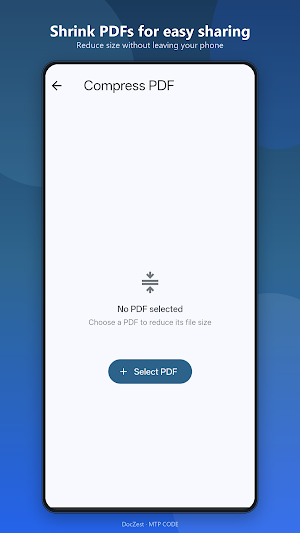
• Compress PDF — shrink a PDF's file size, or target an exact size (e.g. "under 2 MB" for a government upload)
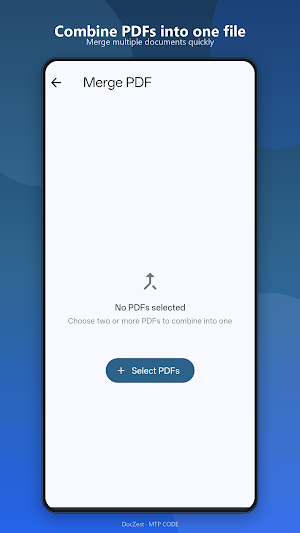
• Merge PDF — combine multiple PDFs into one
• Split PDF — extract a page range, or split every page into its own file
• PDF to Image — export PDF pages as JPG or PNG
• Compress Image — shrink a photo's file size
• Resize Image — change dimensions by percentage or exact size
• Image Converter — convert between JPG, PNG and WEBP
• Document Ready — get a file ready for WhatsApp, email, a government portal, printing, or an application form, with one tap
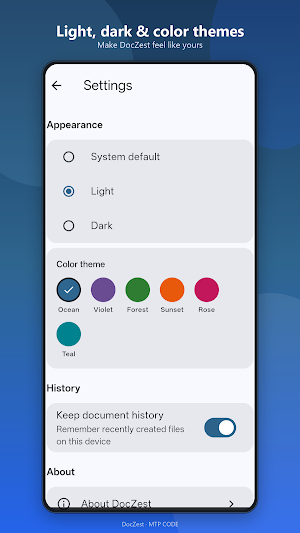
• Local document history, Android system share and print, dark mode with 6 color themes
DocZest is built for students, office workers, small businesses, shopkeepers, freelancers, teachers and anyone who needs quick, everyday PDF and document tools.
Developed by MTP CODE.
Turn photos into a PDF, scan a document with your camera, compress a PDF (or shrink it to an exact target size), merge or split PDFs, convert PDF pages to images, and compress, resize or convert photos — all without an account, and without your files ever leaving your device.
WHY DOCZEST
• Private by design — document processing happens entirely on your device. Nothing is uploaded to a server.
• No account needed — open the app and start working.
• Fast and simple — built for the everyday PDF tasks people actually need, not a full professional editor.
WHAT YOU CAN DO
• Image to PDF — turn one or more photos into a PDF
• Scan Document — scan with your camera, crop, enhance, and export a PDF
• Compress PDF — shrink a PDF's file size, or target an exact size (e.g. "under 2 MB" for a government upload)
• Merge PDF — combine multiple PDFs into one
• Split PDF — extract a page range, or split every page into its own file
• PDF to Image — export PDF pages as JPG or PNG
• Compress Image — shrink a photo's file size
• Resize Image — change dimensions by percentage or exact size
• Image Converter — convert between JPG, PNG and WEBP
• Document Ready — get a file ready for WhatsApp, email, a government portal, printing, or an application form, with one tap
• Local document history, Android system share and print, dark mode with 6 color themes
DocZest is built for students, office workers, small businesses, shopkeepers, freelancers, teachers and anyone who needs quick, everyday PDF and document tools.
Developed by MTP CODE.
What’s new
Version 1.0.0 · Updated September 11, 2026
Bug fixes and stability improvements: - Fixed a crash on app launch in some builds - Removed unused photo/video permissions the app doesn't need - General reliability improvements
Alternatives to DocZest – PDF & Document Tools
Looking for apps like DocZest – PDF & Document Tools? Here are 6 similar Android apps on Google Play. The highest rated is Smallpdf: Scanner & PDF Editor (4.5/5), and all 6 are free to download.
-
PDFelement-PDF Editor & Reader 4.1
-
Smallpdf: Scanner & PDF Editor 4.5
-
pdfFiller Edit, fill, sign PDF 3.9
-
PDF Reader(KDAN PDF): Edit PDF 3.8
-
PDF Reader Zone 3.9
-
CSV File Viewer - Smart CSV 4.1
| App | Rating | Price | Installs | Last updated | Compare |
|---|---|---|---|---|---|
| DocZest – PDF & Document Tools | – | Free | 10+ | Sep 11, 2026 | |
| PDFelement-PDF Editor & Reader | 4.1 / 5 | Free | 5,000,000+ | Oct 16, 2026 | Compare |
| Smallpdf: Scanner & PDF Editor | 4.5 / 5 | Free | 5,000,000+ | Oct 7, 2026 | Compare |
| pdfFiller Edit, fill, sign PDF | 3.9 / 5 | Free | 5,000,000+ | Oct 22, 2026 | Compare |
| PDF Reader(KDAN PDF): Edit PDF | 3.8 / 5 | Free | 10,000,000+ | – | Compare |
| PDF Reader Zone | 3.9 / 5 | Free | 10,000,000+ | Sep 11, 2026 | Compare |
| CSV File Viewer - Smart CSV | 4.1 / 5 | Free | 100,000+ | Oct 29, 2026 | Compare |
Similar apps on Google Play
- PDFelement-PDF Editor & Reader
- Smallpdf: Scanner & PDF Editor
- pdfFiller Edit, fill, sign PDF
- PDF Reader(KDAN PDF): Edit PDF
- PDF Reader Zone
- CSV File Viewer - Smart CSV
- All Document Reader: PDF, Word
- Mobi PDF・Editor・Scanner・Reader
- PDF Merge: Scan, Sign & Edit
- Office Reader - PDF,Word,Excel
- Falcon PDF - Editor & Tools
- Regula Document Reader
- PDF Scanner Plus - Doc Scanner
- Mobile Scanner App - Scan PDF
- Foxit PDF Editor
- FastField: Field Service Forms
- Genius Scan - PDF Scanner
- Dext: Receipt Tracker
- Polaris Office: Edit&View, PDF