

MFA Authenticator
code4Flutter Productivity Contains ads
Two Factor Authentication
- Rating
- 3.9
- 133 ratings
- Downloads
- 6.2K+
- on Google Play
- Price
- Free
- No in-app purchases
- Updated
- Jul 24
- 2026 · v1.0.0
Screenshots
About MFA Authenticator
Protect your online accounts and sensitive information with the MFA Authenticator app. Our state-of-the-art authentication technology ensures that your digital identity remains safe and secure.
Key Features:
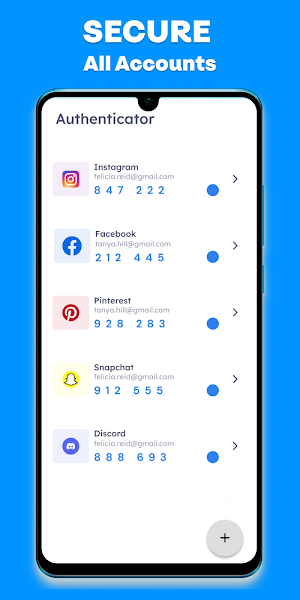
Two-Factor Authentication (2FA): Enable 2FA for your favorite online services and add an extra layer of security to your accounts.
Biometric Lock: Use your fingerprint or face recognition to lock and unlock the app, keeping your authentication codes private.
Cross-Platform Support: SecureAuth Authenticator works seamlessly with popular platforms and services, ensuring your security wherever you go.
Backup and Restore: Safeguard your authentication codes with encrypted cloud backup. Easily restore your accounts on a new device.
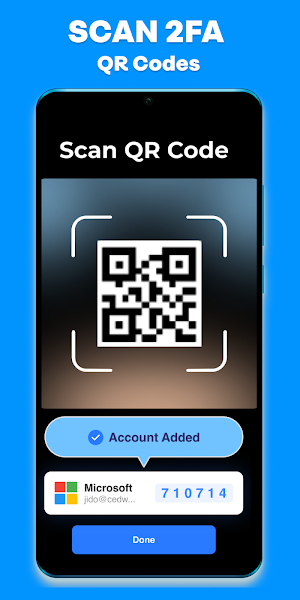
QR Code Scanning: Quickly add accounts by scanning QR codes or manually entering secret keys.
Time-Based OTP: Generate time-based one-time passwords for enhanced security.
Passwordless Login: Embrace the future of secure logins with our passwordless authentication option.
Customization: Personalize your app with themes and settings that suit your preferences.
Why Choose SecureAuth Authenticator?
In a world where online security is paramount, SecureAuth Authenticator offers a robust and user-friendly solution to protect your accounts. With advanced features like biometric locking, passwordless login, and cross-platform support, it's the perfect choice for those who value their online privacy.
Don't compromise on security; take control of your digital identity with SecureAuth Authenticator. Download now and fortify your online presence!
Key Features:
Two-Factor Authentication (2FA): Enable 2FA for your favorite online services and add an extra layer of security to your accounts.
Biometric Lock: Use your fingerprint or face recognition to lock and unlock the app, keeping your authentication codes private.
Cross-Platform Support: SecureAuth Authenticator works seamlessly with popular platforms and services, ensuring your security wherever you go.
Backup and Restore: Safeguard your authentication codes with encrypted cloud backup. Easily restore your accounts on a new device.
QR Code Scanning: Quickly add accounts by scanning QR codes or manually entering secret keys.
Time-Based OTP: Generate time-based one-time passwords for enhanced security.
Passwordless Login: Embrace the future of secure logins with our passwordless authentication option.
Customization: Personalize your app with themes and settings that suit your preferences.
Why Choose SecureAuth Authenticator?
In a world where online security is paramount, SecureAuth Authenticator offers a robust and user-friendly solution to protect your accounts. With advanced features like biometric locking, passwordless login, and cross-platform support, it's the perfect choice for those who value their online privacy.
Don't compromise on security; take control of your digital identity with SecureAuth Authenticator. Download now and fortify your online presence!
Alternatives to MFA Authenticator
Looking for apps like MFA Authenticator? Here are 4 similar Android apps on Google Play. The highest rated is Keyguard (4.7/5), and 3 of the 4 are free to download.



| App | Rating | Price | Installs | Last updated | Compare |
|---|---|---|---|---|---|
| MFA Authenticator | 3.9 / 5 | Free | 5,000+ | Jul 24, 2026 | |
| TAPP Authenticator | – | – | – | Aug 25, 2025 | Compare |
| Keyguard | 4.7 / 5 | Free | 10,000+ | Sep 16, 2026 | Compare |
| 2FA Authenticator (2FAS) | 4.3 / 5 | Free | 5,000,000+ | Oct 6, 2026 | Compare |
| LockTrip | 4.5 / 5 | Free | 50,000+ | Aug 12, 2026 | Compare |
Compare MFA Authenticator with the top alternatives: ratings, updates, ASO score and keyword gaps →