
BRI Q-Token
PT Bank Rakyat Indonesia (Persero) Tbk. Finance
It is a mobile-app to authorize transactions on the BRICaMS platform
- Downloads
- 500+
- on Google Play
- Price
- Free
- No in-app purchases
- Updated
- Jul 29
- 2023 · v1.0.6
Screenshots
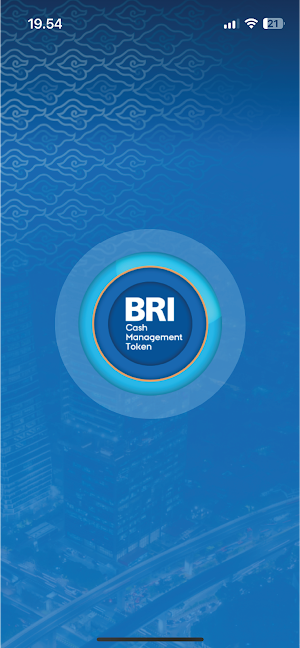
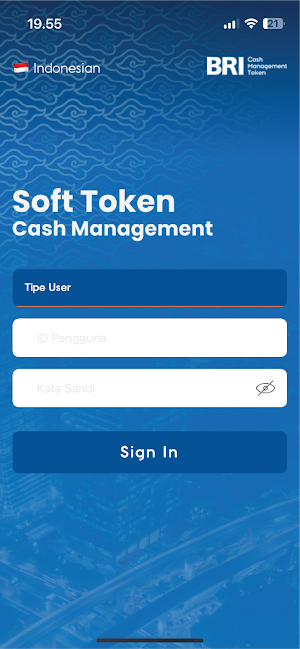
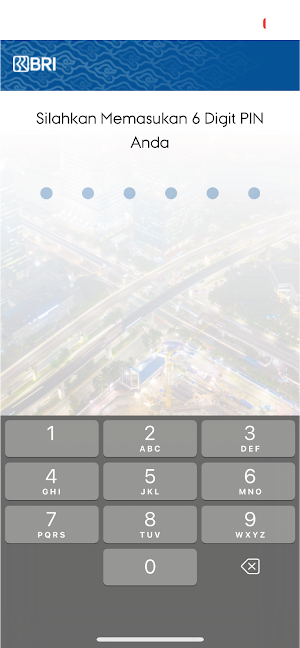


About BRI Q-Token
BRI Q-Token is a mobile-app being a part of the dual factor authentication security device for the purpose of authorizing transactions created on the BRICaMS (Cash Management BRI) platform that operates by dynamically generating random one-time passwords. With this apps, BRICaMS platform users do not need any separate device for authenticating the transactions they are making. The BRI Q-Token apps needs only an easy and safe activation process delivering fast and convenient transaction approval process.
How to activate and synchronize your BRI Q-Token:
1. Open the BRI Q-Token apps already installed in your Mobile.
2. Input your User ID/Username and password registered with the BRICaMS/CMS BRI
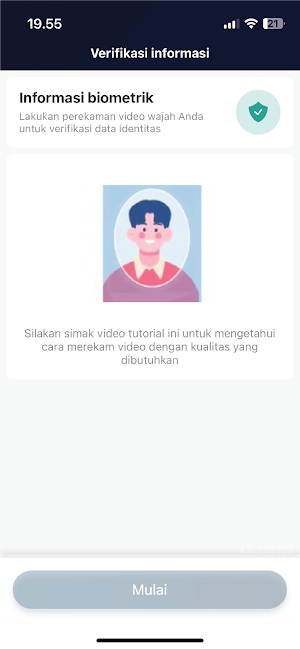
3. Scan your face to add biometrics information as per instruction in the apps.
4. Specify the random numbers displayed on your mobile phone.
5. When succeeding, scan your front face and back of your valid ID card
6. Input a 6-digit number for your PIN that will be used every time you access the BRI Q-Token apps.
7. When the Action Successful information is displayed on your mobile screen, your BRI Q-Token has been activate and synchronized with BRICaMS apps.
8. Your BRI Q-Token is ready to use for the purpose of authenticating your transactions on BRICaMS platform.
How to activate and synchronize your BRI Q-Token:
1. Open the BRI Q-Token apps already installed in your Mobile.
2. Input your User ID/Username and password registered with the BRICaMS/CMS BRI
3. Scan your face to add biometrics information as per instruction in the apps.
4. Specify the random numbers displayed on your mobile phone.
5. When succeeding, scan your front face and back of your valid ID card
6. Input a 6-digit number for your PIN that will be used every time you access the BRI Q-Token apps.
7. When the Action Successful information is displayed on your mobile screen, your BRI Q-Token has been activate and synchronized with BRICaMS apps.
8. Your BRI Q-Token is ready to use for the purpose of authenticating your transactions on BRICaMS platform.
What’s new
Version 1.0.6 · Updated July 29, 2023
New Label Product BRI Q-Token
User reviews

Easy n u can user every where

Memudahkan transaksi

Ini keren banget, ini. #nopaidpromotion
Alternatives to BRI Q-Token
Looking for apps like BRI Q-Token? Here are 6 similar Android apps on Google Play. The highest rated is BRISPOT Konsumer (4.8/5), and all 6 are free to download.
-
BRImo BRI 4.3
-
BRI Credit Card Mobile 3.7
-
BRILink Mobile 3.8
-
BRISPOT Konsumer 4.8
-
Stroberi Order
-
Stroberi Kasir
| App | Rating | Price | Installs | Last updated | Compare |
|---|---|---|---|---|---|
| BRI Q-Token | – | Free | 500+ | Jul 29, 2023 | |
| BRImo BRI | 4.3 / 5 | Free | 100,000,000+ | Oct 29, 2026 | Compare |
| BRI Credit Card Mobile | 3.7 / 5 | Free | 100,000+ | Dec 15, 2019 | Compare |
| BRILink Mobile | 3.8 / 5 | Free | 5,000,000+ | Nov 2, 2026 | Compare |
| BRISPOT Konsumer | 4.8 / 5 | Free | 100,000+ | Oct 25, 2023 | Compare |
| Stroberi Order | – | Free | 1,000+ | Aug 21, 2020 | Compare |
| Stroberi Kasir | – | Free | 100,000+ | Oct 7, 2026 | Compare |
Compare BRI Q-Token with the top alternatives: ratings, updates, ASO score and keyword gaps →