

InstantShare - Transfer files
Leno softApp Tools Contains ads
Easily transfer files, movies, photos, and documents using fileSharing App.
- Downloads
- 135+
- on Google Play
- Price
- Free
- No in-app purchases
- Updated
- Jun 14
- 2024 · v1.0.4
Screenshots


About InstantShare - Transfer files
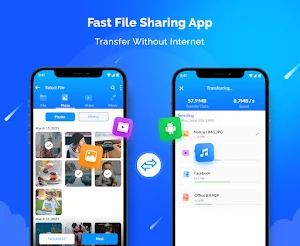
𝗜𝗻𝘀𝘁𝗮𝗻𝘁𝗦𝗵𝗮𝗿𝗲 is the ultimate file sharing app for mobile-to-mobile and web sharing, designed to make it easy and secure to transfer files, photos, videos, and documents between devices and web. With its powerful and intuitive interface, InstantShare allows you to quickly and seamlessly transfer files using various methods, including Bluetooth, Wi-Fi Direct, email, and web share.
𝐖𝐞𝐛 𝐒𝐡𝐚𝐫𝐞:
One of InstantShare's standout features is its ability to transfer files using web share. With web share, you can share files directly from your phone or tablet to any device with a web browser. This means you can easily share files with people who are not using the InstantShare app, without needing them to install any additional software.
𝐌𝐨𝐛𝐢𝐥𝐞 𝐒𝐡𝐚𝐫𝐞:
As a powerful file sharing app, InstantShare offers a range of features to make sharing files between devices a breeze. Whether you need to share work documents with colleagues, transfer photos to a friend, or send a video to a family member, InstantShare has you covered. You can use InstantShare to transfer files, photos, videos, and documents. With its built-in file share & receive feature, you can quickly and easily share files with other InstantShare users without the need for any additional software or setup.
𝐒𝐚𝐟𝐞 𝐑𝐢𝐝𝐞:
When it comes to file sharing, security is a top priority. That's why InstantShare uses the latest encryption technology to ensure that your files are protected at all times. You can rest assured that your data is safe and secure, no matter what type of file you're sharing.
Another great feature of InstantShare is its ability to transfer large files without any limits or restrictions. This means you can share even the largest files with ease, without worrying about file size limits or other restrictions that can be frustrating when trying to transfer files.
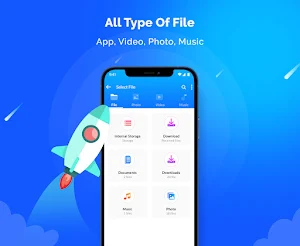
InstantShare is also incredibly versatile regarding file types. Whether you're sharing photos, videos, documents, or anything else, InstantShare can handle it all. The app supports a wide range of file formats, ensuring you can transfer whatever type of file you need.
𝐊𝐞𝐲 𝐅𝐞𝐚𝐭𝐮𝐫𝐞𝐬:
▪ Fast and secure file sharing app
▪ Transfer files including documents, photos, and videos via InstantShare App
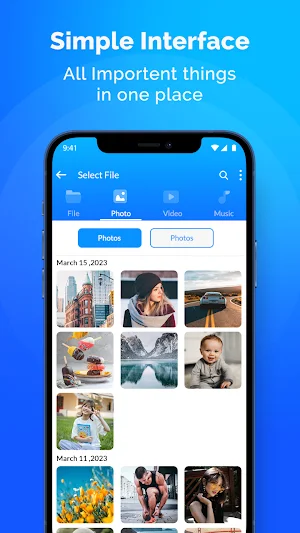
▪ Hassle-free transfer files with InstantShare's simple UI
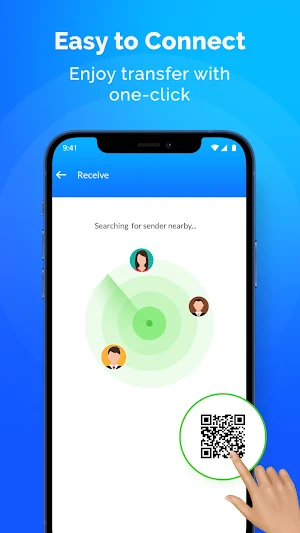
▪ Built-in file share & receive feature for easy sharing with other InstantShare users
▪ No limits or restrictions on file size
▪ Latest encryption technology to protect your data
▪ Fast and reliable file transfer technology
Overall, 𝗜𝗻𝘀𝘁𝗮𝗻𝘁𝗦𝗵𝗮𝗿𝗲 is an essential app for anyone who needs to transfer files regularly. Whether you're sharing files for work or personal use, InstantShare has everything you need to get the job done quickly and securely. With its powerful features and easy-to-use interface, 𝗜𝗻𝘀𝘁𝗮𝗻𝘁𝗦𝗵𝗮𝗿𝗲 is the ultimate file sharing app for Android devices. So why wait? Download InstantShare today and start sharing files like a pro!
write to us:
[email protected]
𝐖𝐞𝐛 𝐒𝐡𝐚𝐫𝐞:
One of InstantShare's standout features is its ability to transfer files using web share. With web share, you can share files directly from your phone or tablet to any device with a web browser. This means you can easily share files with people who are not using the InstantShare app, without needing them to install any additional software.
𝐌𝐨𝐛𝐢𝐥𝐞 𝐒𝐡𝐚𝐫𝐞:
As a powerful file sharing app, InstantShare offers a range of features to make sharing files between devices a breeze. Whether you need to share work documents with colleagues, transfer photos to a friend, or send a video to a family member, InstantShare has you covered. You can use InstantShare to transfer files, photos, videos, and documents. With its built-in file share & receive feature, you can quickly and easily share files with other InstantShare users without the need for any additional software or setup.
𝐒𝐚𝐟𝐞 𝐑𝐢𝐝𝐞:
When it comes to file sharing, security is a top priority. That's why InstantShare uses the latest encryption technology to ensure that your files are protected at all times. You can rest assured that your data is safe and secure, no matter what type of file you're sharing.
Another great feature of InstantShare is its ability to transfer large files without any limits or restrictions. This means you can share even the largest files with ease, without worrying about file size limits or other restrictions that can be frustrating when trying to transfer files.
InstantShare is also incredibly versatile regarding file types. Whether you're sharing photos, videos, documents, or anything else, InstantShare can handle it all. The app supports a wide range of file formats, ensuring you can transfer whatever type of file you need.
𝐊𝐞𝐲 𝐅𝐞𝐚𝐭𝐮𝐫𝐞𝐬:
▪ Fast and secure file sharing app
▪ Transfer files including documents, photos, and videos via InstantShare App
▪ Hassle-free transfer files with InstantShare's simple UI
▪ Built-in file share & receive feature for easy sharing with other InstantShare users
▪ No limits or restrictions on file size
▪ Latest encryption technology to protect your data
▪ Fast and reliable file transfer technology
Overall, 𝗜𝗻𝘀𝘁𝗮𝗻𝘁𝗦𝗵𝗮𝗿𝗲 is an essential app for anyone who needs to transfer files regularly. Whether you're sharing files for work or personal use, InstantShare has everything you need to get the job done quickly and securely. With its powerful features and easy-to-use interface, 𝗜𝗻𝘀𝘁𝗮𝗻𝘁𝗦𝗵𝗮𝗿𝗲 is the ultimate file sharing app for Android devices. So why wait? Download InstantShare today and start sharing files like a pro!
write to us:
[email protected]
What’s new
Version 1.0.4 · Updated June 14, 2024
•Enhanced Search Functionality: Quickly find files and folders with our improved search filters and tagging system. •Faster Uploads: Optimized upload speeds, especially for large files. •Fixed Crashes: Resolved issues causing the app to crash during file uploads.
Alternatives to InstantShare - Transfer files
Looking for apps like InstantShare - Transfer files? Here are 6 similar Android apps on Google Play. The highest rated is Skit Premium - apps manager (4.7/5), and 5 of the 6 are free to download.
-
AppDash: App Manager & Backup
-
Roku Smart Home 4.5
-
Nextcloud 4.7
-
Autosync - File Sync & Backup 4.6
-
Skit Premium - apps manager 4.7
-
Fortect Mobile Security 4.2
| App | Rating | Price | Installs | Last updated | Compare |
|---|---|---|---|---|---|
| InstantShare - Transfer files | – | Free | 100+ | Jun 14, 2024 | |
| AppDash: App Manager & Backup | – | Free | 100,000+ | Oct 21, 2026 | Compare |
| Roku Smart Home | 4.5 / 5 | Free | 1,000,000+ | Sep 30, 2026 | Compare |
| Nextcloud | 4.7 / 5 | Free | 1,000,000+ | Oct 5, 2026 | Compare |
| Autosync - File Sync & Backup | 4.6 / 5 | Free | 100,000+ | Oct 14, 2026 | Compare |
| Skit Premium - apps manager | 4.7 / 5 | 2.99 USD | 10,000+ | Oct 7, 2026 | Compare |
| Fortect Mobile Security | 4.2 / 5 | Free | 10,000+ | Aug 17, 2026 | Compare |
Similar apps on Google Play
- AppDash: App Manager & Backup
- Roku Smart Home
- Nextcloud
- Autosync - File Sync & Backup
- Skit Premium - apps manager
- Fortect Mobile Security
- Hermit — Lite Apps Browser
- Avigilon Unity Video
- ecobee
- Solid Explorer File Manager
- Send Anywhere (File Transfer)
- Savant
- CyberTrophy
- KCTCS
- Stargon Browser
- Total Drive - Cloud Storage
- WeTransfer : File Transfer
- Content - Workspace ONE
- pCloud: Cloud Storage
- Sportvibez
- Bitdefender Central