
Modular Remote (via Network)
SpiritCroc Music & Audio
Create your own remote to control your devices using TCP (and more)!
- Downloads
- 2.2K+
- on Google Play
- Price
- Free
- No in-app purchases
- Updated
- Jul 18
- 2023 · v0.7
Screenshots
About Modular Remote (via Network)
This app is a beta! This means that you should not expect a finished fully-working app, as it's still in development!
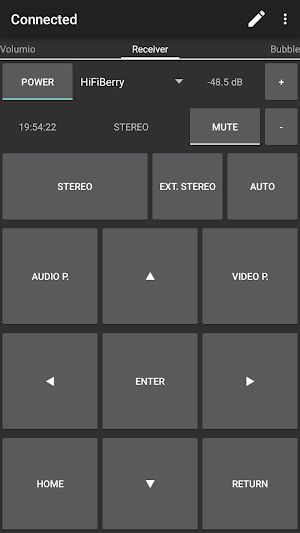
The aim of this app is to provide the user a possibility to fully create their own remote out of several modules.
Currently supported remotely control-able devices:
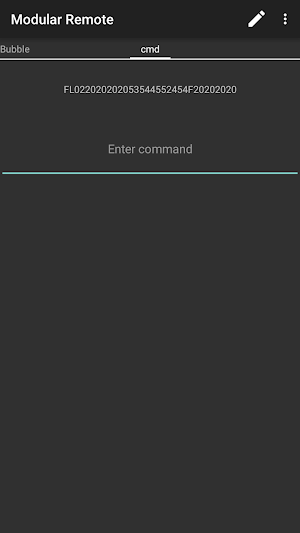
- Basically any device controllable via TCP, you just have to look up the commands when you set up your remote
- Advanced support for pioneer receivers (via network): Select commands & responses (not all commands & responses supported yet)
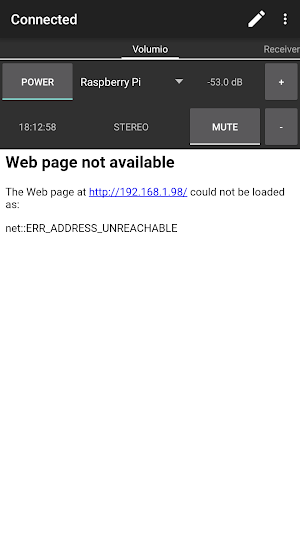
- Any device that supplies a browser-based user-interface
- Any device control-able with widgets supplied by an external app
Available modules:
- Button
- Toggle button
- Dropdown list
- Display
- Command line
- WebView
- Widget
- Scroll containers
You can also configure multiple pages to best suit your needs depending on different occasions.
If your launcher supports creating shortcuts (like e.g. NovaLauncher), you can create home screen shortcuts to your pages.
Modular Remote is free, and open source. Visit the project on GitHub: https://github.com/SpiritCroc/Modular-Remote
Any help would be greatly appreciated!
If you want to help to natively support more devices, you can find out how to do so here: https://github.com/SpiritCroc/Modular-Remote/blob/master/guide_supporting_new_devices.md
Required Permissions:
android.permission.INTERNET: Required to access devices via TCP
android.permission.ACCESS_NETWORK_STATE: Required to automatically connect unconnected connections on network state changed
The aim of this app is to provide the user a possibility to fully create their own remote out of several modules.
Currently supported remotely control-able devices:
- Basically any device controllable via TCP, you just have to look up the commands when you set up your remote
- Advanced support for pioneer receivers (via network): Select commands & responses (not all commands & responses supported yet)
- Any device that supplies a browser-based user-interface
- Any device control-able with widgets supplied by an external app
Available modules:
- Button
- Toggle button
- Dropdown list
- Display
- Command line
- WebView
- Widget
- Scroll containers
You can also configure multiple pages to best suit your needs depending on different occasions.
If your launcher supports creating shortcuts (like e.g. NovaLauncher), you can create home screen shortcuts to your pages.
Modular Remote is free, and open source. Visit the project on GitHub: https://github.com/SpiritCroc/Modular-Remote
Any help would be greatly appreciated!
If you want to help to natively support more devices, you can find out how to do so here: https://github.com/SpiritCroc/Modular-Remote/blob/master/guide_supporting_new_devices.md
Required Permissions:
android.permission.INTERNET: Required to access devices via TCP
android.permission.ACCESS_NETWORK_STATE: Required to automatically connect unconnected connections on network state changed
Alternatives to Modular Remote (via Network)
Looking for apps like Modular Remote (via Network)? Here are 4 similar Android apps on Google Play. The highest rated is Linux Command Library (4.5/5), and all 4 are free to download.


| App | Rating | Price | Installs | Last updated | Compare |
|---|---|---|---|---|---|
| Modular Remote (via Network) | – | Free | 1,000+ | Jul 18, 2023 | |
| Netradar network analysis | 4.1 / 5 | Free | 10,000+ | Sep 4, 2026 | Compare |
| PortDroid | 4.0 / 5 | Free | 500,000+ | – | Compare |
| Linux Command Library | 4.5 / 5 | Free | 1,000,000+ | Oct 14, 2026 | Compare |
| Gryphon Connect | 4.1 / 5 | Free | 10,000+ | Oct 2, 2026 | Compare |