
MapEver photo map
Reimar Döffinger Travel & Local
Offline navigation on photographed maps
- Downloads
- 889+
- on Google Play
- Price
- Free
- No in-app purchases
- Updated
- Aug 15
- 2025 · v1.2.9
Screenshots
About MapEver photo map
This is a early preview release. It works well for me and thus I am making it available for everyone, but please consider it "work in progress".
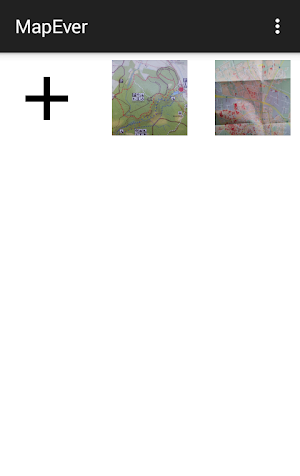
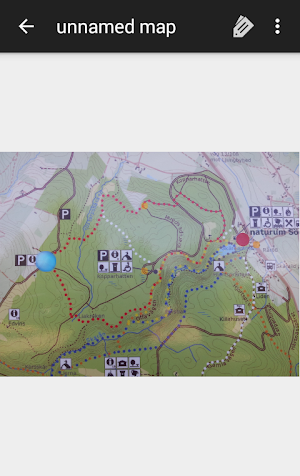
MapEver allows you to easily navigate in small areas (e.g. zoos or parks) where specific online maps are not available. Using only the phone's GPS, you can navigate on a photographed map of your location to get around smoothly.
- Take a photo of the map (optionally crop it)
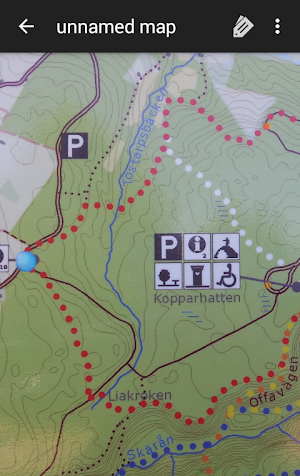
- As you walk around, place markers corresponding to your current position on the photo
- Once you have placed at least 2 markers, the app can track where you currently are
Precision increases with more markers placed, 3 is usually the minimum for good results.
You can place markers more quickly by selecting distinct points in some other map application (osmand is very good), share that location (via "geo:" URL/intent) and select the corresponding point on the photographed map - road crossings are often ideal for this.
Shared geo coordinates will also be shown on the map photo as if you were at that location if you already have enough markers.
Via long-press you can also share the (estimated) GPS coordinates of a point on the photo.
Source code available at https://github.com/rdoeffinger/MapEver/tree/tmp
MapEver allows you to easily navigate in small areas (e.g. zoos or parks) where specific online maps are not available. Using only the phone's GPS, you can navigate on a photographed map of your location to get around smoothly.
- Take a photo of the map (optionally crop it)
- As you walk around, place markers corresponding to your current position on the photo
- Once you have placed at least 2 markers, the app can track where you currently are
Precision increases with more markers placed, 3 is usually the minimum for good results.
You can place markers more quickly by selecting distinct points in some other map application (osmand is very good), share that location (via "geo:" URL/intent) and select the corresponding point on the photographed map - road crossings are often ideal for this.
Shared geo coordinates will also be shown on the map photo as if you were at that location if you already have enough markers.
Via long-press you can also share the (estimated) GPS coordinates of a point on the photo.
Source code available at https://github.com/rdoeffinger/MapEver/tree/tmp
What’s new
Version 1.2.9 · Updated August 15, 2025
No functional changes, some library dependencies updated
Alternatives to MapEver photo map
Looking for apps like MapEver photo map? Here are 4 similar Android apps on Google Play. The highest rated is NaviLens GO (4.2/5), and all 4 are free to download.




| App | Rating | Price | Installs | Last updated | Compare |
|---|---|---|---|---|---|
| MapEver photo map | – | Free | 500+ | Aug 15, 2025 | |
| NaviLens GO | 4.2 / 5 | Free | 100,000+ | May 13, 2026 | Compare |
| CarryMap | 3.4 / 5 | Free | 100,000+ | – | Compare |
| Zillow 3D Home Tours | 3.9 / 5 | Free | 100,000+ | Sep 26, 2026 | Compare |
| Compass 22G (GPS Camera) | – | Free | 1,000,000+ | Jul 2, 2026 | Compare |
Compare MapEver photo map with the top alternatives: ratings, updates, ASO score and keyword gaps →