
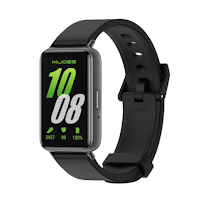
Galaxy fit 3 app guide
zaini-tach Personalization Contains ads
Discover everything you need to know about the galaxy fit 3.
- Downloads
- 10+
- on Google Play
- Price
- Free
- No in-app purchases
- Updated
- Sep 15
- 2026 · v1.0.1
Screenshots
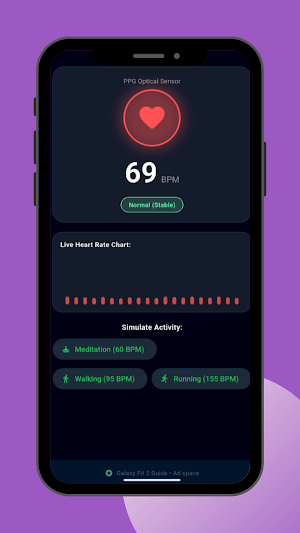
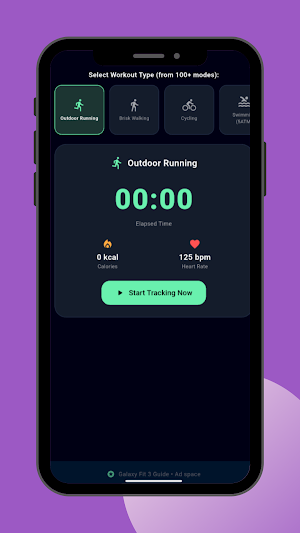
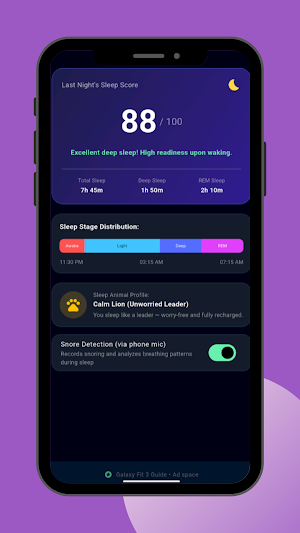

About Galaxy fit 3 app guide
Welcome to the ultimate setup and features guide for the galaxy fit 3 user guide! This application is designed specifically to help you understand your smartwatch galaxy fit 3, explore its full potential, and learn how to make the most of its advanced features.
Whether you are a new owner or want to dive deeper into your device's capabilities, this app is your perfect companion.
💡 Answers to Your Top Questions
Looking for quick answers about your smart watch galaxy fit 3? Our app covers the most frequent inquiries, including:
• How can you maximize its daily battery life and tracking features?
🌟 App Key Features
We designed this guide with a seamless user experience in mind:
• Eye-Comfort Design: Colors and layout are optimized to be gentle on your eyes during reading.
• Effortless Navigation: Smooth and easy transitions between different information sections.
• Lightweight: Extremely small app size that won't take up valuable storage on your phone.
Vibrant 1.6” AMOLED Display – Large, high-res screen with smooth touch for easy navigation
5ATM & IP68 Water Resistance – Swim-ready and dust-resistant for active lifestyles
Up to 14 Days Battery Life – Powerful 208mAh battery for long-lasting performance
101+ Workout Modes with Auto Detection – Automatically tracks common workouts for seamless fitness tracking. Advanced Health Tracking – Includes sleep coaching, SpO2, heart rate, and snore detection
International Model No Warranty in the US. ONLY compatible with Android devices.
📂 What You Will Find Inside
The app provides a comprehensive breakdown of everything you need to know:
• In-Depth Review: An honest look at the watch's performance and daily usability.
• Key Features: Highlights of the top smart functions, health tracking, and sensors.
• Full Specifications: Detailed technical specs, hardware breakdown, and dimensions.
• Information & Details: Step-by-step guidance on software, and custom settings.
• Disclaimer: This app is an independent user guide designed to help users get the most out of their smartwatches. It is not affiliated with, endorsed by, or associated with any electronics company such as Samsung or any other official entity. All product names and trademarks are the property of their respective owners.
Whether you are a new owner or want to dive deeper into your device's capabilities, this app is your perfect companion.
💡 Answers to Your Top Questions
Looking for quick answers about your smart watch galaxy fit 3? Our app covers the most frequent inquiries, including:
• How can you maximize its daily battery life and tracking features?
🌟 App Key Features
We designed this guide with a seamless user experience in mind:
• Eye-Comfort Design: Colors and layout are optimized to be gentle on your eyes during reading.
• Effortless Navigation: Smooth and easy transitions between different information sections.
• Lightweight: Extremely small app size that won't take up valuable storage on your phone.
Vibrant 1.6” AMOLED Display – Large, high-res screen with smooth touch for easy navigation
5ATM & IP68 Water Resistance – Swim-ready and dust-resistant for active lifestyles
Up to 14 Days Battery Life – Powerful 208mAh battery for long-lasting performance
101+ Workout Modes with Auto Detection – Automatically tracks common workouts for seamless fitness tracking. Advanced Health Tracking – Includes sleep coaching, SpO2, heart rate, and snore detection
International Model No Warranty in the US. ONLY compatible with Android devices.
📂 What You Will Find Inside
The app provides a comprehensive breakdown of everything you need to know:
• In-Depth Review: An honest look at the watch's performance and daily usability.
• Key Features: Highlights of the top smart functions, health tracking, and sensors.
• Full Specifications: Detailed technical specs, hardware breakdown, and dimensions.
• Information & Details: Step-by-step guidance on software, and custom settings.
• Disclaimer: This app is an independent user guide designed to help users get the most out of their smartwatches. It is not affiliated with, endorsed by, or associated with any electronics company such as Samsung or any other official entity. All product names and trademarks are the property of their respective owners.
Alternatives to Galaxy fit 3 app guide
Looking for apps like Galaxy fit 3 app guide? Here are 6 similar Android apps on Google Play. All of them are free to download.
-
galaxy Watch 7 app Guide
-
galaxy watch 6 classic Guide
-
Huawei watch fit 5 pro guide
-
Huawei band 10 watch app guide
-
Huawei Watch 5 guide
-
Huawei watch fit 3 app guide
| App | Rating | Price | Installs | Last updated | Compare |
|---|---|---|---|---|---|
| Galaxy fit 3 app guide | – | Free | 10+ | Sep 15, 2026 | |
| galaxy Watch 7 app Guide | – | Free | 1+ | Sep 14, 2026 | Compare |
| galaxy watch 6 classic Guide | – | Free | 10+ | Sep 14, 2026 | Compare |
| Huawei watch fit 5 pro guide | – | Free | 10+ | Sep 16, 2026 | Compare |
| Huawei band 10 watch app guide | – | Free | 10+ | Sep 17, 2026 | Compare |
| Huawei Watch 5 guide | – | Free | 5+ | Sep 17, 2026 | Compare |
| Huawei watch fit 3 app guide | – | Free | 10+ | Sep 16, 2026 | Compare |
Similar apps on Google Play
- galaxy Watch 7 app Guide
- galaxy watch 6 classic Guide
- Huawei watch fit 5 pro guide
- Huawei band 10 watch app guide
- Huawei Watch 5 guide
- Huawei watch fit 3 app guide
- Huawei Watch fit 4 Guide
- Nebula : Barcode & Generator
- Huawei watch fit 4 pro guide
- Galaxy Watch 8 for User Guide
- Galaxy Watch 5 Pro app Guide
- JPG-PDF: Generate Anything
- galaxy watch 6 app guide
- Swift QR: Code Generator
- Huawei watch GT6Pro user guide