
File Bridge
After Next Tools
Convert & save HEIC, RAW, MOV and 30+ formats instantly to your gallery
- Downloads
- 5+
- on Google Play
- Price
- $1.49
- No in-app purchases
- Updated
- Feb 9
- 2026 · v1.0.0
Screenshots
About File Bridge
FileBridge converts and saves files received from WhatsApp, Telegram, and any other app. Just tap "Open with" or "Share" to send the file to FileBridge — it handles the rest.
━━━━━━━━━━━━━━━━━━━━
WHY FILEBRIDGE?
━━━━━━━━━━━━━━━━━━━━
Photos from iPhone come in HEIC format — Android can't always open them. Professional camera RAW files aren't supported. MOV videos can't be saved to gallery. FileBridge solves all of these problems.
━━━━━━━━━━━━━━━━━━━━
30+ FORMAT SUPPORT
━━━━━━━━━━━━━━━━━━━━
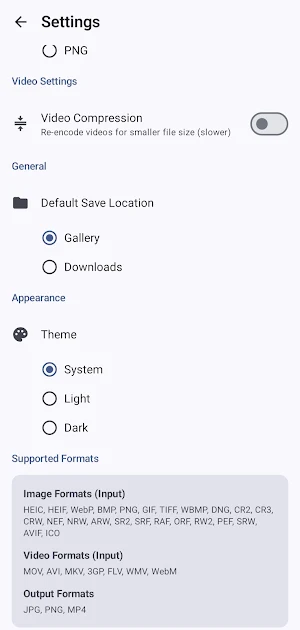
◆ Image: HEIC, HEIF, WebP, BMP, PNG, GIF, TIFF, AVIF, ICO, WBMP
◆ RAW: DNG, CR2, CR3, CRW, NEF, NRW, ARW, SR2, SRF, RAF, ORF, RW2, PEF, SRW
◆ Video: MOV, AVI, MKV, 3GP, FLV, WMV, WebM
◆ Output: JPG, PNG, MP4
━━━━━━━━━━━━━━━━━━━━
KEY FEATURES
━━━━━━━━━━━━━━━━━━━━
◆ One-Tap Conversion
Share the file, pick a format, save. That simple.
◆ Lossless Video Conversion
MOV and other video formats are converted to MP4 using remux technology. No re-encoding, no quality loss, done in seconds.
◆ Save Directly to Gallery
Converted files go straight to your phone gallery or Downloads folder.
◆ Batch Processing
Convert and save multiple files at once. Track progress with notifications.
◆ Quality Control
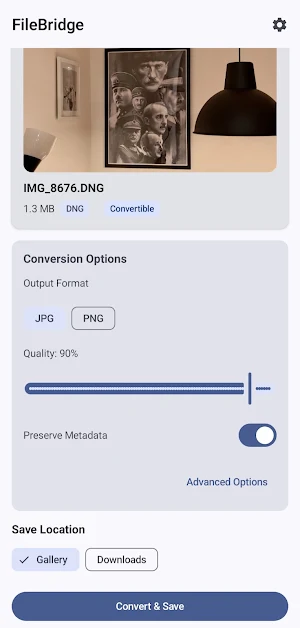
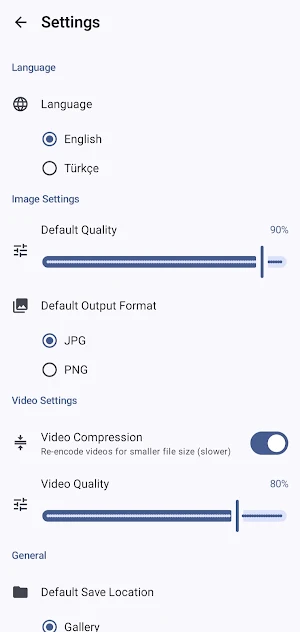
Adjust image quality from 1% to 100%. Choose JPG or PNG output format.
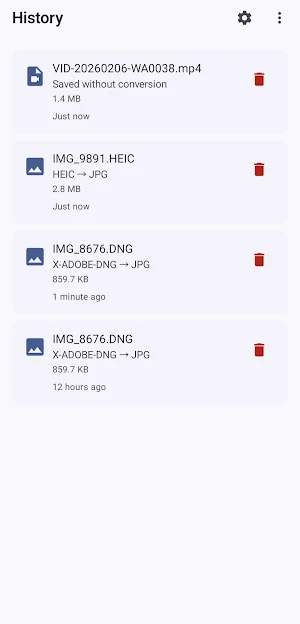
◆ Conversion History
All your conversions are saved. Browse your history anytime.
◆ Multi-Language
Full English and Turkish language support. Switch languages within the app.
◆ Light, Dark & System Theme
Dark theme included. Material You dynamic colors on Android 12+ devices.
━━━━━━━━━━━━━━━━━━━━
HOW IT WORKS
━━━━━━━━━━━━━━━━━━━━
1. Tap "Open with" or "Share" from WhatsApp or any app to send the file to FileBridge
2. Choose format, quality, and save location
3. Tap "Convert & Save" — the file is saved to your gallery
━━━━━━━━━━━━━━━━━━━━
NO ADS • NO TRACKING • NO DEPENDENCIES
━━━━━━━━━━━━━━━━━━━━
FileBridge works completely offline. Your files are never sent to any server. No external libraries — video conversion is powered by Android's built-in APIs.
Questions or suggestions? Reach out — your feedback shapes the app.
What’s new
Version 1.0.0 · Updated February 9, 2026
Convert and save HEIC, RAW, MOV and 30+ file formats in one tap. • HEIC, WebP, BMP, DNG, CR2, NEF, ARW, AVIF and more → JPG/PNG • MOV, AVI, MKV, 3GP, WMV → MP4 (lossless remux) • Save directly to Gallery or Downloads • Batch processing with progress notifications • Adjustable image quality and output format • English & Turkish, Light/Dark/System theme • Fully offline — no ads, no tracking
Alternatives to File Bridge
Looking for apps like File Bridge? Here are 5 similar Android apps on Google Play. The highest rated is Video Converter Pro (4.6/5), and 4 of the 5 are free to download.
-
Video Converter Pro 4.6
-
Sony | Creators' App 4.1
-
Zoho Show: Presentation Maker 4.2
-
AmTrav Business Travel 4.2
-
Content - Workspace ONE 3.9
| App | Rating | Price | Installs | Last updated | Compare |
|---|---|---|---|---|---|
| File Bridge | – | $1.49 | 5+ | Feb 9, 2026 | |
| Video Converter Pro | 4.6 / 5 | 5.99 USD | 10,000+ | Nov 1, 2025 | Compare |
| Sony | Creators' App | 4.1 / 5 | Free | 1,000,000+ | Jul 31, 2026 | Compare |
| Zoho Show: Presentation Maker | 4.2 / 5 | Free | 1,000,000+ | Oct 17, 2026 | Compare |
| AmTrav Business Travel | 4.2 / 5 | Free | 5,000+ | Jul 14, 2026 | Compare |
| Content - Workspace ONE | 3.9 / 5 | Free | 1,000,000+ | Oct 16, 2026 | Compare |
Compare File Bridge with the top alternatives: ratings, updates, ASO score and keyword gaps →