

YES Secure Next
YES BANK Limited Finance
YES Secure Next - Generate an OTP on your Mobile Device
- Downloads
- 5.7K+
- on Google Play
- Price
- Free
- No in-app purchases
- Updated
- Apr 25
- 2026 · v1.0.6
Screenshots
About YES Secure Next
YES Secure Next app - Generate OTP with ease:
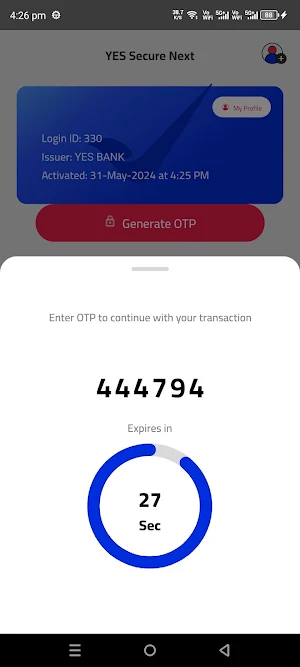
Rule out network dependency for One Time Password (OTP). Generate OTP with YES Secure Next app without mobile network on your mobile device.
Authenticate all your Retail Net Banking transactions with YES Secure Next. It is safe and convenient for frequent travellers and for low/ no mobile network locations.
Register with ease on YES Secure Next app:
1) Login to YES Online (Retail Net Banking) and go to Manage Profile.
2) Select ‘Under Security Preferences’ > ‘Register for YES Secure Next’.
3) Choose the operating system of your device.
4) Set YES Secure Next PIN.
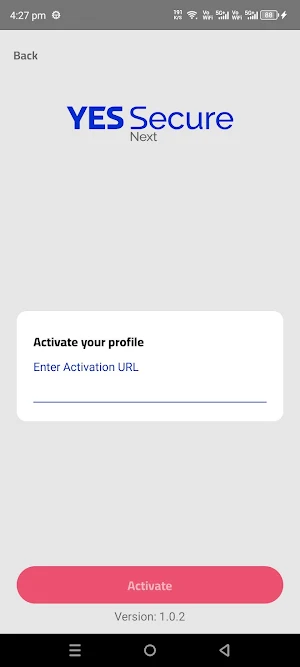
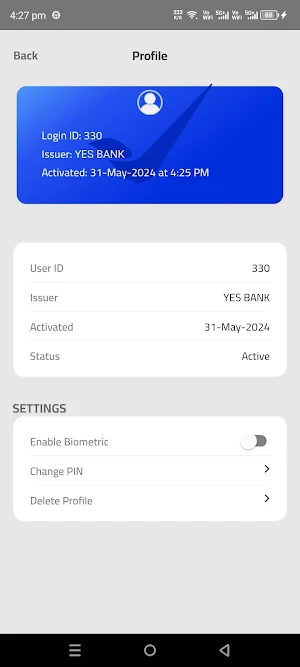
5) Download and activate the application on your mobile device.
6) Verify YES Secure Next by entering the OTP on YES Online.
Important Note:
To activate YES Secure Next app, you need to have Mobile Internet/ Wi-Fi connectivity on your device linked to your registered mobile number with the Bank.
Once YES Secure Next is enabled, you will stop receiving OTP through SMS/IVR.
Rule out network dependency for One Time Password (OTP). Generate OTP with YES Secure Next app without mobile network on your mobile device.
Authenticate all your Retail Net Banking transactions with YES Secure Next. It is safe and convenient for frequent travellers and for low/ no mobile network locations.
Register with ease on YES Secure Next app:
1) Login to YES Online (Retail Net Banking) and go to Manage Profile.
2) Select ‘Under Security Preferences’ > ‘Register for YES Secure Next’.
3) Choose the operating system of your device.
4) Set YES Secure Next PIN.
5) Download and activate the application on your mobile device.
6) Verify YES Secure Next by entering the OTP on YES Online.
Important Note:
To activate YES Secure Next app, you need to have Mobile Internet/ Wi-Fi connectivity on your device linked to your registered mobile number with the Bank.
Once YES Secure Next is enabled, you will stop receiving OTP through SMS/IVR.
What’s new
Version 1.0.6 · Updated April 25, 2026
♾️ As our continuous endeavour, we have deployed some minor fixes and have updated our security controls to make the app faster, safer and more stable
User reviews

good
Alternatives to YES Secure Next
Looking for apps like YES Secure Next? Here are 5 similar Android apps on Google Play. The highest rated is IRIS by YES BANK - Mobile App (4.8/5), and all 5 are free to download.





| App | Rating | Price | Installs | Last updated | Compare |
|---|---|---|---|---|---|
| YES Secure Next | – | Free | 5,000+ | Apr 25, 2026 | |
| IRIS by YES BANK - Mobile App | 4.8 / 5 | Free | 5,000,000+ | – | Compare |
| IRIS Biz by YES BANK | – | Free | 500,000+ | Sep 3, 2026 | Compare |
| YES BizOnline | – | Free | 10,000+ | – | Compare |
| YES WIZARD | – | Free | 5,000+ | – | Compare |
| YES QR POS | – | Free | 100,000+ | Oct 21, 2026 | Compare |
Compare YES Secure Next with the top alternatives: ratings, updates, ASO score and keyword gaps →