

MyParking
%EC%9A%B8%EB%9D%BC%EB%9D%BC%EB%B9%A1%EC%91%9D(%EC%96%91%EC%84%B1%EC%9A%B0) Lifestyle Contains ads
Find your parked car smartly!
- Downloads
- 100+
- on Google Play
- Price
- Free
- No in-app purchases
- Updated
- May 25
- 2026 · v1.2.1
Screenshots

About MyParking
Do you have a hard time remembering where to park? Have you ever had the experience of wandering around looking for a car?
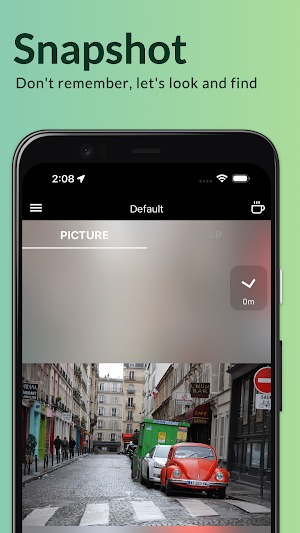
We have prepared for these people. Don't look for it anymore, take a picture!
Why use ‘MyParking’?
• Simply take a picture of a parked car or vehicle with ease.
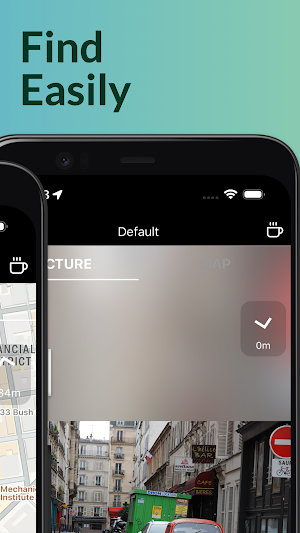
• You can find a parking spot by looking at the photos taken.
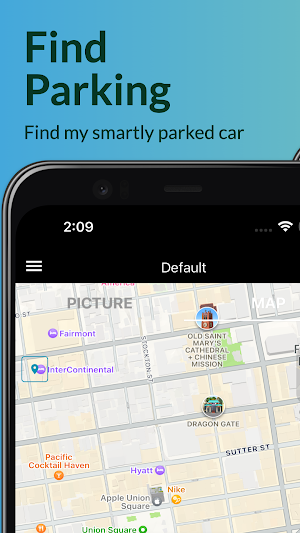
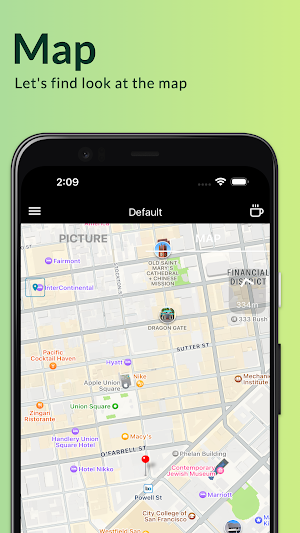
• You can view a map based on the location information stored at the time of shooting.
• You can manage your parking history.
• Multiple vehicles can be registered and used.
• You can share parking information with your friends.
How it works:
• After running the app, you agree to the use of camera and location permissions.
• When the shooting screen is switched, the parked car is taken. At this time, it is photographed together with information such as easy-to-find numbers and symbols.
Looking for help?
‘MyParking’ takes customer service seriously. If you need assistance, please contact us by:
email: [email protected]
Thanks for downloading the ‘MyParking’ app and discovering a smarter way to park.
We have prepared for these people. Don't look for it anymore, take a picture!
Why use ‘MyParking’?
• Simply take a picture of a parked car or vehicle with ease.
• You can find a parking spot by looking at the photos taken.
• You can view a map based on the location information stored at the time of shooting.
• You can manage your parking history.
• Multiple vehicles can be registered and used.
• You can share parking information with your friends.
How it works:
• After running the app, you agree to the use of camera and location permissions.
• When the shooting screen is switched, the parked car is taken. At this time, it is photographed together with information such as easy-to-find numbers and symbols.
Looking for help?
‘MyParking’ takes customer service seriously. If you need assistance, please contact us by:
email: [email protected]
Thanks for downloading the ‘MyParking’ app and discovering a smarter way to park.
What’s new
Version 1.2.1 · Updated May 25, 2026
Regular stabilization work
Alternatives to MyParking
Looking for apps like MyParking? Here are 3 similar Android apps on Google Play. The highest rated is ID Card Scanner (3.1/5), and all 3 are free to download.



| App | Rating | Price | Installs | Last updated | Compare |
|---|---|---|---|---|---|
| MyParking | – | Free | 100+ | May 25, 2026 | |
| ID Image Generator | – | Free | 1,000+ | Oct 11, 2026 | Compare |
| PillCounter | – | Free | 100+ | – | Compare |
| ID Card Scanner | 3.1 / 5 | Free | 100,000+ | – | Compare |
Compare MyParking with the top alternatives: ratings, updates, ASO score and keyword gaps →