Screen Mirroring for Roku
Screen mirroring to Roku TV. Cast videos, photos, music, web & use the remote.
About Screen Mirroring for Roku
Mirror your Android screen to any Roku TV, Roku Streaming Stick or Roku Express over Wi-Fi. No cables, no extra hardware — just your phone and your Roku on the same network.
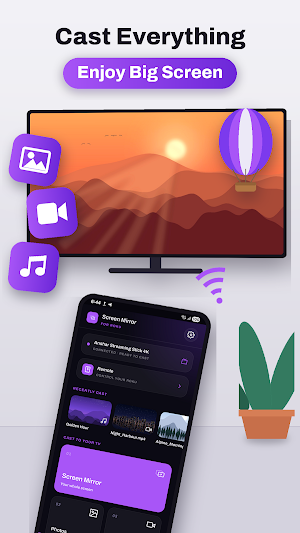
Screen Mirroring for Roku turns your TV into a second screen for everything on your phone: mirror your whole display, or cast photos, videos, music, web pages and live TV straight to the big screen.
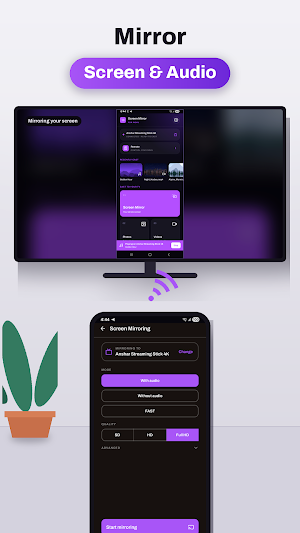
MIRROR YOUR WHOLE SCREEN
Share your entire phone screen with your TV in real time — apps, games, presentations, photos, anything. System sound is included, so what you hear is what your TV plays. Choose quality and low-latency mode to suit your Wi-Fi.
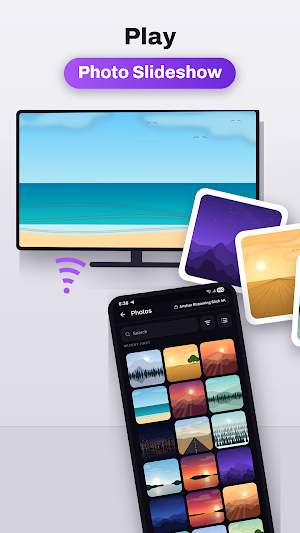
CAST PHOTOS AND VIDEOS
Browse your gallery and send photos and albums to the TV. Play local video files full screen with proper controls, repeat and auto-play next.
PLAY MUSIC THROUGH YOUR TV
Use your Roku and its sound system as a speaker for the music stored on your phone.
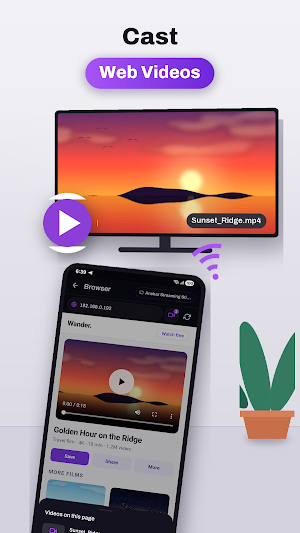
CAST WEB PAGES AND ONLINE VIDEO
A built-in browser lets you open any site on your phone and send the video to your TV, while you keep browsing.
LIVE TV AND IPTV PLAYLISTS
Load your own M3U or Xtream playlists to watch live channels, series and video on demand, with a full TV guide. Bring your own subscription — no channels or content are included.
DOCUMENTS ON THE BIG SCREEN
Open PDFs, slides and sheets and present them to a room without a laptop.
PHONE CAMERA TO TV
Send your phone's front or rear camera to the TV live — handy for showing something to a room, or as a simple baby monitor.
COMPLETE ROKU REMOTE
Lost the remote? Control your Roku from your phone: D-pad, back, home, play and pause, volume, power, and a keyboard so you can type search terms instead of hunting letter by letter. Launch any installed channel straight from the app.
HOW TO USE IT
1. Connect your phone and your Roku to the same Wi-Fi network
2. Open the app and tap to find your device — nearby Rokus are detected automatically
3. Pick what you want to cast, or start screen mirroring
REQUIREMENTS
Android 10 or newer. Your phone and your Roku device must be on the same Wi-Fi network. Screen mirroring quality depends on your Wi-Fi speed; 5 GHz is recommended.
REMOVE ADS
The app is free and supported by ads. If you would rather not see them, an optional subscription or a one-time lifetime purchase removes every ad and supports development. Subscriptions renew automatically until cancelled, and you can cancel any time in Google Play > Subscriptions.
DISCLAIMER
This app is an independent product and is not affiliated with, endorsed by, sponsored by or certified by Roku, Inc. Roku and Roku TV are trademarks of Roku, Inc. All product names, trademarks and registered trademarks are the property of their respective owners. This app does not provide any TV channels, films or media content — you cast the content you already own or already have access to.
Similar Apps
HealthJoy
The First Stop for All Your Healthcare and Employee Benefits Needs.
Formula - weight loss diet app
Carnivore, Mediterranean, Anti-inflammatory plans
Roku Smart Home
Set up your devices, customize settings, and monitor your home—from anywhere

Hello Heart • For heart health
Heart health made easy
KCTCS
The Official app of Kentucky Community & Technical College System.
Jostle
Stay connected to your workplace with the Jostle mobile app!
