

OrbitTrace
Kashif Developersss Casual
Plan routes across concentric rings in a calm offline puzzle game.
- Rating
- 5.0
- 6 ratings
- Downloads
- 1+
- on Google Play
- Price
- Free
- No in-app purchases
- Updated
- Jun 29
- 2026 · v1.5.3
Screenshots
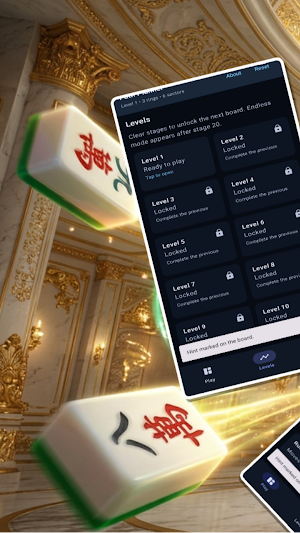
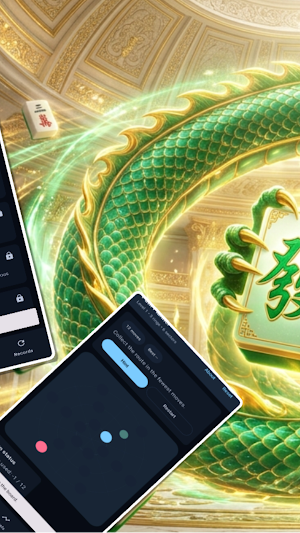

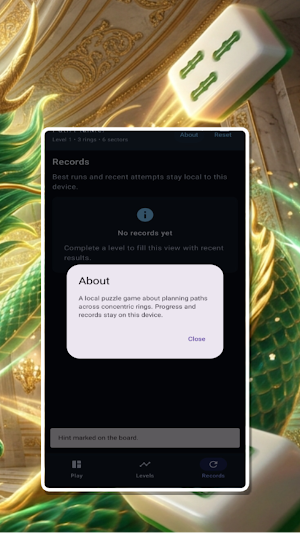

About OrbitTrace
Plan clean routes across a ring-based board and reach the goal within a limited move budget. Each stage uses a concentric layout with clearly marked start, goal, blocked sectors, and a visible move counter.
The app starts with a short loading screen, then opens into a local puzzle experience with three main views. The Play view shows the current board, route progress, move limit, hint action, and restart control. The Levels view lets you jump between stages 1 through 20 and unlock Endless mode after stage 20. The Records view keeps recent runs and best results on the device.
Useful feedback is built in throughout the app. Invalid moves show a clear message, completing a route updates progress, and failed attempts are recorded as well. Empty states, reset confirmation, and an About dialog are all handled locally.
The game works offline and does not require an account. Progress, best moves, and recent attempts are stored on the device only.
The app starts with a short loading screen, then opens into a local puzzle experience with three main views. The Play view shows the current board, route progress, move limit, hint action, and restart control. The Levels view lets you jump between stages 1 through 20 and unlock Endless mode after stage 20. The Records view keeps recent runs and best results on the device.
Useful feedback is built in throughout the app. Invalid moves show a clear message, completing a route updates progress, and failed attempts are recorded as well. Empty states, reset confirmation, and an About dialog are all handled locally.
The game works offline and does not require an account. Progress, best moves, and recent attempts are stored on the device only.
Play today's Sudoku puzzle
A quick 6×6 Sudoku every day; levels grow to the classic 9×9. A free daily puzzle from Fiplay, same board for everyone. It plays right here, no download.
Alternatives to OrbitTrace
Looking for apps like OrbitTrace? Here are 6 similar Android apps on Google Play. All of them are free to download.





| App | Rating | Price | Installs | Last updated | Compare |
|---|---|---|---|---|---|
| OrbitTrace | 5.0 / 5 | Free | 1+ | Jun 29, 2026 | |
| GlideShard | – | Free | 1,000+ | Jul 6, 2026 | Compare |
| NimbleFlux | – | Free | 1,000+ | Jul 6, 2026 | Compare |
| BriteVault | – | Free | 1,000+ | Jun 26, 2026 | Compare |
| DriftRune | – | Free | 100+ | Jun 29, 2026 | Compare |
| TangleWisp | – | Free | 1,000+ | Jul 6, 2026 | Compare |
| EchoMeld | – | Free | 50+ | Jun 29, 2026 | Compare |
Compare OrbitTrace with the top alternatives: ratings, updates, ASO score and keyword gaps →