
Wi-Fi FTP Server: PC to Mobile
My City Store Tools Contains ads
Transfer files & media wirelessly between phone and PC without USB cables.
- Downloads
- 6.7K+
- on Google Play
- Price
- Free
- No in-app purchases
- Updated
- Aug 29
- 2026 · v4.0.2
Screenshots
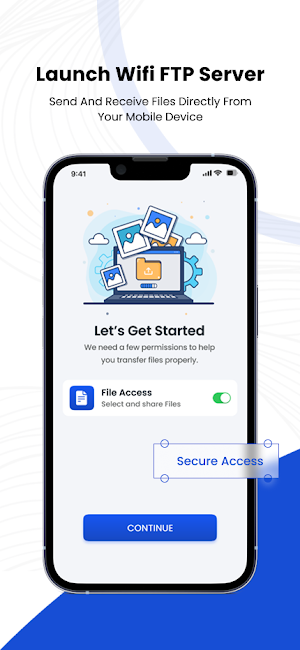
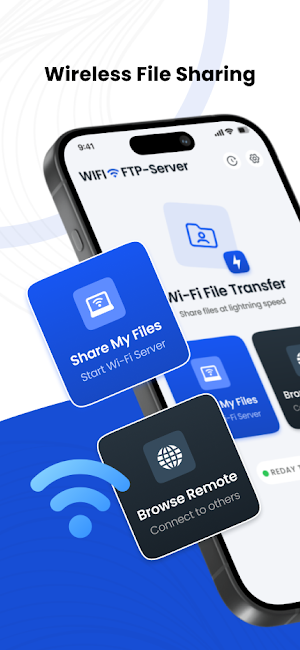
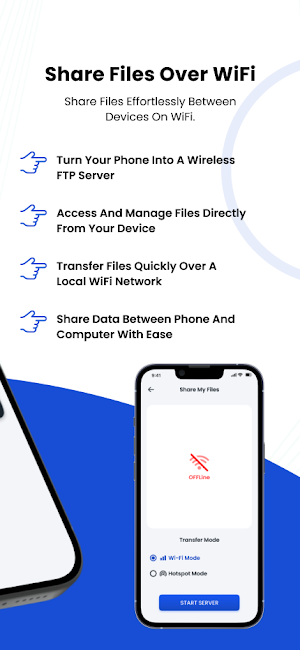

About Wi-Fi FTP Server: PC to Mobile
Transform your Android device into a powerful wireless File Server.
Stop searching for USB cables! With Wi-Fi FTP Server, you can transfer files, photos, videos, and music between your phone and your PC (Windows, Mac, Linux) instantly over your local Wi-Fi network.
Turn your phone into a wireless application manager and file explorer. No technical knowledge required—just press start and connect!
🚀 Key Features:
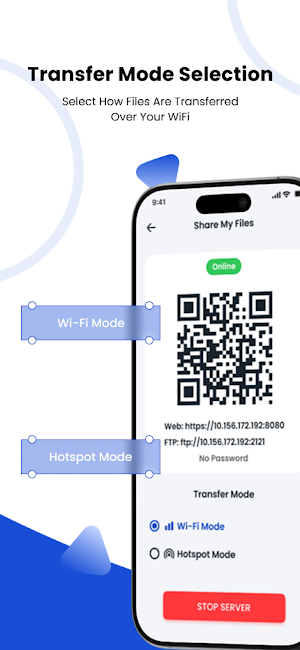
✅ Dual Protocol Support: Share files via FTP Server (File Explorer) or HTTP Server (Web Browser).
✅ Web Browser Access: View gallery and download files in Chrome, Edge, or Safari. No client app needed!
✅ Wireless File Transfer: Copy, move, and delete files from your computer without connecting a single cable.
✅ High-Speed Connection: Uses your local Wi-Fi 5G/2.4G network for lightning-fast speeds compared to Bluetooth.
✅ No USB Cable Needed: Keep your desk clean and your ports free. Transfer data securely over the air.
✅ Works on Any PC: Compatible with Windows Explorer, macOS Finder, FileZilla, and any web browser.
✅ Secure Connection: Optional secure login with Username & Password protection to keep your data safe on public networks.
✅ Anonymous Access: Quick access mode for trusted home networks.
✅ Read/Write Access: Full control to manage folders, create directories, and organize your internal storage remotely.
✅ Runs in Background: Continue transferring large files even while using other apps or when your screen is off (Optimization enabled).
📂 Supported Operations:
🢡 Web Dashboard: Browse photos and videos in a beautiful gallery directly in your browser.
🢡 Backup photos & videos to PC.
🢡 Upload music & movies from PC to phone.
🢡 Manage download folders.
🢡 Rename, delete, and organize files remotely.
❓ How to use:
1. Connect your phone and PC to the same Wi-Fi network.
2. Open the app and click "Start".
3. Enter the displayed URL (e.g., ftp://192.168.1.5:2121) into your PC's File Explorer or Browser.
4. For Web: Enter the URL http://192.168.1.5:8080 into your Browser.
5. Done! You now have full access to your phone's files.
Download Wi-Fi FTP Server now and experience the freedom of wireless data transfer!
Stop searching for USB cables! With Wi-Fi FTP Server, you can transfer files, photos, videos, and music between your phone and your PC (Windows, Mac, Linux) instantly over your local Wi-Fi network.
Turn your phone into a wireless application manager and file explorer. No technical knowledge required—just press start and connect!
🚀 Key Features:
✅ Dual Protocol Support: Share files via FTP Server (File Explorer) or HTTP Server (Web Browser).
✅ Web Browser Access: View gallery and download files in Chrome, Edge, or Safari. No client app needed!
✅ Wireless File Transfer: Copy, move, and delete files from your computer without connecting a single cable.
✅ High-Speed Connection: Uses your local Wi-Fi 5G/2.4G network for lightning-fast speeds compared to Bluetooth.
✅ No USB Cable Needed: Keep your desk clean and your ports free. Transfer data securely over the air.
✅ Works on Any PC: Compatible with Windows Explorer, macOS Finder, FileZilla, and any web browser.
✅ Secure Connection: Optional secure login with Username & Password protection to keep your data safe on public networks.
✅ Anonymous Access: Quick access mode for trusted home networks.
✅ Read/Write Access: Full control to manage folders, create directories, and organize your internal storage remotely.
✅ Runs in Background: Continue transferring large files even while using other apps or when your screen is off (Optimization enabled).
📂 Supported Operations:
🢡 Web Dashboard: Browse photos and videos in a beautiful gallery directly in your browser.
🢡 Backup photos & videos to PC.
🢡 Upload music & movies from PC to phone.
🢡 Manage download folders.
🢡 Rename, delete, and organize files remotely.
❓ How to use:
1. Connect your phone and PC to the same Wi-Fi network.
2. Open the app and click "Start".
3. Enter the displayed URL (e.g., ftp://192.168.1.5:2121) into your PC's File Explorer or Browser.
4. For Web: Enter the URL http://192.168.1.5:8080 into your Browser.
5. Done! You now have full access to your phone's files.
Download Wi-Fi FTP Server now and experience the freedom of wireless data transfer!
Alternatives to Wi-Fi FTP Server: PC to Mobile
Looking for apps like Wi-Fi FTP Server: PC to Mobile? Here are 6 similar Android apps on Google Play. The highest rated is Save Status - Download Status (4.5/5), and all 6 are free to download.
-
Photo & Video Recovery 3.7
-
Explorer 4.1
-
Save Status - Download Status 4.5
-
Zoho Creator Portal 4.4
-
Content - Workspace ONE 3.9
-
World Surf League 3.8
| App | Rating | Price | Installs | Last updated | Compare |
|---|---|---|---|---|---|
| Wi-Fi FTP Server: PC to Mobile | – | Free | 5,000+ | Aug 29, 2026 | |
| Photo & Video Recovery | 3.7 / 5 | Free | 1,000,000+ | Sep 5, 2026 | Compare |
| Explorer | 4.1 / 5 | Free | 10,000,000+ | Feb 10, 2026 | Compare |
| Save Status - Download Status | 4.5 / 5 | Free | 10,000,000+ | Nov 4, 2025 | Compare |
| Zoho Creator Portal | 4.4 / 5 | Free | 100,000+ | Sep 21, 2026 | Compare |
| Content - Workspace ONE | 3.9 / 5 | Free | 1,000,000+ | – | Compare |
| World Surf League | 3.8 / 5 | Free | 1,000,000+ | Oct 22, 2026 | Compare |