
PDF Creator
Webupclose Productivity Contains ads
Create your PDF Instantly using advanced features
- Downloads
- 731+
- on Google Play
- Price
- Free
- No in-app purchases
- Updated
- Jun 27
- 2026 · v1.2
Screenshots

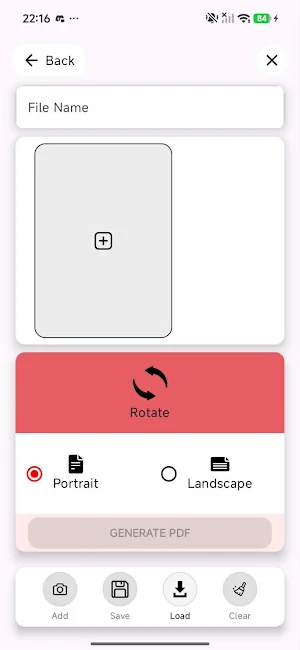


About PDF Creator
Create, Edit, Organize, and Sync PDFs with Ease
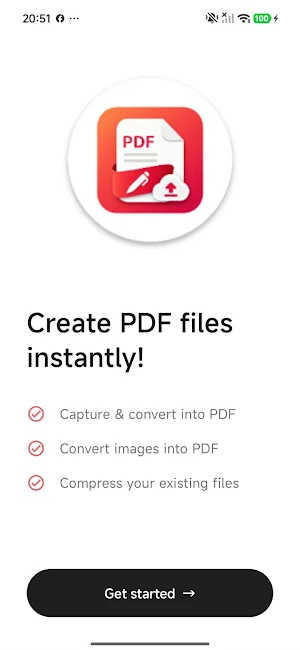
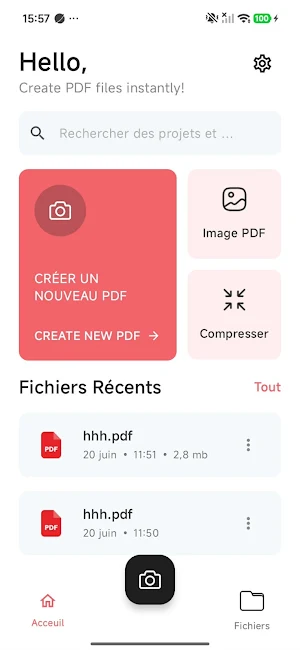
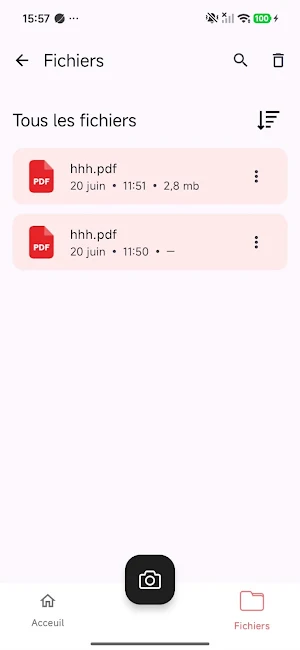
Subhmeet is a powerful PDF creation and document management app designed to help you transform images into professional PDF documents in seconds. Whether you're scanning notes, creating reports, organizing receipts, or building multi-page documents, Subhmeet provides a simple and intuitive experience.
Key Features
Create PDFs from Images
Convert photos and images from your gallery into high-quality PDF documents.
Powerful PDF Editor
Add multiple pages
Reorder pages
Rotate pages
Crop images
Organize documents easily
Preview documents before export
Multiple Page Formats
Choose from various document formats:
A4
Letter
Legal
16:9
4:3
2:3
Cloud Synchronization
Create a free account and securely sync your projects to the cloud:
Access projects across devices
Backup your documents
Restore projects anytime
Manage cloud storage directly from the app
Project Management
Save your work as editable projects:
Continue editing later
Load previously saved projects
Organize multiple documents
Delete or update projects whenever needed
Export and Share
Generate professional PDF files
Share PDFs instantly
Export documents in high quality
Keep local copies on your device
Flexible Storage Options
Store documents locally
Enable or disable cloud sync
Manage cloud storage usage
Monitor available storage space
Simple and Fast
Designed with a clean and modern interface that makes PDF creation fast and easy for everyone.
Perfect For
Students
Professionals
Small businesses
Teachers
Freelancers
Personal document management
Use Subhmeet to:
Create reports
Archive receipts
Organize notes
Build portfolios
Store important documents
Convert image collections into PDFs
Privacy and Security
Your files remain under your control. Cloud synchronization is optional and can be enabled or disabled at any time. Projects synced to the cloud are securely stored using trusted cloud services.
Why Choose Subhmeet?
✓ Easy-to-use interface
✓ Fast PDF generation
✓ Cloud backup and synchronization
✓ Project-based editing workflow
✓ High-quality exports
✓ No complicated setup required
Download Subhmeet today and create professional PDF documents wherever you are. 🚀
Subhmeet is a powerful PDF creation and document management app designed to help you transform images into professional PDF documents in seconds. Whether you're scanning notes, creating reports, organizing receipts, or building multi-page documents, Subhmeet provides a simple and intuitive experience.
Key Features
Create PDFs from Images
Convert photos and images from your gallery into high-quality PDF documents.
Powerful PDF Editor
Add multiple pages
Reorder pages
Rotate pages
Crop images
Organize documents easily
Preview documents before export
Multiple Page Formats
Choose from various document formats:
A4
Letter
Legal
16:9
4:3
2:3
Cloud Synchronization
Create a free account and securely sync your projects to the cloud:
Access projects across devices
Backup your documents
Restore projects anytime
Manage cloud storage directly from the app
Project Management
Save your work as editable projects:
Continue editing later
Load previously saved projects
Organize multiple documents
Delete or update projects whenever needed
Export and Share
Generate professional PDF files
Share PDFs instantly
Export documents in high quality
Keep local copies on your device
Flexible Storage Options
Store documents locally
Enable or disable cloud sync
Manage cloud storage usage
Monitor available storage space
Simple and Fast
Designed with a clean and modern interface that makes PDF creation fast and easy for everyone.
Perfect For
Students
Professionals
Small businesses
Teachers
Freelancers
Personal document management
Use Subhmeet to:
Create reports
Archive receipts
Organize notes
Build portfolios
Store important documents
Convert image collections into PDFs
Privacy and Security
Your files remain under your control. Cloud synchronization is optional and can be enabled or disabled at any time. Projects synced to the cloud are securely stored using trusted cloud services.
Why Choose Subhmeet?
✓ Easy-to-use interface
✓ Fast PDF generation
✓ Cloud backup and synchronization
✓ Project-based editing workflow
✓ High-quality exports
✓ No complicated setup required
Download Subhmeet today and create professional PDF documents wherever you are. 🚀
What’s new
Version 1.2 · Updated June 27, 2026
Bugs Fixes
Alternatives to PDF Creator
Looking for apps like PDF Creator? Here are 4 similar Android apps on Google Play. All of them are free to download.




| App | Rating | Price | Installs | Last updated | Compare |
|---|---|---|---|---|---|
| PDF Creator | – | Free | 500+ | Jun 27, 2026 | |
| Simple Video Editor | – | Free | 50+ | Nov 20, 2025 | Compare |
| Hammer Throw 2D | – | Free | 100+ | – | Compare |
| Photo Resizer: Crop & Edit | – | Free | 500+ | Aug 4, 2026 | Compare |
| Football Europe Goalscorers | – | Free | 100+ | Aug 4, 2026 | Compare |
Compare PDF Creator with the top alternatives: ratings, updates, ASO score and keyword gaps →