
Screen Recorder With Facecam & Audio
Web Scan Apps Video Players & Editors Contains ads
Free Screen Recorder With audio, Record Game/ Take ScreenShot With This Awesome
- Rating
- 3.3
- 57 ratings
- Downloads
- 5K+
- on Google Play
- Price
- Free
- No in-app purchases
- Updated
- Apr 13
- 2021 · v2.0
Screenshots
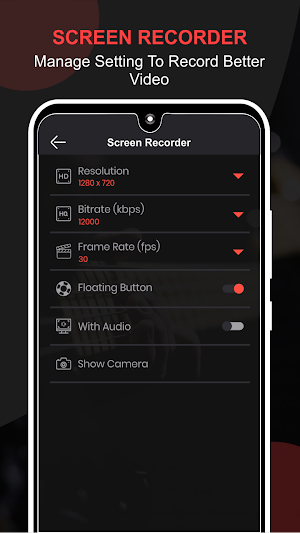

About Screen Recorder With Facecam & Audio
Welcome to Screen Recorder With Facecam & Audio, you're coming up to a video recording that will record while you're playing games with face camera. You will get a high-quality screen recorder at no cost. You can record games while you play, record screen and audio or record video calls.
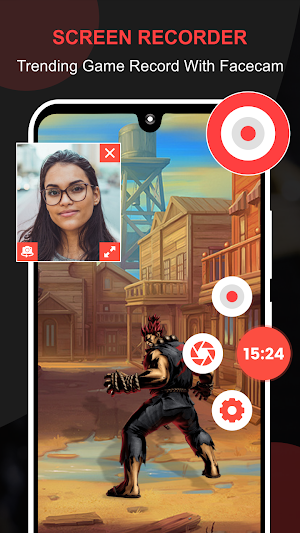
Screen Recorder With Facecam & Audio is a free stable screen recorder and powerful video editor. It’s a fluid game recorder with audio. It allows you to record the game while playing, use face camera to record yourself in the video with no rooting and no recording time limit.
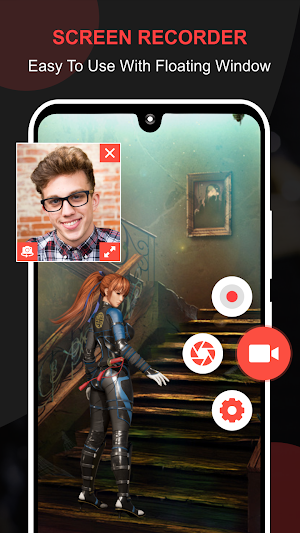
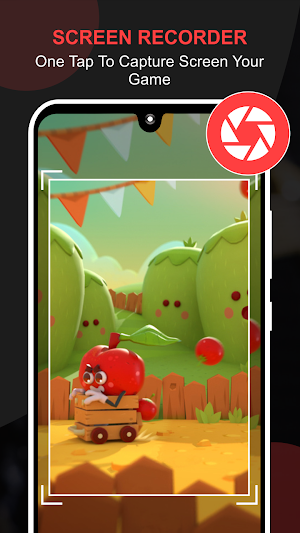
Screen Recorder With Facecam & Audio makes it faster and easy to record your screen with facecam while you use an app or play a game. You have the option to turn off your facecam or turn it on. Record your audio while doing it. It is just a 1-touch recording app that can easily record every activity on your phone and save it. You can also take screenshots with just a single tap. There is no time limit or any limitation at all. It’s free to use and record, just record your video and watch in no time using the Screen Recorder With Facecam & Audio app. You can record your documents, videos, and other apps without any restrictions. It is so convenient and easy to use; we hope that you will like to use this app.
Screen Recorder::
* Record screen and audio, Facecam
* Floating button helps you to record video call more conveniently
* Unlimited time when record gameplay on your phone
* Pause/resume while you use recording screen app
* 1 touch to record games while you play
* Manage screen video recorder with sound with floating keys
* Screen recording with internal audio/No Audio
Take a ScreenShot::
* Floating button lets you take screenshots with just 1 touch
* Check your screenshot and you can delete or share your photo through any social site
* Capture screen with floating key
* Screenshot button on the screen
* Fast, convenient, easy screenshot capture
Features::
- Simple to use
- Create high-quality screen recording with Facecam
- Record games on your phone with high quality
- Screen recorder with audio is not limited to time and space
- Free install screen recording with facecam
- Free use of all features of the game recording app
- Creating high-quality videos with full HD
- NO ROOT.
- FREE!!
- Simple and Clear UI!!
Screen Recorder With Facecam & Audio is a free stable screen recorder and powerful video editor. It’s a fluid game recorder with audio. It allows you to record the game while playing, use face camera to record yourself in the video with no rooting and no recording time limit.
Screen Recorder With Facecam & Audio makes it faster and easy to record your screen with facecam while you use an app or play a game. You have the option to turn off your facecam or turn it on. Record your audio while doing it. It is just a 1-touch recording app that can easily record every activity on your phone and save it. You can also take screenshots with just a single tap. There is no time limit or any limitation at all. It’s free to use and record, just record your video and watch in no time using the Screen Recorder With Facecam & Audio app. You can record your documents, videos, and other apps without any restrictions. It is so convenient and easy to use; we hope that you will like to use this app.
Screen Recorder::
* Record screen and audio, Facecam
* Floating button helps you to record video call more conveniently
* Unlimited time when record gameplay on your phone
* Pause/resume while you use recording screen app
* 1 touch to record games while you play
* Manage screen video recorder with sound with floating keys
* Screen recording with internal audio/No Audio
Take a ScreenShot::
* Floating button lets you take screenshots with just 1 touch
* Check your screenshot and you can delete or share your photo through any social site
* Capture screen with floating key
* Screenshot button on the screen
* Fast, convenient, easy screenshot capture
Features::
- Simple to use
- Create high-quality screen recording with Facecam
- Record games on your phone with high quality
- Screen recorder with audio is not limited to time and space
- Free install screen recording with facecam
- Free use of all features of the game recording app
- Creating high-quality videos with full HD
- NO ROOT.
- FREE!!
- Simple and Clear UI!!
User reviews

Best app

Op

Oo

It works pretty cool I recommend using this app for YT vids or other stuff

So far its a good app I recommend u download it

Ok
Alternatives to Screen Recorder With Facecam & Audio
Looking for apps like Screen Recorder With Facecam & Audio? Here are 6 similar Android apps on Google Play. All of them are free to download.
-
Free Audio Books, Audio Storie
-
Calculator Vault - Hide Photo
-
Digital Compass for Android -
-
Expense Manager, Money Manager
-
Currency Converter For Android
-
Whatscan 2021 - Whats Web Scan
| App | Rating | Price | Installs | Last updated | Compare |
|---|---|---|---|---|---|
| Screen Recorder With Facecam & Audio | 3.3 / 5 | Free | 5,000+ | Apr 13, 2021 | |
| Free Audio Books, Audio Storie | – | Free | 1,000+ | May 17, 2021 | Compare |
| Calculator Vault - Hide Photo | – | Free | 1,000+ | Jul 4, 2021 | Compare |
| Digital Compass for Android - | – | Free | 1,000+ | Jun 5, 2021 | Compare |
| Expense Manager, Money Manager | – | Free | 100+ | May 12, 2021 | Compare |
| Currency Converter For Android | – | Free | 100+ | May 8, 2021 | Compare |
| Whatscan 2021 - Whats Web Scan | – | Free | 1,000+ | Oct 21, 2020 | Compare |