
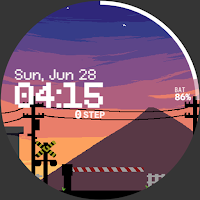
Onion Watchface 015
Personalization
Pixel art Style digital watch face
- Downloads
- 47+
- on Google Play
- Price
- $0.99
- No in-app purchases
- Updated
- Oct 2
- 2026
Screenshots
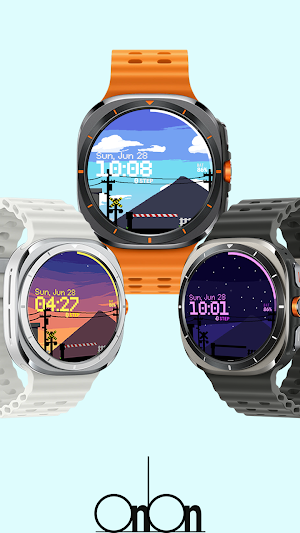
About Onion Watchface 015
Watch face features:
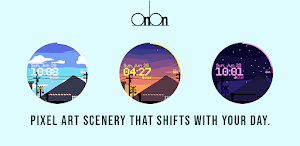
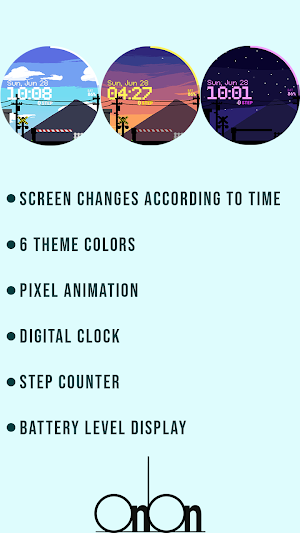
- Screen changes according to time
- 6 theme colors
- Pixel animation
- Digital clock
- Battery level display
*** Installation Notes***
1. Make sure your watch is properly connected to your phone
2. Tap the screen of the the phone app and a few minutes later, the clock screen will be installed.
- The Phone app only serves as a placeholder to make it easier to install and find watch faces on your Wear OS watch.
- Don't worry if it stops in the payment loop. Even if you receive a second payment request, you will be charged only once. Wait 5 minutes or restart the clock and try again. (This may be a synchronization problem between the device and the Google server.)
*** In case of a "no compatible devices" error, please use a web browser instead of the mobile app
- Screen changes according to time
- 6 theme colors
- Pixel animation
- Digital clock
- Battery level display
*** Installation Notes***
1. Make sure your watch is properly connected to your phone
2. Tap the screen of the the phone app and a few minutes later, the clock screen will be installed.
- The Phone app only serves as a placeholder to make it easier to install and find watch faces on your Wear OS watch.
- Don't worry if it stops in the payment loop. Even if you receive a second payment request, you will be charged only once. Wait 5 minutes or restart the clock and try again. (This may be a synchronization problem between the device and the Google server.)
*** In case of a "no compatible devices" error, please use a web browser instead of the mobile app
Alternatives to Onion Watchface 015
Looking for apps like Onion Watchface 015? Here are 6 similar Android apps on Google Play.
-
SamWatch Pixel E
-
ZKin Watch Mountain Road
-
ZKin Watch Mountain Dune
-
Twilight City Watch Face
-
Pars Day Loop
-
Vapor Town Watch Face
| App | Rating | Price | Installs | Last updated | Compare |
|---|---|---|---|---|---|
| Onion Watchface 015 | – | $0.99 | 10+ | Oct 2, 2026 | |
| SamWatch Pixel E | – | 0.99 USD | 500+ | Aug 13, 2026 | Compare |
| ZKin Watch Mountain Road | – | 2.99 USD | 50+ | Mar 26, 2025 | Compare |
| ZKin Watch Mountain Dune | – | 0.99 USD | 100+ | Mar 26, 2025 | Compare |
| Twilight City Watch Face | – | 1.99 USD | 100+ | Dec 4, 2025 | Compare |
| Pars Day Loop | – | 0.99 USD | 50+ | Oct 21, 2023 | Compare |
| Vapor Town Watch Face | – | 1.99 USD | 1,000+ | Aug 29, 2026 | Compare |
Similar apps on Google Play
- SamWatch Pixel E
- ZKin Watch Mountain Road
- ZKin Watch Mountain Dune
- Twilight City Watch Face
- Pars Day Loop
- Vapor Town Watch Face
- Time Scene2 Digital Watch Face
- Mountain Landscape
- Sunset Landscape
- OniOn watchface 003 Pixel
- Winter Digital Watch Face
- Island Glow Watch Face
- The Train Animated
- Winter Train Animated
- [69D] ARCADE UFO
- Mountain Landscape 2
- Urban Night
- Retro Game Wear OS
- Sunset Vibes WatchFace
- FLW114 Retro City Game
- Night Landscape
- Sunset Digital Watch Face
- Pixel Cat (Goal Based)
- Sakura JT10 Wear OS Watch Face
- Pixel Pocket Camp Dynamic
- Pixel Pocket Camp Classic
- Yozora Dusk