
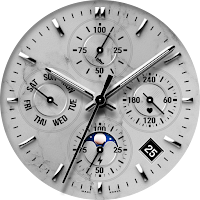
JW352 MARBLE
Personalization
This watch face supports Wear OS devices
- Downloads
- 64+
- on Google Play
- Price
- $1.49
- No in-app purchases
- Updated
- May 22
- 2026
Screenshots
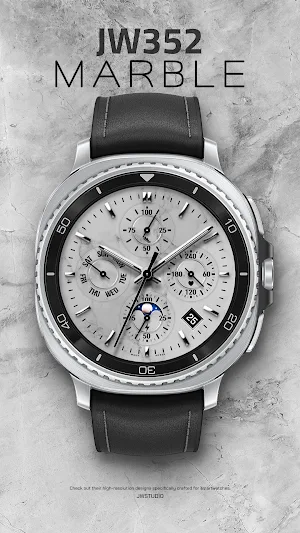
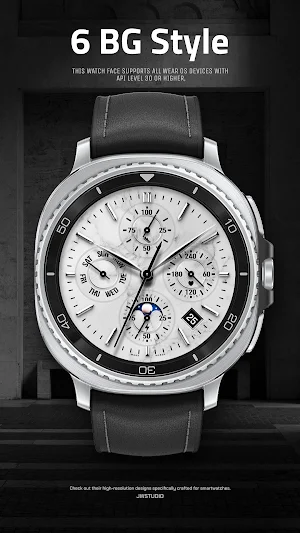
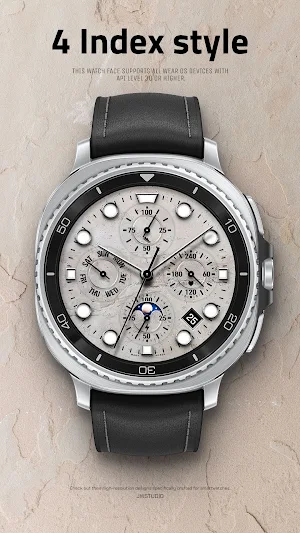
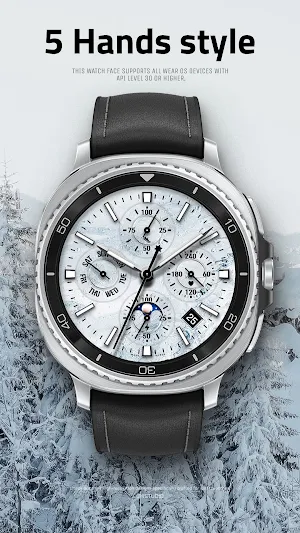


About JW352 MARBLE
This watch face supports all WearOS 5 devices with API level 34 or higher, such as Samsung Galaxy Watch 4, 5, 6, 7, 8, Pixel Watch, etc.
+++++++++++++++++++++++++++++++++++++++++++++++
[How to install]
Before pressing the payment button, make sure your watch is selected.
Select your watch by pressing the small triangle next to the payment button.
Select the menu at the top right of the Play Store app (three dots) > Share > Chrome browser > Install on other devices > Clock and proceed.
After installation, select it from the download list, register it as a favorite, and use it. You can view the download list by clicking 'Add Watch Screen' on the far right of the favorites list that appears when you press the watch screen.
+++++++++++++++++++++++++++++++++++++++++++++++
[Features]
- 6 BG style
- 4 Index Style
- 5 Hands Style
- Week language (English, Italian, Korean, Chinese)
- AOD Simple mode
[function]
- 4 preset app shortcut
- 1 customizable shortcut keys
- 3 customizable fields/information display
+++++++++++++++++++++++++++++++++++++++++++++++
[Custom]
1 - Touch and hold the display.
2 - Tap on Custom Options
For inquiries, please contact the email below.
[email protected]
+++++++++++++++++++++++++++++++++++++++++++++++
[How to install]
Before pressing the payment button, make sure your watch is selected.
Select your watch by pressing the small triangle next to the payment button.
Select the menu at the top right of the Play Store app (three dots) > Share > Chrome browser > Install on other devices > Clock and proceed.
After installation, select it from the download list, register it as a favorite, and use it. You can view the download list by clicking 'Add Watch Screen' on the far right of the favorites list that appears when you press the watch screen.
+++++++++++++++++++++++++++++++++++++++++++++++
[Features]
- 6 BG style
- 4 Index Style
- 5 Hands Style
- Week language (English, Italian, Korean, Chinese)
- AOD Simple mode
[function]
- 4 preset app shortcut
- 1 customizable shortcut keys
- 3 customizable fields/information display
+++++++++++++++++++++++++++++++++++++++++++++++
[Custom]
1 - Touch and hold the display.
2 - Tap on Custom Options
For inquiries, please contact the email below.
[email protected]
User reviews

Another beautiful addition! I love the marble design! I hope to see more like this one! Great work my friend!
Alternatives to JW352 MARBLE
Looking for apps like JW352 MARBLE? Here are 6 similar Android apps on Google Play.
-
JW352 jwstudio
-
JW181 jwstudio
-
JW334 QUARTZ26
-
JW337 jwstudio
-
JW262 jwstudio watchface
-
SamWatch Analog Maat
| App | Rating | Price | Installs | Last updated | Compare |
|---|---|---|---|---|---|
| JW352 MARBLE | – | $1.49 | 50+ | May 22, 2026 | |
| JW352 jwstudio | – | 1.49 USD | 50+ | – | Compare |
| JW181 jwstudio | – | 1.49 USD | 100+ | Jul 27, 2025 | Compare |
| JW334 QUARTZ26 | – | 0.75 USD | 10+ | Mar 24, 2026 | Compare |
| JW337 jwstudio | – | 1.49 USD | 10+ | – | Compare |
| JW262 jwstudio watchface | – | 1.49 USD | 500+ | Jul 14, 2025 | Compare |
| SamWatch Analog Maat | – | 1.49 USD | 100+ | Aug 23, 2026 | Compare |
Compare JW352 MARBLE with the top alternatives: ratings, updates, ASO score and keyword gaps →
Similar apps on Google Play
- JW352 jwstudio
- JW181 jwstudio
- JW334 QUARTZ26
- JW337 jwstudio
- JW262 jwstudio watchface
- SamWatch Analog Maat
- JW338 jwstudio
- JW319 QUARTZ26 SILVER
- JW289 jwstudio
- JW025 jwstudio
- JW171 jwstudio
- JW353 MARBLE
- JW079 jwstudio
- JW332 jwstudio
- JW029 jwstudio
- JW085 jwstudio
- SamWatch Analog B Sports 2024
- JW326 QUARTZ26 SILVER
- JW060 jwstudio
- JW288 jwstudio
- WAW003 Vibrant Smart Face
- JW326 QUARTZ26
- NW110: Analog watch face
- CELEST5563 Analog Watch
- Aura Ritm Watch Analog Face
- JW205 jwstudio