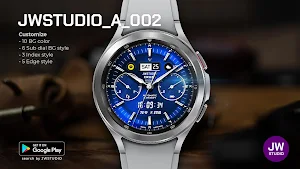
About JWSTUDIO_A_002 watchface
[How to install]
1. Play Store app > Payment and installation on your smartphone
2. Run Play Store on Watch > Apps on your phone > Watchface name > Install
[Notes on compatibility]
if you see message "Your devices are not compatible", use Play Store on WEB browser from PC / Laptop instead of app on phone.
* In order to use all functions, consent to use the sensor is required.
* This watch face was developed with Samsung's new "Watch Face Studio" tool for devices based on the new Wear Os Google / One UI Samsung operating system like Samsung Galaxy Watch 4.
* some features may not be available on some watches.
support to 900 Bg style
(10 Bg color * 6 Sub dial color * 3 Index style * 5 Edge style)
[Features]
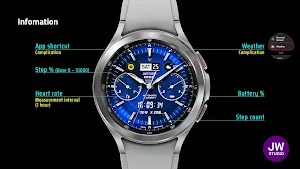
- Date info
- 12/24hr Digital Time based on phone settings
- Battery %
- Step % (steps set to 10000)
- Step count
- Heart rate
- Always ON Display supported
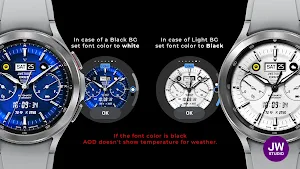
- Changeable Background color
- Changeable Index style
- Changeable Edge style
- Changeable Sub dial BG color
- Changeable Hands style
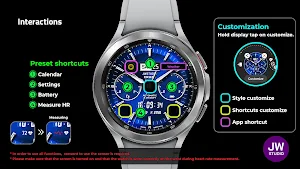
[Customization]
- Touch and hold display
- Tap on customize option
Get new news from my Instagram.
https://www.instagram.com/jenniferwatches/
https://www.instagram.com/herawatchface/
Contact me at [email protected] for any bug reports, requests, or queries.
Have a nice day.
Similar Apps

샘워치 Point color 13 2021
This watch face is an Digital WatchFace.The WatchFace has a battery, a...
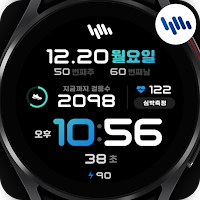
샘워치 PointColor 30 Fit
This app is for smartwatches, so users who do not have a...
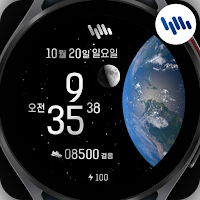
샘워치 Universe 4
This app is for smartwatches, so users who do not have a...

샘워치 한글 심플 R 2021
This watch face is an Digital WatchFace.The WatchFace has a battery.This watch...
Frequently Asked Questions (FAQ)
How do I install the JWSTUDIO_A_002 watchface?
What should I do if I see the message "Your devices are not compatible"?
Does the watchface work on all smartwatches?
What are the supported customization options for the watchface?
Where can I get new news from the creator of the watchface?
How can I contact the creator for bug reports, requests, or queries?
What are the main features of the JWSTUDIO_A_002 watchface?
Is consent required to use all functions of the watchface?
How many styles are supported for the background, sub dial, index, and edge of the watchface?