
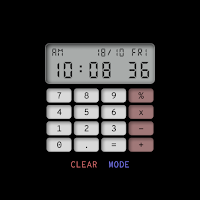
CELEST5666 Retro Digital Watch
Personalization Contains ads
Retro calculator watch face with working four-function math. 80s digital style.
- Downloads
- 52+
- on Google Play
- Price
- $1.00
- No in-app purchases
- Updated
- Aug 5
- 2026
Screenshots




About CELEST5666 Retro Digital Watch
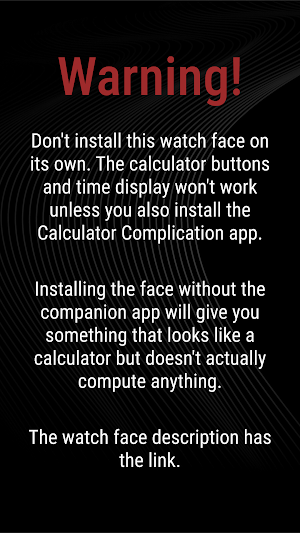
⚠️ This watch face requires the Calculator Complication app to work. Without it, the buttons won't respond and the calculator stays inert. Link to the app is below.
A working calculator on your wrist, styled after the digital calculator watches of the 80s. CELEST5666 Retro Digital Watch puts real four-function math behind every button — not decoration, not a static graphic, but actual computation driven by the Calculator Complication app. Tapping the date and weekday indicator opens the calendar — a small shortcut that keeps this calculator watch face useful even when you're not doing math.
Feature walkthrough: https://www.instagram.com/reel/DYJ078JtRqr/ (Different watch face, same feature set)
Link to the Calculator Complication app:
https://play.google.com/store/apps/details?id=com.celestwatches.calculatorcomplication
🎮 Features
- Working four-function calculator: add, subtract, multiply, divide
- 8-digit display with decimals, "E" on overflow or division by zero
- Doubles as a retro digital watch face when you're not calculating
- Tap the date or weekday indicator to open the calendar
- 12-hour or 24-hour time, follows your watch's setting
- The only complication slot on this watch face is reserved for the Calculator Complication
🎨 Customization
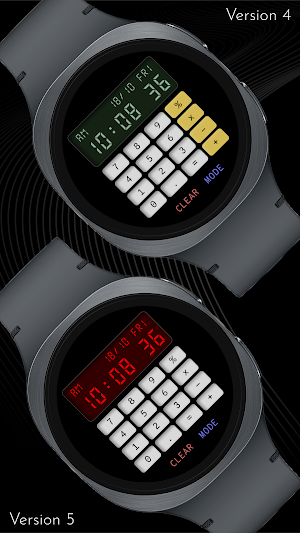
- 10 background colors x 5 screen colors x 8 display text colors — 400 combinations
🎯 Touch Accuracy
A note on tapping: watch screens are small, and the calculator buttons are smaller. Hitting them precisely takes a touch of practice.
Each button's tap region includes the digit or symbol drawn next to it — so the "5" button and the "5" glyph beside it are one combined target. The effective center sits slightly to the left of where it visually appears. A light tap aimed at the left-center of the button shape works well.
This is a watch and these are tiny buttons. Don't expect to fly through long calculations — but for the kind of math you'd do on a wrist (tip splits, quick conversions, age-of-someone-born-in-1987), it works.
✅ Compatible Devices
- Google Pixel Watch/2/3/4
- OnePlus Watch 2/2R/3/4
- Oppo Watch X/X2
- Samsung Galaxy Watch 4/4 Classic/5/5 Pro/6/6 Classic/7/8/8 Classic/FE/Ultra (2024/2025)
- Xiaomi Watch 2/2 Pro/5
🎁 BOGO Promotion: https://celest-watches.com/bogo/
✨ Explore the complete CELEST collection in one place — including all Wear OS, HUAWEI, and Apple Watch faces, along with our apps and tools — with the CELEST Catalog app: https://play.google.com/store/apps/details?id=com.celestwatches.catalog
🔧 Installation Help
Having trouble? We've got you covered:
- Use the dropdown menu next to "Install" on your phone to select your watch model or install directly from your watch's Play Store app.
- Updating weather data (if the watch face shows weather) may take time after installation but switching to another watch face and switching back or restarting both the watch and phone usually helps.
- Check out our installation and troubleshooting guide: https://celest-watches.com/installation-troubleshooting/
- Contact us at [email protected] for quick support
📞 Support & Community
📧 Support: [email protected]
📱 Follow @celestwatches on Instagram and subscribe to our newsletter to get notified of new releases and deals: https://celest-watches.com/newsletter/
A working calculator on your wrist, styled after the digital calculator watches of the 80s. CELEST5666 Retro Digital Watch puts real four-function math behind every button — not decoration, not a static graphic, but actual computation driven by the Calculator Complication app. Tapping the date and weekday indicator opens the calendar — a small shortcut that keeps this calculator watch face useful even when you're not doing math.
Feature walkthrough: https://www.instagram.com/reel/DYJ078JtRqr/ (Different watch face, same feature set)
Link to the Calculator Complication app:
https://play.google.com/store/apps/details?id=com.celestwatches.calculatorcomplication
🎮 Features
- Working four-function calculator: add, subtract, multiply, divide
- 8-digit display with decimals, "E" on overflow or division by zero
- Doubles as a retro digital watch face when you're not calculating
- Tap the date or weekday indicator to open the calendar
- 12-hour or 24-hour time, follows your watch's setting
- The only complication slot on this watch face is reserved for the Calculator Complication
🎨 Customization
- 10 background colors x 5 screen colors x 8 display text colors — 400 combinations
🎯 Touch Accuracy
A note on tapping: watch screens are small, and the calculator buttons are smaller. Hitting them precisely takes a touch of practice.
Each button's tap region includes the digit or symbol drawn next to it — so the "5" button and the "5" glyph beside it are one combined target. The effective center sits slightly to the left of where it visually appears. A light tap aimed at the left-center of the button shape works well.
This is a watch and these are tiny buttons. Don't expect to fly through long calculations — but for the kind of math you'd do on a wrist (tip splits, quick conversions, age-of-someone-born-in-1987), it works.
✅ Compatible Devices
- Google Pixel Watch/2/3/4
- OnePlus Watch 2/2R/3/4
- Oppo Watch X/X2
- Samsung Galaxy Watch 4/4 Classic/5/5 Pro/6/6 Classic/7/8/8 Classic/FE/Ultra (2024/2025)
- Xiaomi Watch 2/2 Pro/5
🎁 BOGO Promotion: https://celest-watches.com/bogo/
✨ Explore the complete CELEST collection in one place — including all Wear OS, HUAWEI, and Apple Watch faces, along with our apps and tools — with the CELEST Catalog app: https://play.google.com/store/apps/details?id=com.celestwatches.catalog
🔧 Installation Help
Having trouble? We've got you covered:
- Use the dropdown menu next to "Install" on your phone to select your watch model or install directly from your watch's Play Store app.
- Updating weather data (if the watch face shows weather) may take time after installation but switching to another watch face and switching back or restarting both the watch and phone usually helps.
- Check out our installation and troubleshooting guide: https://celest-watches.com/installation-troubleshooting/
- Contact us at [email protected] for quick support
📞 Support & Community
📧 Support: [email protected]
📱 Follow @celestwatches on Instagram and subscribe to our newsletter to get notified of new releases and deals: https://celest-watches.com/newsletter/
What’s new
Updated August 5, 2026
Updated to target Android 16 (API 36).
User reviews

cool
Alternatives to CELEST5666 Retro Digital Watch
Looking for apps like CELEST5666 Retro Digital Watch? Here are 6 similar Android apps on Google Play. The highest rated is Digital RetroFlip Watch face (3.7/5).
-
FLIP Rotary URX69 Watch face
-
Digital RetroFlip Watch face 3.7
-
ZKin Watch Dual Mode Shadow
-
CELEST5560 Retro Digital Watch
-
Nostalgia Meter ZKin Watch
-
CELEST5659 Retro Digital Watch
| App | Rating | Price | Installs | Last updated | Compare |
|---|---|---|---|---|---|
| CELEST5666 Retro Digital Watch | – | $1.00 | 50+ | Aug 5, 2026 | |
| FLIP Rotary URX69 Watch face | – | 0.99 USD | 50+ | Oct 6, 2024 | Compare |
| Digital RetroFlip Watch face | 3.7 / 5 | 0.45 USD | 5,000+ | – | Compare |
| ZKin Watch Dual Mode Shadow | – | 0.99 USD | 10+ | Sep 17, 2026 | Compare |
| CELEST5560 Retro Digital Watch | – | 1.99 USD | 10+ | Aug 5, 2026 | Compare |
| Nostalgia Meter ZKin Watch | – | 2.99 USD | 100+ | Oct 20, 2026 | Compare |
| CELEST5659 Retro Digital Watch | – | 1.99 USD | 100+ | Aug 5, 2026 | Compare |
Similar apps on Google Play
- FLIP Rotary URX69 Watch face
- Digital RetroFlip Watch face
- ZKin Watch Dual Mode Shadow
- CELEST5560 Retro Digital Watch
- Nostalgia Meter ZKin Watch
- CELEST5659 Retro Digital Watch
- Cave Club AVIATION Classic
- Flip Clock MB354
- Black X Watch Face
- MJ301 Bright Digital Watch
- Big numbers watch face
- Spreadsheet Lite Watch Face
- ASSANFACE
- Simple Flip Watch Face
- Digital Fliptime Watch face
- Spreadsheet Watch Face
- RetroLCD: vintage watch face
- CELEST3010 Retro Digital Watch
- AD Moment - Watch Face
- Tku S017 Retro Watch Face
- Watch Face H6 - Wear OS
- Shadow Watch Face
- CC Digital 29 watch face
- Simply Digital
- tgr flip clock watch face 1
- ZKin Watch Face Flip Clock
- Y26 Digital Rhapsody WatchFace