
VaultRecover-File Restore
NovaForge Apps Tools
Scan lost photos, videos, audio and files, then recover selected items.
- Downloads
- 6.3K+
- on Google Play
- Price
- Free
- No in-app purchases
- Updated
- Aug 28
- 2026 · v1.0.4
Screenshots
Save to Pinterest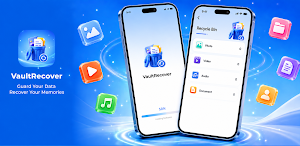
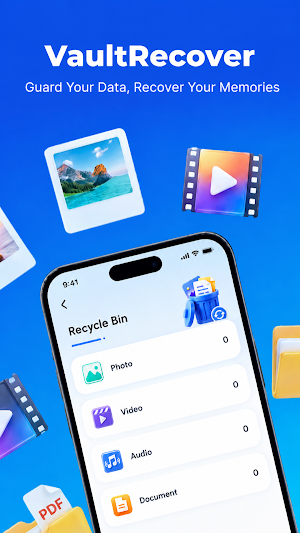
About VaultRecover-File Restore
Lost photos, videos, audio files, or important documents? VaultRecover helps you search your phone for files that may still be recoverable and lets you save the ones you want when possible.
VaultRecover is built around a simple user-driven recovery flow. Pick a file type, start a scan, check the results, and choose which items to restore. It does not claim to recover everything, because recovery depends on how the storage looks and whether the deleted data has already been overwritten.
Why use VaultRecover?
- Scan your device for recoverable files
- Review results before restoring anything
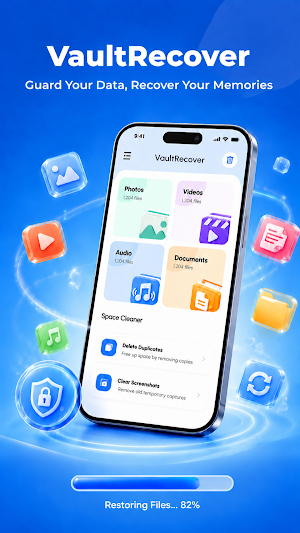
- Recover selected photos, videos, audio, documents, and more
- Save recovered files back to your device
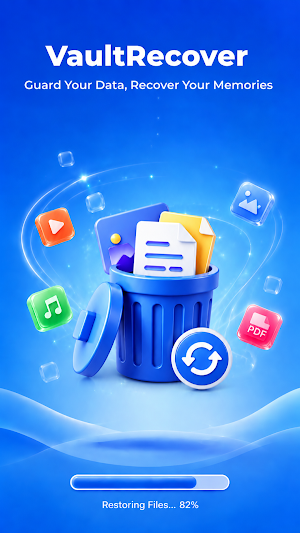
- Show recovery progress and completion notifications when needed
Supported file types may include:
- Photos: JPG, PNG, HEIC, WebP
- Videos: MP4, MOV, AVI, MKV
- Audio: MP3, WAV, AAC, FLAC
- Documents: PDF, DOC, DOCX, XLS, TXT
- Archives: ZIP, RAR
How it works:
1. Choose the file type you want to scan
2. Wait for the scan to finish
3. Check the files found
4. Select the items you want and save them
VaultRecover can be helpful after accidental deletion, missing media, misplaced documents, or when you want to check whether recoverable content still exists on the device. All scanning and recovery actions run locally on the phone, and files are not uploaded for recovery.
For longer recovery tasks, VaultRecover may display a persistent notification so you can see that the process is still running or know when it has finished.
Recovery results may vary depending on device storage conditions, deletion timing, and whether the data has already been overwritten. For best results, scan as soon as possible after files are lost.
What’s new
Version 1.0.4 · Updated August 28, 2026
fix bugs
Alternatives to VaultRecover-File Restore
Looking for apps like VaultRecover-File Restore? Here are 6 similar Android apps on Google Play. The highest rated is Gallery - photo gallery, album (4.7/5), and all 6 are free to download.
-
Smart Gallery - Photo Manager 4.4
-
MobiSaver: Data&Photo Recovery 2.1
-
Gallery - photo gallery, album 4.7
-
MobiDrive Cloud Storage & Sync 4.2
-
Save Status - Download Status 4.5
-
Photo & Video Recovery 3.7
| App | Rating | Price | Installs | Last updated | Compare |
|---|---|---|---|---|---|
| VaultRecover-File Restore | – | Free | 5,000+ | Aug 28, 2026 | |
| Smart Gallery - Photo Manager | 4.4 / 5 | Free | 5,000,000+ | – | Compare |
| MobiSaver: Data&Photo Recovery | 2.1 / 5 | Free | 10,000,000+ | – | Compare |
| Gallery - photo gallery, album | 4.7 / 5 | Free | 10,000,000+ | Jun 17, 2026 | Compare |
| MobiDrive Cloud Storage & Sync | 4.2 / 5 | Free | 1,000,000+ | – | Compare |
| Save Status - Download Status | 4.5 / 5 | Free | 10,000,000+ | Nov 4, 2025 | Compare |
| Photo & Video Recovery | 3.7 / 5 | Free | 1,000,000+ | Oct 29, 2026 | Compare |
Similar apps on Google Play
- Smart Gallery - Photo Manager
- MobiSaver: Data&Photo Recovery
- Gallery - photo gallery, album
- MobiDrive Cloud Storage & Sync
- Save Status - Download Status
- Photo & Video Recovery
- Hamilton Aquatics
- Tradify - Easy Job Management
- PDF Reader Zone
- Pray Bible - Daily Verse&Audio
- Gallery
- Optimalprint: Photo Gifts
- PRIVARY Secure Photo Vault
- Total Drive - Cloud Storage