

CoreRestore-Recovery Assistant
VLOG24INDIA Tools
Scan lost files, photos, videos and audio, then restore selected items.
- Price
- Free
- No in-app purchases
- Updated
- Aug 12
- 2026 · v1.0.2
Screenshots
About CoreRestore-Recovery Assistant
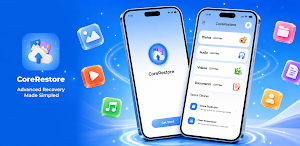
Deleted photos, videos, audio files, or important documents by mistake? CoreRestore helps you scan your phone for files that may still be recoverable and save selected items back to your device when possible.
CoreRestore is designed for a simple user-started recovery flow. You choose what type of file to scan, review detected results, select the items you need, and restore them locally. The app does not promise to recover every deleted file, but it gives you a clear way to check what may still be available on your device.
Main features:
- Scan device storage for recoverable files
- Review detected items before restoring
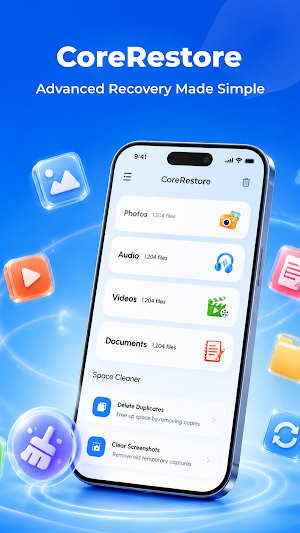
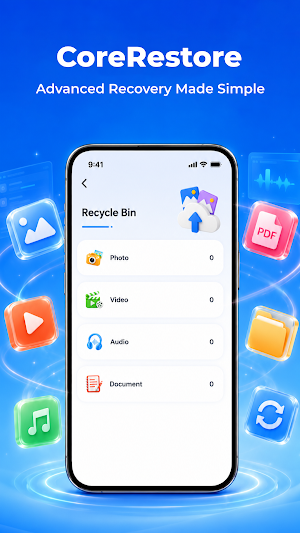
- Recover selected photos, videos, audio, documents, and more
- Organize results so they are easier to browse
- Show recovery progress and completion status
- Send recovery status or completion notifications when needed
Supported file types may include:
- Photos: JPG, PNG, HEIC, WebP
- Videos: MP4, MOV, AVI, MKV
- Audio: MP3, WAV, AAC, FLAC
- Documents: PDF, DOC, DOCX, XLS, TXT
- Archives: ZIP, RAR
How it works:
1. Start a scan from the app
2. Review the recoverable results
3. Select the files you want to restore
4. Save recovered files back to your phone
CoreRestore can be useful after accidental deletion, missing media, lost documents, or other situations where files may still remain in device storage. Recovery operations are handled on the device, and files are not uploaded for recovery.
Storage access is used only for user-initiated scanning, recovery, and saving. Notifications are used for recovery status and completion alerts, especially when a scan or restore task takes time.
Recovery results may vary depending on storage conditions, deletion timing, and whether the original data has been overwritten. For the best chance of recovery, scan as soon as possible after deletion.
CoreRestore is designed for a simple user-started recovery flow. You choose what type of file to scan, review detected results, select the items you need, and restore them locally. The app does not promise to recover every deleted file, but it gives you a clear way to check what may still be available on your device.
Main features:
- Scan device storage for recoverable files
- Review detected items before restoring
- Recover selected photos, videos, audio, documents, and more
- Organize results so they are easier to browse
- Show recovery progress and completion status
- Send recovery status or completion notifications when needed
Supported file types may include:
- Photos: JPG, PNG, HEIC, WebP
- Videos: MP4, MOV, AVI, MKV
- Audio: MP3, WAV, AAC, FLAC
- Documents: PDF, DOC, DOCX, XLS, TXT
- Archives: ZIP, RAR
How it works:
1. Start a scan from the app
2. Review the recoverable results
3. Select the files you want to restore
4. Save recovered files back to your phone
CoreRestore can be useful after accidental deletion, missing media, lost documents, or other situations where files may still remain in device storage. Recovery operations are handled on the device, and files are not uploaded for recovery.
Storage access is used only for user-initiated scanning, recovery, and saving. Notifications are used for recovery status and completion alerts, especially when a scan or restore task takes time.
Recovery results may vary depending on storage conditions, deletion timing, and whether the original data has been overwritten. For the best chance of recovery, scan as soon as possible after deletion.
What’s new
Version 1.0.2 · Updated August 12, 2026
fix bugs
Alternatives to CoreRestore-Recovery Assistant
Looking for apps like CoreRestore-Recovery Assistant? Here are 6 similar Android apps on Google Play. The highest rated is Kittysplit: Bills & cost split (4.9/5), and all 6 are free to download.
-
Autosync - File Sync & Backup 4.7
-
MobiSaver: Data&Photo Recovery 2.1
-
MyNewEarth
-
Avast Cleanup – Phone Cleaner 4.6
-
Kittysplit: Bills & cost split 4.9
-
MeisterTask - Task Management 4.3
| App | Rating | Price | Installs | Last updated | Compare |
|---|---|---|---|---|---|
| CoreRestore-Recovery Assistant | – | Free | 0+ | Aug 12, 2026 | |
| Autosync - File Sync & Backup | 4.7 / 5 | Free | 100,000+ | Oct 14, 2026 | Compare |
| MobiSaver: Data&Photo Recovery | 2.1 / 5 | Free | 10,000,000+ | Sep 1, 2026 | Compare |
| MyNewEarth | – | Free | 100+ | Oct 16, 2026 | Compare |
| Avast Cleanup – Phone Cleaner | 4.6 / 5 | Free | 50,000,000+ | – | Compare |
| Kittysplit: Bills & cost split | 4.9 / 5 | Free | 10,000+ | Oct 13, 2026 | Compare |
| MeisterTask - Task Management | 4.3 / 5 | Free | 1,000,000+ | Aug 4, 2026 | Compare |