Voice Changer: Voice Effects
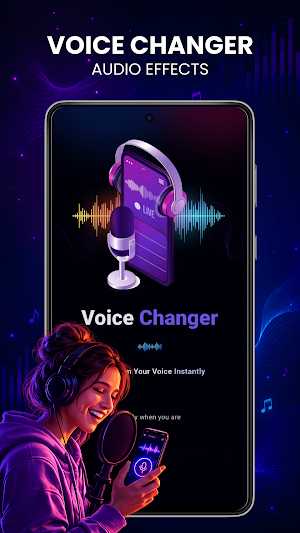
Voice recorder & voice changer with fun effects to change, edit, and save audio.
About Voice Changer: Voice Effects
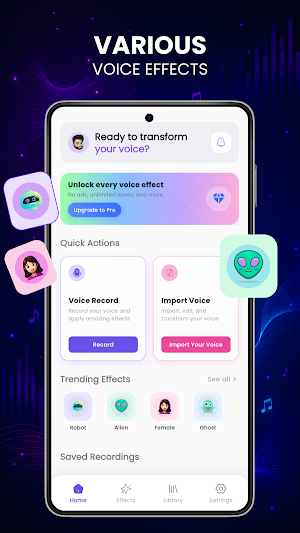
Give your recordings a different sound with Voice Changer: Voice Effects. Record your voice directly in the app, try different voice effects, and preview the result before saving it. You can also import an existing audio file and apply effects to recordings you already have.
Whether you want to make a funny recording, experiment with different voices, or simply explore audio effects, the app keeps the process simple. Record or import audio, choose an effect, listen to the result, and save the version you like.
Record and Change Your Voice
Start with a new recording or bring an existing audio file into the app. Once your audio is ready, choose from the available voice effects and hear how the recording changes.
You can:
Record voice directly in the app
Import existing audio files
Apply voice effects to recordings
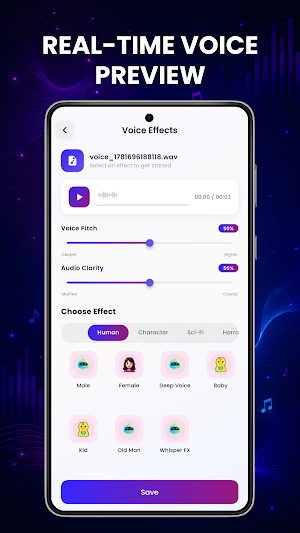
Preview an effect before saving
Save processed recordings
Access saved recordings inside the app
Adjust available audio settings
Choose audio quality and bitrate options
Explore Voice Effects
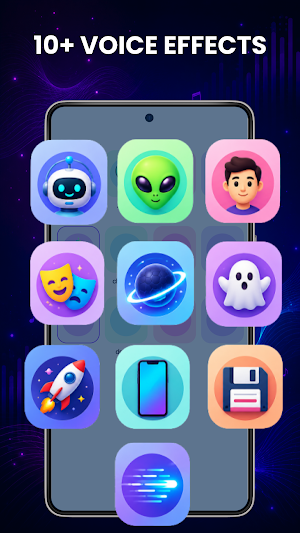
Try different sounds to give your voice a new character. Available effects include options such as:
◆ Robot
◆ Alien
◆ Female
◆ Ghost
◆ Baby
◆ Nature
◆ Deep Voice
◆ Monster
◆ High Pitch
◆ Male Voice
◆ Echo
Different effects can create very different results, so you can experiment with your recording and choose the sound that fits the moment.
Use Your Own Audio
You don't have to record everything from scratch. If you already have a compatible voice or audio file on your device, import it and apply the available effects.
This makes the app useful for experimenting with existing audio clips as well as new voice recordings.
For Fun and Creative Audio.
A voice changer can be useful when you want to make a funny clip for friends, experiment with a robot or monster voice, create a different character sound, or simply hear how your voice changes with different effects.
You can also try effects such as deep voice, high pitch, echo, alien, or ghost to create different styles of audio.
Choose Your Audio Settings
The app provides audio settings that let you adjust options such as bitrate and audio clarity. This gives you more flexibility when processing and saving your recordings.
Choose the settings that suit the type of recording you are creating, then preview the result before keeping it.
Keep Your Recordings Organized
After applying an effect, save the processed recording to your device and access saved recordings from within the app. This makes it easier to return to clips you have already created without recording them again.
Simple Voice Editing
The interface is designed around the main tasks you need: record or import audio, select an effect, preview the result, and save the recording.
Light and dark themes are also available, so you can choose the appearance that feels more comfortable while using the Voice Changer: Voice Effects.
Voice Changer: Voice Effects is made for simple audio experimentation and everyday entertainment. Try different effects, compare the results, and create recordings with a sound that is different from your original voice.
Similar Apps

InkHunter: Tattoo Maker
Inkhunter: Tattoo my Photo by Tattoo Maker & Create your own ai Tattoo Designs!

Shimeji: Anime Pets On Screen
Cute Shimeji Pets on Screen! Interactive anime companions & screen pets

Volume Booster
Extra Bass & volume Booster with equalizer to max sound of speaker & headphone.
LED Keyboard
LED keyboard themes with neon, anime, flower & custom stylish designs

Pop Coloring
Paint, color and create amazing artwork with beautiful coloring pages.

15 August Tiranga Photo Frames
Create 15 August photo frames, Tiranga wallpapers, Indian Flag cards & stickers
