
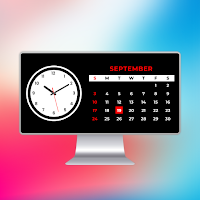
StandBy iOS Always On Display
Vk.soft.Dicapp Productivity Contains ads
Want to have a display clock like iphone then use standby mode always on display
- Downloads
- 6.5K+
- on Google Play
- Price
- Free
- No in-app purchases
- Updated
- Oct 5
- 2023 · v1.0
Screenshots


About StandBy iOS Always On Display
Are you tired of having to unlock your phone every time you want to check the clock or see whether you have any notifications? Consider StandBy Mode Always on Display, the ideal option for keeping your device's screen active and informative at all times!
StandBy iOS Always on Display is a versatile and easy-to-use app that enhances your smartphone experience by delivering an attractive, customisable, and power-efficient always-on display. Say goodbye to the bother of waking up your phone, as StandBy iOS Always On Display keeps your important information at your fingertips while maintaining your device's battery life.
Key Features of StandBy Mode - StandBy IOS:
Customizable Widget Styles:
- Customise the background with your favourite colours, wallpapers, or even photographs from your gallery with quick navigation.
- Customize fonts using text color and more to match your unique preferences.
- Choose from a wide range of attractive and visually appealing clock designs, comprising digital and analogue models.
Battery-Friendly Technology:
- StandBy mode is designed to be energy-efficient, saving the battery life of your smartphone.
- It also dynamically adjusts the brightness and refresh rate according to your device’s features and light conditions.
Low Device Resources:
- StandBy mode is designed to be fast without taking up too much system space, so your phone’s performance doesn’t suffer.
Battery Status:
- You can check your battery status with show, hide & change the transparency of the battery status.
Standby Mode will be quickly launch as soon as the device will be in charging. It will automatically close when the chargeing is unplug.
The app automatically display your last visited widget as the app remembers it.
Vibration:
- You can enables or disables the vibration effect when navigating between widgets.
Scroll Horizontal or Vertical:
- You can change the scroll behaviour between horizontal & vertical widget.
Other than this, you can also view world clock time to know about time in other countries.
You can improve your mobile experience with StandBy Mode Always on Display, which will allow you to gain instant access to information, a touch of personalization and improved battery life. Download StandBy now and make your device come alive, even when it's on standby mode.
StandBy iOS Always on Display is a versatile and easy-to-use app that enhances your smartphone experience by delivering an attractive, customisable, and power-efficient always-on display. Say goodbye to the bother of waking up your phone, as StandBy iOS Always On Display keeps your important information at your fingertips while maintaining your device's battery life.
Key Features of StandBy Mode - StandBy IOS:
Customizable Widget Styles:
- Customise the background with your favourite colours, wallpapers, or even photographs from your gallery with quick navigation.
- Customize fonts using text color and more to match your unique preferences.
- Choose from a wide range of attractive and visually appealing clock designs, comprising digital and analogue models.
Battery-Friendly Technology:
- StandBy mode is designed to be energy-efficient, saving the battery life of your smartphone.
- It also dynamically adjusts the brightness and refresh rate according to your device’s features and light conditions.
Low Device Resources:
- StandBy mode is designed to be fast without taking up too much system space, so your phone’s performance doesn’t suffer.
Battery Status:
- You can check your battery status with show, hide & change the transparency of the battery status.
Standby Mode will be quickly launch as soon as the device will be in charging. It will automatically close when the chargeing is unplug.
The app automatically display your last visited widget as the app remembers it.
Vibration:
- You can enables or disables the vibration effect when navigating between widgets.
Scroll Horizontal or Vertical:
- You can change the scroll behaviour between horizontal & vertical widget.
Other than this, you can also view world clock time to know about time in other countries.
You can improve your mobile experience with StandBy Mode Always on Display, which will allow you to gain instant access to information, a touch of personalization and improved battery life. Download StandBy now and make your device come alive, even when it's on standby mode.
Alternatives to StandBy iOS Always On Display
Looking for apps like StandBy iOS Always On Display? Here are 6 similar Android apps on Google Play. The highest rated is iOS Emojis For Android (3.2/5), and all 6 are free to download.
-
iOS Emojis For Android 3.2
-
iPhone Keyboard iOS Emojis
-
Emoji Challenge - Funny Filter
-
Fingerprint Animation
-
Grams,kg,lbs weight converter 2.4
-
Teleprompter - Video Captions
| App | Rating | Price | Installs | Last updated | Compare |
|---|---|---|---|---|---|
| StandBy iOS Always On Display | – | Free | 5,000+ | Oct 5, 2023 | |
| iOS Emojis For Android | 3.2 / 5 | Free | 10,000,000+ | Oct 26, 2026 | Compare |
| iPhone Keyboard iOS Emojis | – | Free | 1,000,000+ | Aug 4, 2026 | Compare |
| Emoji Challenge - Funny Filter | – | Free | 5,000+ | Feb 24, 2024 | Compare |
| Fingerprint Animation | – | Free | 500,000+ | Nov 23, 2024 | Compare |
| Grams,kg,lbs weight converter | 2.4 / 5 | Free | 10,000+ | Sep 25, 2020 | Compare |
| Teleprompter - Video Captions | – | Free | 5,000+ | Apr 5, 2024 | Compare |