VideoSlim: Video Compressor 4K
Compress 4K video offline. Reduce file size, free storage and share faster.
About VideoSlim: Video Compressor 4K
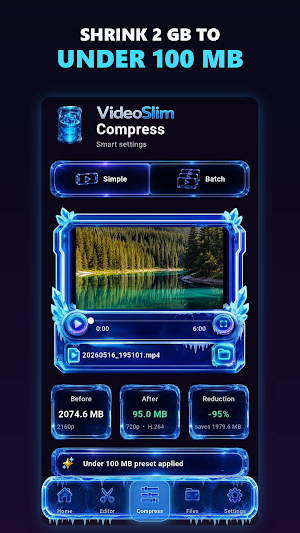
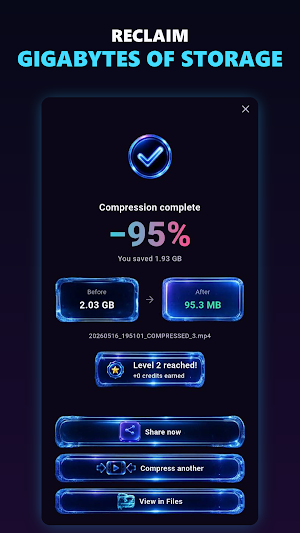
VideoSlim compresses large videos right on your phone, freeing up storage and making clips easy to share. Everything runs on your device, so your files never leave it.
Your videos stay on your phone
• All processing happens locally; nothing is ever uploaded to a server.
• Works fully offline, anywhere, with no account and no sign-in required.
• Family moments, work footage and everything else stays on your device.
• Shrink files before sending and use far less mobile data.
• Hardware-accelerated encoding for fast results on supported devices.
Free up space, share faster
• Turn heavy 4K clips into lightweight MP4 files in a few taps.
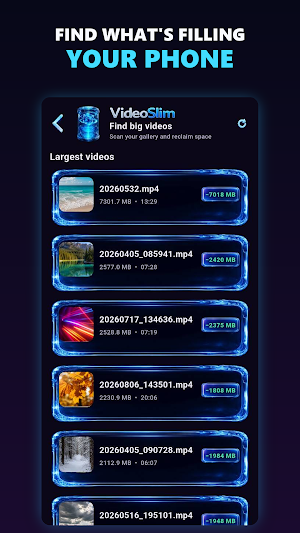
• Reclaim gigabytes with a built-in tool that finds your largest videos.
• Send videos through messaging apps and email without hitting size limits.
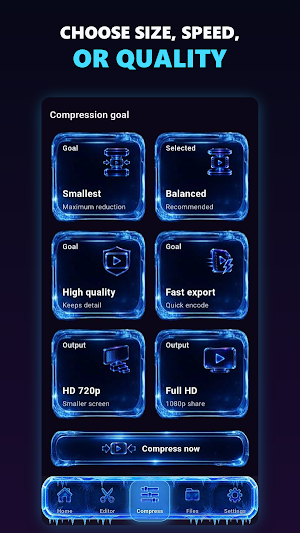
• One-tap presets for the places you actually send video.
• Smart settings preserve visual detail while cutting file size substantially.
A simple but capable video editor
• Trim the start and end, or cut a longer clip into segments.
• Merge several clips into one video for easy sharing or archiving.
• Change playback speed for slow motion or time-lapse effects.
• Apply visual filters and add smooth fade transitions.
• Reduce background noise and adjust audio levels.
• Export any clip as an animated GIF.
• Extract the audio from a video as a separate file.
• Convert HDR footage to standard SDR on supported devices.
Advanced controls for pro results
• Choose H.264 for maximum compatibility, VP9 for smaller files, or the high-efficiency AV1 codec for the smallest files of all (Pro).
• Set an exact target size in MB and let VideoSlim work out the settings (Pro).
• Compress many videos at once with batch mode (Pro).
• Fine-tune resolution, bitrate and quality yourself.
• Text subtitle tracks are carried through to the compressed file.
Flexible and fair: Free and Pro
VideoSlim is free to use and supported by ads. The free version handles everyday compression in full.
• Earn credits by watching optional ads, or simply by using the app.
• Get credits for every 250 MB you compress and for reaching milestones.
• Buy a credit pack whenever you want more right away.
Upgrade to Pro for an ad-free experience and the most powerful tools.
• Unlock batch compression, the AV1 codec and custom target sizes.
• Choose monthly or annual, or get lifetime access with a single purchase.
How VideoSlim works
1. Pick a video; or several, for batch processing; from your gallery.
2. Choose a one-tap preset, or set your own size or quality.
3. Tap Compress and VideoSlim writes a new, smaller MP4 on your device.
VideoSlim is built for anyone who deals with large video files: creators saving mobile data, families sharing memories, professionals sending footage from the field, or anyone reclaiming phone storage without giving up privacy.
Reduce video size, save phone storage, and keep your videos yours.
Similar Apps

Vive Now
Fitness & rehab routines, track vitals.

PixelFlow: Intro Video maker
Intro maker, outro maker & Logo animation, 2D video intro maker for YT Channel

Focus Video - Video Compressor
Compress & Convert video, audio, photo, image efficiently and quickly

Screen Recorder - Vidma Record
Video recorder & Game Recorder - Screen recording app to record screen video!

Loom – Screen and Cam Recorder
The fastest way to record content on-the-go and stay connected with your team.

Viome
Imagine living in a world where illness is optional