

My Work Tracking
Productivity
Monitor attendance, location, and activities with real-time reports
- Downloads
- 5+
- on Google Play
- Price
- Free
- No in-app purchases
- Updated
- Jul 23
- 2025 · v1.0.release
Screenshots
About My Work Tracking
Precise control of your team's effort and activities
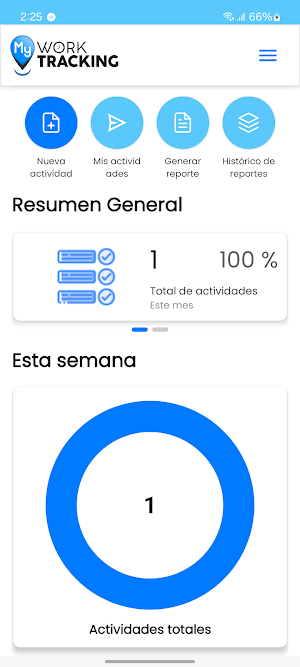
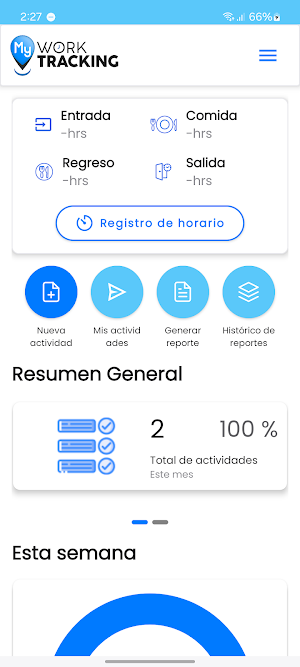
My Work Tracking allows employees to record in detail the activities performed during their workday, including the effort invested in each one. This translates into greater visibility and control for project leaders and HR managers.
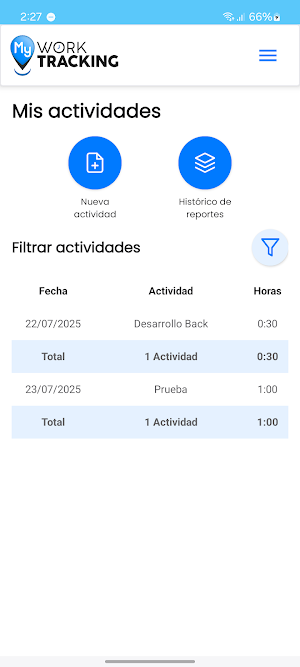
• Users can report their activities by associating them with a specific project and a specific date.
• Effort is recorded in hours and minutes (HH:MM), providing real-time traceability of the time invested.
• Activities are selected from a catalog previously configured by the organization, ensuring consistency in the information.
• The system allows leaders and Project Managers, or any level of authorization within your organization, to review each recorded activity, adding comments and validating its compliance.
• Employees can check the review status and make adjustments if a correction is requested.
• Additionally, an electronic signature can be added from the app to authenticate submitted reports. With this feature, your company will have more reliable progress reports, project effort tracking, and improved accountability, strengthening talent management and operational planning.
Effective monitoring and control of activity progress in real time
My Work Tracking provides project and project leaders and HR managers with a complete and up-to-date view of the work reported by each team member, allowing them to efficiently validate and approve activities before sending them to the Project Manager or the next level of authorization within your organization.
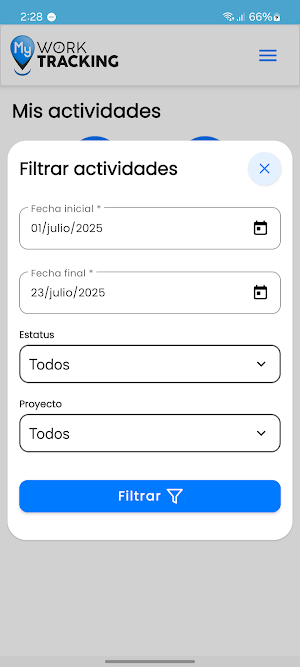
• Easily view activities by resource and project, organized chronologically in a visual carousel for easy review.
• View detailed effort invested in each activity (hours and minutes), allowing you to assess team productivity and focus.
• Provides operational context through comments that can be added directly to each recorded activity.
• If necessary, the leader can reject activities and enter the reason, promoting quality in reporting. • Validated activities can be approved and sent to the Project Manager or the next level for final approval.
• Process traceability is maintained, with visibility into the status and historical comments from reviewers.
• The app also allows reports to be electronically signed, ensuring the authenticity of the information submitted.
With these capabilities, organizations can improve operational control, increase transparency, and streamline the validation of efforts on strategic projects.
My Work Tracking allows employees to record in detail the activities performed during their workday, including the effort invested in each one. This translates into greater visibility and control for project leaders and HR managers.
• Users can report their activities by associating them with a specific project and a specific date.
• Effort is recorded in hours and minutes (HH:MM), providing real-time traceability of the time invested.
• Activities are selected from a catalog previously configured by the organization, ensuring consistency in the information.
• The system allows leaders and Project Managers, or any level of authorization within your organization, to review each recorded activity, adding comments and validating its compliance.
• Employees can check the review status and make adjustments if a correction is requested.
• Additionally, an electronic signature can be added from the app to authenticate submitted reports. With this feature, your company will have more reliable progress reports, project effort tracking, and improved accountability, strengthening talent management and operational planning.
Effective monitoring and control of activity progress in real time
My Work Tracking provides project and project leaders and HR managers with a complete and up-to-date view of the work reported by each team member, allowing them to efficiently validate and approve activities before sending them to the Project Manager or the next level of authorization within your organization.
• Easily view activities by resource and project, organized chronologically in a visual carousel for easy review.
• View detailed effort invested in each activity (hours and minutes), allowing you to assess team productivity and focus.
• Provides operational context through comments that can be added directly to each recorded activity.
• If necessary, the leader can reject activities and enter the reason, promoting quality in reporting. • Validated activities can be approved and sent to the Project Manager or the next level for final approval.
• Process traceability is maintained, with visibility into the status and historical comments from reviewers.
• The app also allows reports to be electronically signed, ensuring the authenticity of the information submitted.
With these capabilities, organizations can improve operational control, increase transparency, and streamline the validation of efforts on strategic projects.
What’s new
Version 1.0.release · Updated July 23, 2025
Lanzamiento MWT
Alternatives to My Work Tracking
Looking for apps like My Work Tracking? Here are 4 similar Android apps on Google Play. The highest rated is Kizeo Forms, Mobile forms (5.0/5), and all 4 are free to download.
-
Agendrix Employee Scheduling 4.6
-
JobNimbus: All-In-One Roof App 4.5
-
Kizeo Forms, Mobile forms 5.0
-
RAYNET CRM 4.0
| App | Rating | Price | Installs | Last updated | Compare |
|---|---|---|---|---|---|
| My Work Tracking | – | Free | 5+ | Jul 23, 2025 | |
| Agendrix Employee Scheduling | 4.6 / 5 | Free | 100,000+ | Sep 11, 2026 | Compare |
| JobNimbus: All-In-One Roof App | 4.5 / 5 | Free | 10,000+ | Oct 27, 2026 | Compare |
| Kizeo Forms, Mobile forms | 5.0 / 5 | Free | 100,000+ | Nov 2, 2026 | Compare |
| RAYNET CRM | 4.0 / 5 | Free | 10,000+ | Sep 29, 2026 | Compare |
Compare My Work Tracking with the top alternatives: ratings, updates, ASO score and keyword gaps →