
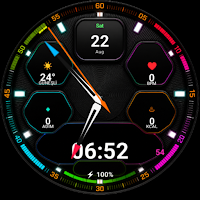
Ultra Hybrid Pro Watch Face
KAD%C4%B0R YILDIRIM Tools
Neon hybrid dial: vibrant seconds, health data, and rich customization options.
- Price
- $1.49
- No in-app purchases
- Updated
- Aug 24
- 2026 · v29
Screenshots
About Ultra Hybrid Pro Watch Face
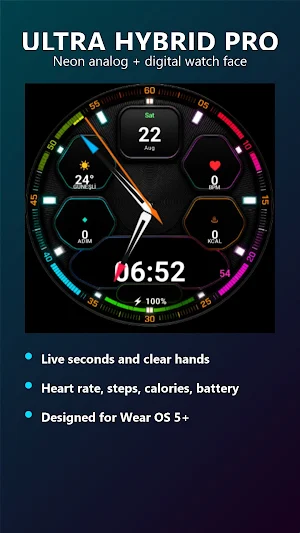
Ultra Hybrid Pro is a premium analog and digital hybrid watch face designed for Wear OS. With strong neon details, legible hands, and customizable information fields, it provides the information you need at a glance for daily use and sports.
KEY FEATURES
• Distinctive analog hour and minute hands
• Vibrant digital seconds display
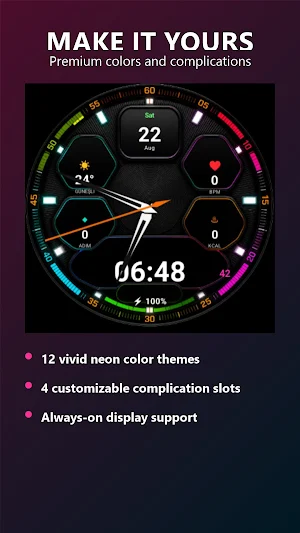
• 12 neon color themes
• Date and day information
• Watch battery indicator
• Heart rate, step, and calorie information*
• 4 customizable complication areas
• Always-On Display support
• 12/24 hour format
• Efficient operation with Watch Face Format 3
PERSONALIZATION
Long press the watch face on your watch, open the Personalize option, and select the color theme or complication areas. Supported complications can be assigned weather, calendar, alarm, world time, battery, and compatible health data.
COMPATIBILITY
Designed for compatible smartwatches running Wear OS API 35 and above. This product is watch face only; it does not include a phone app. Make sure the Google account you used for the purchase is active on your watch.
SETUP
1. Select your watch as the installation target in Google Play.
2. After installation, long press on the existing watch face.
3. Select Ultra Hybrid Pro from the watch face library.
4. Open the “Add watch face” section if it doesn't appear.
*The displayed health and activity data depends on your watch's sensors and the selected complication provider. This watch face is not intended for medical use.
KEY FEATURES
• Distinctive analog hour and minute hands
• Vibrant digital seconds display
• 12 neon color themes
• Date and day information
• Watch battery indicator
• Heart rate, step, and calorie information*
• 4 customizable complication areas
• Always-On Display support
• 12/24 hour format
• Efficient operation with Watch Face Format 3
PERSONALIZATION
Long press the watch face on your watch, open the Personalize option, and select the color theme or complication areas. Supported complications can be assigned weather, calendar, alarm, world time, battery, and compatible health data.
COMPATIBILITY
Designed for compatible smartwatches running Wear OS API 35 and above. This product is watch face only; it does not include a phone app. Make sure the Google account you used for the purchase is active on your watch.
SETUP
1. Select your watch as the installation target in Google Play.
2. After installation, long press on the existing watch face.
3. Select Ultra Hybrid Pro from the watch face library.
4. Open the “Add watch face” section if it doesn't appear.
*The displayed health and activity data depends on your watch's sensors and the selected complication provider. This watch face is not intended for medical use.
Alternatives to Ultra Hybrid Pro Watch Face
Looking for apps like Ultra Hybrid Pro Watch Face? Here are 4 similar Android apps on Google Play. 3 of the 4 are free to download.
-
VakitYoldaşı: Namaz ve Kur’an
-
Ultra Hybrid Pro Watch Face
-
Pratik Matematik
-
Tyt-Ayt Kpss Soru Bankası
| App | Rating | Price | Installs | Last updated | Compare |
|---|---|---|---|---|---|
| Ultra Hybrid Pro Watch Face | – | $1.49 | 0+ | Aug 24, 2026 | |
| VakitYoldaşı: Namaz ve Kur’an | – | Free | 1+ | – | Compare |
| Ultra Hybrid Pro Watch Face | – | 1.49 USD | 0+ | Aug 25, 2026 | Compare |
| Pratik Matematik | – | Free | 100+ | Jul 21, 2021 | Compare |
| Tyt-Ayt Kpss Soru Bankası | – | Free | 100+ | Jan 16, 2023 | Compare |