
Turn Off Screen - Shake Lock
U09Code Apps Productivity Contains ads
Lock your screen instantly with a simple shake. Quick, convenient, and easy to.
- Downloads
- 448+
- on Google Play
- Price
- Free
- No in-app purchases
- Updated
- Aug 12
- 2026
Screenshots
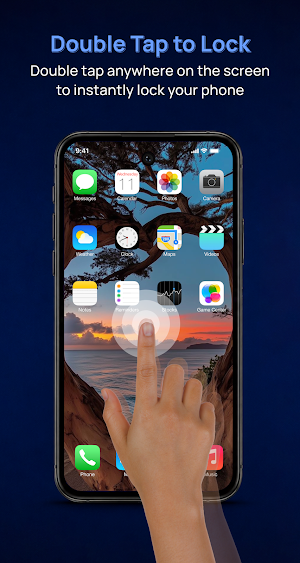


About Turn Off Screen - Shake Lock
Turn Off Screen - Shake Lock application helps to quickly lock your phone screen. 📱📱
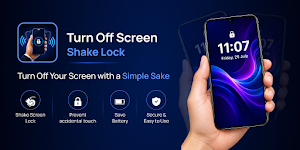
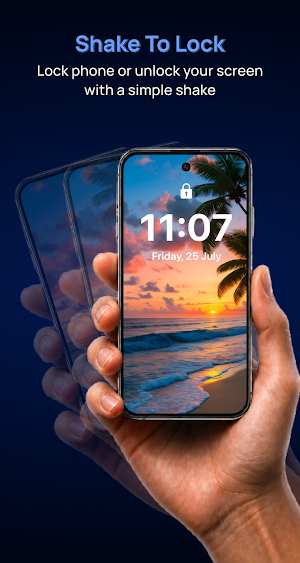
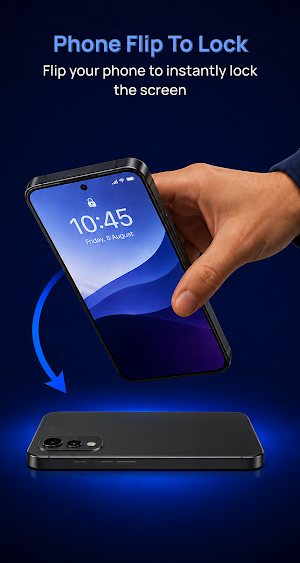
Lock your phone instantly with a simple shake. Shake Lock lets you turn off and lock your screen without pressing the power button.
Designed for speed and convenience, the app detects your shake gesture and locks the screen immediately, helping reduce power button wear and making one-handed operation easier.
👉 Key Features :-
🚀 Shake to lock screen instantly
🚀 Shake again to unlock screen
🚀 Adjustable shake sensitivity
🚀 Battery-efficient operation
🚀 Simple and lightweight design
🚀 Fast screen lock action
🚀 Easy setup and configuration
🚀 Very useful when power button broken
🚀 Minimal permissions required
🚀 Quick lock shake lock
👉 Why Use Shake Lock?
Tired of pressing the power button every time you want to lock your phone?
With Shake Lock, simply shake your device and the screen locks automatically. Whether you're using your phone with one hand, wearing gloves, or just want a faster way to lock your device, Shake Lock makes it effortless.
👉 Using Shake Phone To Lock;
✅ Customize Your Experience
✅ Choose your preferred shake sensitivity
✅ Prevent accidental locking
✅ Enable or disable the service anytime
✅ Lightweight performance with low battery usage
✅ Users with worn power buttons
✅ One-handed phone usage
✅ Accessibility and convenience
✅ Fast daily screen locking
👉 Permission :-
✔️ This app requires Accessibility Service only to perform the screen lock action that you request.
✔️ This app requires to enable Device Administration permission to lock unlock screen feature on your phone.
✔️ This app uses a foreground service(special use) to continuously detect the device's motion sensor so it can instantly lock the screen when the configured shake gesture is detected. The service runs only when the feature is enabled by the user.
✔️ This app also requires permissions like auto start based on the device type to make sure shake lock service is always available to the users.
✔️ From this permission, app never collect or access your personal data but those permissions are required for the app to work.
Install Shake Lock today and lock your screen with a simple shake.
Lock your phone instantly with a simple shake. Shake Lock lets you turn off and lock your screen without pressing the power button.
Designed for speed and convenience, the app detects your shake gesture and locks the screen immediately, helping reduce power button wear and making one-handed operation easier.
👉 Key Features :-
🚀 Shake to lock screen instantly
🚀 Shake again to unlock screen
🚀 Adjustable shake sensitivity
🚀 Battery-efficient operation
🚀 Simple and lightweight design
🚀 Fast screen lock action
🚀 Easy setup and configuration
🚀 Very useful when power button broken
🚀 Minimal permissions required
🚀 Quick lock shake lock
👉 Why Use Shake Lock?
Tired of pressing the power button every time you want to lock your phone?
With Shake Lock, simply shake your device and the screen locks automatically. Whether you're using your phone with one hand, wearing gloves, or just want a faster way to lock your device, Shake Lock makes it effortless.
👉 Using Shake Phone To Lock;
✅ Customize Your Experience
✅ Choose your preferred shake sensitivity
✅ Prevent accidental locking
✅ Enable or disable the service anytime
✅ Lightweight performance with low battery usage
✅ Users with worn power buttons
✅ One-handed phone usage
✅ Accessibility and convenience
✅ Fast daily screen locking
👉 Permission :-
✔️ This app requires Accessibility Service only to perform the screen lock action that you request.
✔️ This app requires to enable Device Administration permission to lock unlock screen feature on your phone.
✔️ This app uses a foreground service(special use) to continuously detect the device's motion sensor so it can instantly lock the screen when the configured shake gesture is detected. The service runs only when the feature is enabled by the user.
✔️ This app also requires permissions like auto start based on the device type to make sure shake lock service is always available to the users.
✔️ From this permission, app never collect or access your personal data but those permissions are required for the app to work.
Install Shake Lock today and lock your screen with a simple shake.
Alternatives to Turn Off Screen - Shake Lock
Looking for apps like Turn Off Screen - Shake Lock? Here are 6 similar Android apps on Google Play. The highest rated is MultiTimer: Multiple timers (4.5/5), and all 6 are free to download.
-
IFSTA Instructor 9 3.9
-
Sleep Number 4.3
-
HiNotes by HiDock 3.8
-
Syd
-
MultiTimer: Multiple timers 4.5
-
BeeDone: Gamified ADHD Planner 3.9
| App | Rating | Price | Installs | Last updated | Compare |
|---|---|---|---|---|---|
| Turn Off Screen - Shake Lock | – | Free | 100+ | Aug 12, 2026 | |
| IFSTA Instructor 9 | 3.9 / 5 | Free | 5,000+ | Oct 31, 2025 | Compare |
| Sleep Number | 4.3 / 5 | Free | 1,000,000+ | Sep 15, 2026 | Compare |
| HiNotes by HiDock | 3.8 / 5 | Free | 10,000+ | Sep 24, 2026 | Compare |
| Syd | – | Free | 1,000+ | Oct 2, 2026 | Compare |
| MultiTimer: Multiple timers | 4.5 / 5 | Free | 100,000+ | Oct 5, 2026 | Compare |
| BeeDone: Gamified ADHD Planner | 3.9 / 5 | Free | 10,000+ | Sep 16, 2026 | Compare |