About TV Remote All
TV Remote: Universal Remote turns your Android phone into a smart, fast, and versatile remote control for Roku TV and many popular Smart TV brands. Navigate smoothly, type searches quickly using your phone keyboard, browse with a convenient touchpad, instantly launch your favorite streaming channels, and cast photos or videos to the big screen with just one tap!
No infrared (IR) blaster required — simply connect your phone and TV to the same Wi-Fi network and start using the app right away.
🔥 KEY FEATURES
🎮 FULL-FEATURED TV REMOTE
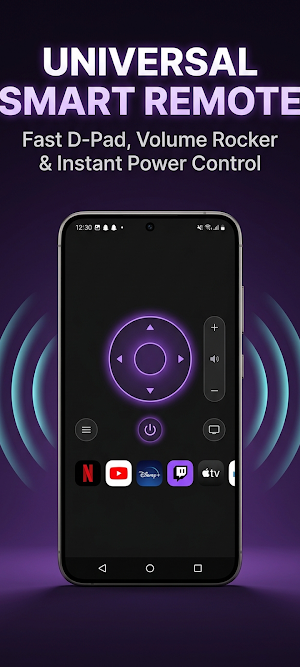
• Complete remote controls, including Volume Up/Down, Mute, and Power On/Off.
• Smart navigation pad with Up, Down, Left, Right, and OK buttons, plus Home and Back controls.
• Easily switch channels, pause/play content, and fast-forward videos.
🖱️ SMOOTH TOUCHPAD CONTROL
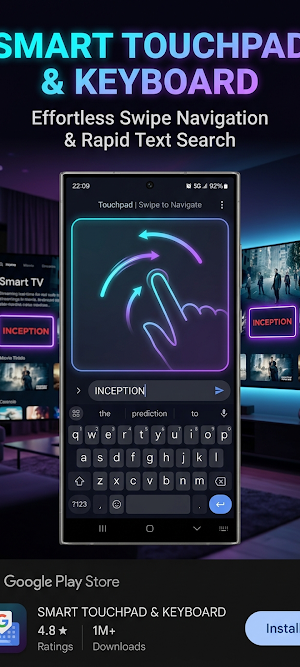
• Scroll, swipe, switch between apps, and browse content on your TV quickly and smoothly using your phone as a touchpad.
⌨️ CONVENIENT SMART KEYBOARD
• Say goodbye to typing one letter at a time using your TV remote! Easily enter Wi-Fi passwords, search for movies, and type on apps such as YouTube and Netflix using your phone keyboard.
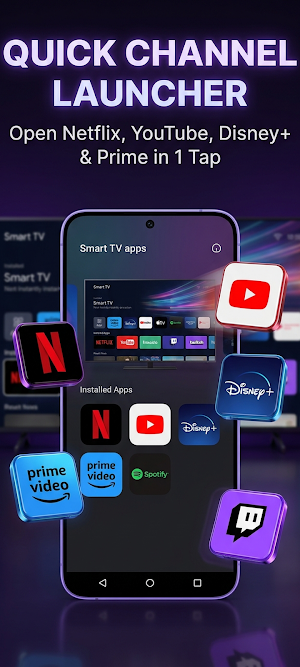
📺 QUICK LAUNCH FOR APPS & STREAMING CHANNELS
• Instantly open your favorite apps with one tap, including YouTube, Netflix, VieON, FPT Play, Prime Video, Disney+, Spotify, and more.
📡 HD SCREEN MIRRORING
• Mirror your entire phone screen to your TV with low latency and clear image quality.
• Great for gaming, viewing family photos, online learning, presentations, and sharing documents on a larger screen.
🎬 CAST PHOTOS, VIDEOS & MUSIC
• Cast photos and videos from your phone gallery to your TV in their original quality.
• Stream web videos, online movies, and music directly to your TV with a smooth viewing experience.
⚡ FAST AUTOMATIC TV DISCOVERY
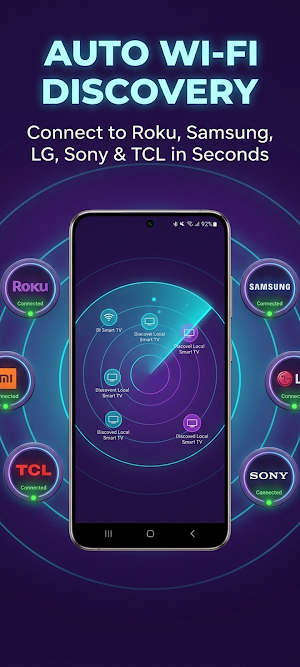
• Automatically scans and detects compatible TVs connected to your local Wi-Fi network.
• Supports direct connection using your TV's IP address.
🌐 WIDE COMPATIBILITY
• Roku devices: Roku TV, Roku Streaming Stick, Roku Express, Roku Premiere, and Roku Ultra.
• TVs powered by Roku OS, including TCL, Hisense, Sharp, Philips, Insignia, and more.
• Broad compatibility with LG Smart TVs (webOS), Samsung Smart TVs (Tizen), Android TV, Google TV, Sony Bravia, and other supported Smart TVs using standard network protocols.
🚀 HOW TO USE
Make sure your Android phone and TV are connected to the same Wi-Fi network.
Open the app and select your TV from the list of detected devices.
If a confirmation message appears on your TV, select “Allow” or enter the PIN displayed on your TV screen.
Enjoy smooth and convenient TV control directly from your phone!
Disclaimer:
This application is not an official product of Roku, Inc., LG, Samsung, or any other brand mentioned above. It is an independent remote-control application designed to enhance the Smart TV entertainment experience.
For feedback or support, please contact: [email protected]
Download TV Remote: Universal Remote now and enjoy a smarter, faster, and more convenient way to control your TV!
TV Remote All details
TV Remote All is a free Productivity app for Android with 10+ installs on Google Play and a 5.0/5 average rating from 1 rating. It was released on September 10, 2026 and last updated on September 17, 2026. It's developed by Surgio Killa. It requires Android 8.0 or later. The app contains ads.
- Category
- Productivity
- Rating
- 5.0 / 5 (1 rating)
- Installs
- 10+
- Price
- Free
- In-app purchases
- No
- Ads
- Contains ads
- Current version
- 1.0.7
- Requires Android
- 8.0
- Content rating
- Rated for 3+
- Released
- September 10, 2026
- Last updated
- September 17, 2026
- Developer
- Surgio Killa
