

Cutout AI: Background Eraser
N Technology Photography Contains ads
AI background remover & photo editor — auto cutout, erase objects, offline.
- Downloads
- 3.4K+
- on Google Play
- Price
- Free
- No in-app purchases
- Updated
- Aug 13
- 2026 · v1.0.1
Screenshots


About Cutout AI: Background Eraser
🌟 KEY FEATURES
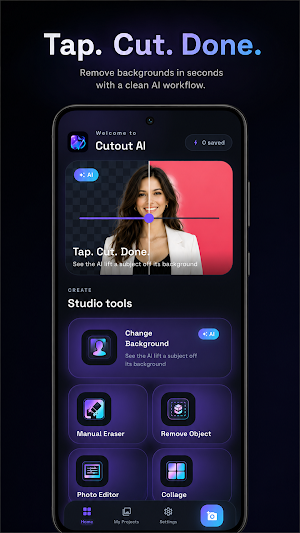
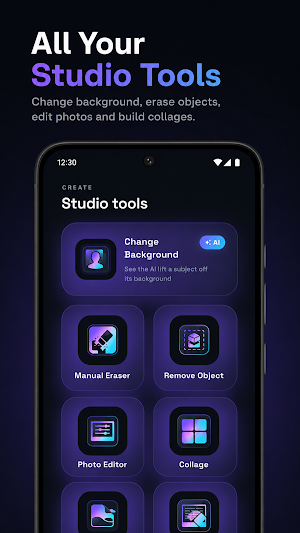
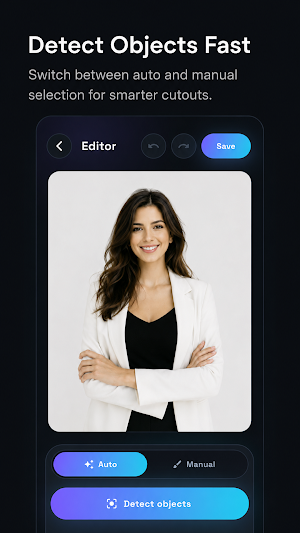
• AI Cutout: Erase backdrops instantly using on-device DeepLabV3 technology.
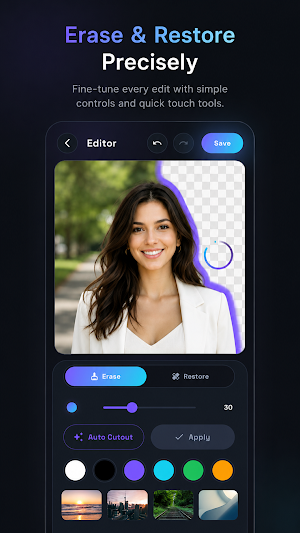
• Manual Brush: Precision erase and restore with adjustable thickness and undo.
• Sky & Text Removal: Swap dull skies and erase unwanted text with smart OCR.
• Photo Editor: Fine-tune images with filters, crop presets, and custom frames.
• Photo Collage: Combine up to six images with custom layouts and HD export.
👥 WHO IT'S FOR
Perfect for online sellers, content creators, and mobile photographers who need quick, private image editing on the go.
Imagine you are preparing a product listing. Snap a photo, use our background remover to isolate the item in one tap, apply a clean white backdrop, and export in high definition—all while offline.
---
⚠️ DISCLAIMER
- "Cutout Ai" is provided "as-is" for utility use and is NOT a substitute for professional advice (medical / financial / legal).
- This app uses AI-generated content; results may be inaccurate or biased. Please verify before use.
- All third-party trademarks, logos, and images (if any) belong to their respective owners. This app is not officially affiliated with such parties unless explicitly stated.
- User-generated content (UGC) is the sole responsibility of the user. We are not liable for its accuracy or any consequence arising from its use.
- By using this app, you agree to our Terms of Service (https://policy.tranquilmind.co/cutout-ai/terms) and Privacy Policy (https://policy.tranquilmind.co/cutout-ai/privacy).
- Support contact: [email protected].
What’s new
Version 1.0.1 · Updated August 13, 2026
What's new in 1.0.1 • Change Background: the color border option is back, now with smoother, cleaner edges around your subject. • Clearer editing: the selected color and preset are highlighted across all edit screens, so you always know what's active. • Rate the app right from Settings. • Sharper app icon. • Bug fixes and stability improvements for a smoother cutout experience. Thanks for using Cutout AI!
Alternatives to Cutout AI: Background Eraser
Looking for apps like Cutout AI: Background Eraser? Here are 5 similar Android apps on Google Play. The highest rated is PhotoSpot: For Travel Planning (4.7/5), and 4 of the 5 are free to download.
-
PhotoSpot: For Travel Planning 4.7
-
TouchRetouch: Remove Objects 4.2
-
Video Converter Pro 4.5
-
Optimalprint: Photo Gifts 4.4
-
YouCam Enhance: Photo Enhancer 4.2
| App | Rating | Price | Installs | Last updated | Compare |
|---|---|---|---|---|---|
| Cutout AI: Background Eraser | – | Free | 1,000+ | Aug 13, 2026 | |
| PhotoSpot: For Travel Planning | 4.7 / 5 | Free | 5,000+ | Jun 10, 2026 | Compare |
| TouchRetouch: Remove Objects | 4.2 / 5 | Free | 1,000,000+ | Oct 2, 2026 | Compare |
| Video Converter Pro | 4.6 / 5 | 5.99 USD | 10,000+ | Nov 1, 2025 | Compare |
| Optimalprint: Photo Gifts | 4.4 / 5 | Free | 500,000+ | Oct 27, 2026 | Compare |
| YouCam Enhance: Photo Enhancer | 4.2 / 5 | Free | 1,000,000+ | Sep 22, 2026 | Compare |