
PhotoSync Autotransfer Add-On
touchbyte Photography
Automatically backup your photos and videos to computer, NAS and Cloud services
- Rating
- 4.5
- 306 ratings
- Downloads
- 14.9K+
- on Google Play
- Price
- $2.49
- No in-app purchases
- Updated
- Aug 21
- 2025 · v3.4.1
Screenshots


About PhotoSync Autotransfer Add-On
This product is the ‘PhotoSync Autotransfer Add-On’ Activation License of PhotoSync. Once purchased, you can add PhotoSync Autotransfer Add-On capabilities to the free PhotoSync version and remove ads.
★ Over 10,000 positive reviews, thousands of happy users and millions of photo transfers
★ Number one cross-platform solution with native apps for Android, iOS, Windows & Mac
★ Reliable and secure software – operating 8+ years in the market and continuously updated
★ Total user control and fully customisable
ABOUT PHOTOSYNC AUTOTRANSFER ADD-ON VERSION
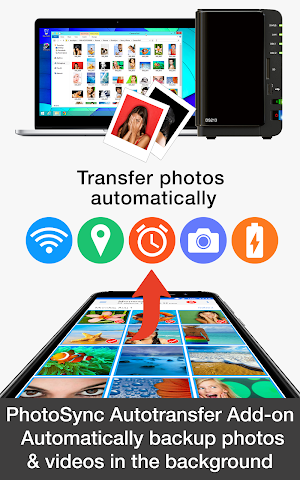
• Automatically and wirelessly backup photos and videos in the background to computer, private cloud, NAS and supported cloud / photo services.
• Five configurable Autotransfer triggers: Wi-Fi access point (SSID), geolocation, time schedule, take a photo and charge device
• No ads
ABOUT FREE PHOTOSYNC VERSION
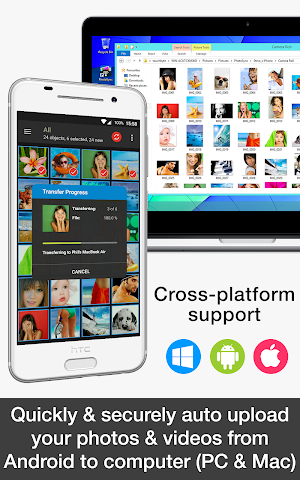
• Safely and securely backup photos and videos from Android devices to computer (PC & Mac) over WiFi
• Send pictures & videos from computer to Android phone and tablet over WiFi or Portable WiFi Hotspot
• Transfer photos and videos between Android phone and tablet over your local network (WiFi or Portable WiFi Hotspot)
• Copy and move photos and videos between Android devices and iPhone / iPad over WiFi
• Ad-supported
HOW IT WORKS:
1. Download and Install PhotoSync at https://play.google.com/store/apps/details?id=com.touchbyte.photosync
2. Download and install 'PhotoSync Autotransfer Add-On License'
3. PhotoSync will automatically upgrade to PhotoSync Autotransfer Add-On version upon the installation of PhotoSync Autotransfer Add-On License
PHOTOSYNC AUTOTRANSFER HIGHLIGHTS
Easy and reliable transfer solution for automatically and wirelessly backing up your photos and videos in the background to pre-selected targets.
Automatically backup your photos and videos
• Securely auto backup your photos and videos directly from your Android phone / tablet to computer (PC and Mac) over WiFi or Portable WiFi Hotspot
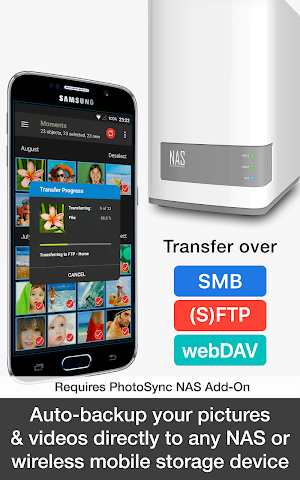
• Safely auto upload your photos and videos straight from Android to any NAS, wireless mobile storage device or remote server over SMB, (S)FTP or WebDav. (Requires PhotoSync NAS Add-On – all major NAS and mobile storage devices are supported!)
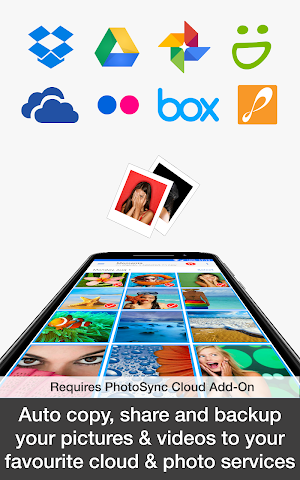
• Securely auto copy, share and backup your photos and videos directly from your Android phone / tablet to your favourite cloud and photo services over WiFi and Cellular network. (Requires PhotoSync Cloud Add-On – Dropbox, Google Drive, Google Photos, Flickr, OneDrive, SmugMug, Box and Zenfolio are supported!)
Five Autotransfer options
• Automatically backup your photos and videos whenever you take a new picture or video [Instant transfer]
• Automatically backup your photos and videos whenever your device connects to a pre-selected WiFi network [WiFi access point based (SSID) transfer]
• Automatically backup your photos and videos whenever you arrive at a pre-selected geolocation [Location based transfer]
• Automatically backup your photos and videos whenever you charge your device [Trigger transfer]
• Automatically backup your photos and videos whenever a pre-set time schedule is met [Time schedule]
★ Over 10,000 positive reviews, thousands of happy users and millions of photo transfers
★ Number one cross-platform solution with native apps for Android, iOS, Windows & Mac
★ Reliable and secure software – operating 8+ years in the market and continuously updated
★ Total user control and fully customisable
ABOUT PHOTOSYNC AUTOTRANSFER ADD-ON VERSION
• Automatically and wirelessly backup photos and videos in the background to computer, private cloud, NAS and supported cloud / photo services.
• Five configurable Autotransfer triggers: Wi-Fi access point (SSID), geolocation, time schedule, take a photo and charge device
• No ads
ABOUT FREE PHOTOSYNC VERSION
• Safely and securely backup photos and videos from Android devices to computer (PC & Mac) over WiFi
• Send pictures & videos from computer to Android phone and tablet over WiFi or Portable WiFi Hotspot
• Transfer photos and videos between Android phone and tablet over your local network (WiFi or Portable WiFi Hotspot)
• Copy and move photos and videos between Android devices and iPhone / iPad over WiFi
• Ad-supported
HOW IT WORKS:
1. Download and Install PhotoSync at https://play.google.com/store/apps/details?id=com.touchbyte.photosync
2. Download and install 'PhotoSync Autotransfer Add-On License'
3. PhotoSync will automatically upgrade to PhotoSync Autotransfer Add-On version upon the installation of PhotoSync Autotransfer Add-On License
PHOTOSYNC AUTOTRANSFER HIGHLIGHTS
Easy and reliable transfer solution for automatically and wirelessly backing up your photos and videos in the background to pre-selected targets.
Automatically backup your photos and videos
• Securely auto backup your photos and videos directly from your Android phone / tablet to computer (PC and Mac) over WiFi or Portable WiFi Hotspot
• Safely auto upload your photos and videos straight from Android to any NAS, wireless mobile storage device or remote server over SMB, (S)FTP or WebDav. (Requires PhotoSync NAS Add-On – all major NAS and mobile storage devices are supported!)
• Securely auto copy, share and backup your photos and videos directly from your Android phone / tablet to your favourite cloud and photo services over WiFi and Cellular network. (Requires PhotoSync Cloud Add-On – Dropbox, Google Drive, Google Photos, Flickr, OneDrive, SmugMug, Box and Zenfolio are supported!)
Five Autotransfer options
• Automatically backup your photos and videos whenever you take a new picture or video [Instant transfer]
• Automatically backup your photos and videos whenever your device connects to a pre-selected WiFi network [WiFi access point based (SSID) transfer]
• Automatically backup your photos and videos whenever you arrive at a pre-selected geolocation [Location based transfer]
• Automatically backup your photos and videos whenever you charge your device [Trigger transfer]
• Automatically backup your photos and videos whenever a pre-set time schedule is met [Time schedule]
What’s new
Version 3.4.1 · Updated August 21, 2025
* Fixed status bar height calculation
User reviews

Works 90% of the time. Which is fine for me.

Works very well on my Android/Mac.

Kinda' difficult to set up, but neat for protecting photos from loss.

What a time saver and memory saver

This app just works, customization options are great, I forget I have the app then check my computer for the pics and they are there.

Easy to use and very straight forward app! I strongly recommend it.
Alternatives to PhotoSync Autotransfer Add-On
Looking for apps like PhotoSync Autotransfer Add-On? Here are 6 similar Android apps on Google Play. The highest rated is Picture Keeper Connect (4.7/5), and all 6 are free to download.
-
Picture Keeper Connect 4.7
-
Asurion Photos 4.4
-
AT&T Photo Storage 4.7
-
Mylio - memory management app 3.8
-
Synology Photos 3.2
-
CareLinx: In-Home Care 3.9
| App | Rating | Price | Installs | Last updated | Compare |
|---|---|---|---|---|---|
| PhotoSync Autotransfer Add-On | 4.5 / 5 | $2.49 | 10,000+ | Aug 21, 2025 | |
| Picture Keeper Connect | 4.7 / 5 | Free | 100,000+ | – | Compare |
| Asurion Photos | 4.4 / 5 | Free | 100,000+ | – | Compare |
| AT&T Photo Storage | 4.7 / 5 | Free | 100,000+ | Nov 20, 2020 | Compare |
| Mylio - memory management app | 3.8 / 5 | Free | 100,000+ | – | Compare |
| Synology Photos | 3.2 / 5 | Free | 1,000,000+ | Sep 14, 2026 | Compare |
| CareLinx: In-Home Care | 3.9 / 5 | Free | 100,000+ | Aug 26, 2026 | Compare |