
Mobile T-Money Guide
WALL TREND Finance Contains ads
Complete English guide for Mobile T-Money: NFC setup, top-up, and transit tips
- Downloads
- 8+
- on Google Play
- Price
- Free
- No in-app purchases
- Updated
- Aug 25
- 2026 · v1.0.0
Screenshots
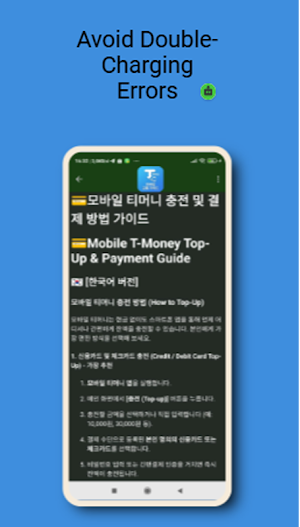


About Mobile T-Money Guide
Essential English Guide for Mobile T-Money in South Korea
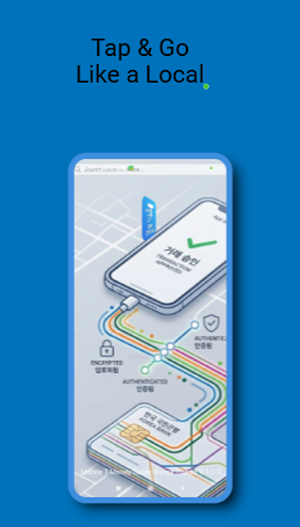
Struggling to set up or use Mobile T-Money (모바일 티머니) in Korea? This official guide app is designed specifically for international tourists, expats, and exchange students to master Korean public transit without the language barrier.
Whether you are navigating the Seoul subway system, hopping on a local bus, or shopping at a convenience store, this app provides clear, step-by-step bilingual instructions.
🚀 Key Features & Chapters
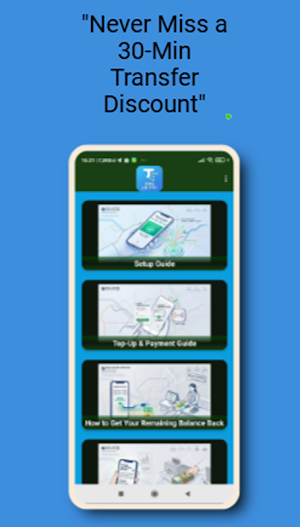
Chapter 1: Essential Settings & NFC Setup
How to turn on NFC and lock your phone into Card Mode for seamless scanning at transit turnstiles.
Device compatibility checks (Android requirements and USIM vs. eSIM guidelines).
Chapter 2: Top-Up & Payment Methods
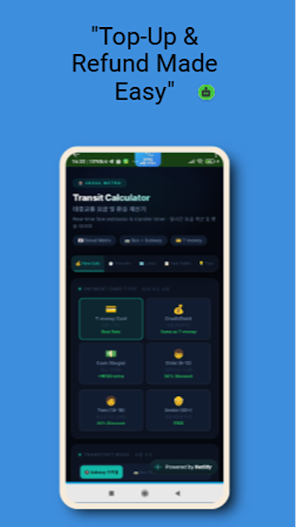
Step-by-step instructions on recharging your balance using local bank accounts, credit cards, or cash at convenience stores (CU, GS25, 7-Eleven).
Understanding admin fees, minimum top-up amounts, and balance limits.
Chapter 3: Practical Transit & Transfer Guide
How to properly tap your phone at subway gates and bus terminals.
Master the 30-Minute Transfer Discount rule to save money when switching between buses and subways.
Using T-Money for taxi fares and general purchases.
Chapter 4: Account Management & Troubleshooting
Quick fixes for reading errors, NFC issues, and card collision conflicts.
How to claim a remaining balance refund before departing Korea.
💡 Why Choose This Guide?
100% English Support: Clear, easy-to-follow instructions tailored for non-Korean speakers.
Troubleshooting Solutions: Avoid getting stuck at subway gates with instant fixes for common errors.
Practical & Up-to-Date: Verified tips for navigating transit in Seoul, Busan, and nationwide.
Struggling to set up or use Mobile T-Money (모바일 티머니) in Korea? This official guide app is designed specifically for international tourists, expats, and exchange students to master Korean public transit without the language barrier.
Whether you are navigating the Seoul subway system, hopping on a local bus, or shopping at a convenience store, this app provides clear, step-by-step bilingual instructions.
🚀 Key Features & Chapters
Chapter 1: Essential Settings & NFC Setup
How to turn on NFC and lock your phone into Card Mode for seamless scanning at transit turnstiles.
Device compatibility checks (Android requirements and USIM vs. eSIM guidelines).
Chapter 2: Top-Up & Payment Methods
Step-by-step instructions on recharging your balance using local bank accounts, credit cards, or cash at convenience stores (CU, GS25, 7-Eleven).
Understanding admin fees, minimum top-up amounts, and balance limits.
Chapter 3: Practical Transit & Transfer Guide
How to properly tap your phone at subway gates and bus terminals.
Master the 30-Minute Transfer Discount rule to save money when switching between buses and subways.
Using T-Money for taxi fares and general purchases.
Chapter 4: Account Management & Troubleshooting
Quick fixes for reading errors, NFC issues, and card collision conflicts.
How to claim a remaining balance refund before departing Korea.
💡 Why Choose This Guide?
100% English Support: Clear, easy-to-follow instructions tailored for non-Korean speakers.
Troubleshooting Solutions: Avoid getting stuck at subway gates with instant fixes for common errors.
Practical & Up-to-Date: Verified tips for navigating transit in Seoul, Busan, and nationwide.
What’s new
Version 1.0.0 · Updated August 25, 2026
T-Money Guide
Alternatives to Mobile T-Money Guide
Looking for apps like Mobile T-Money Guide? Here are 5 similar Android apps on Google Play. The highest rated is SchoolsFirst FCU Mobile (4.9/5), and all 5 are free to download.
-
Coinme: Buy Bitcoin & Crypto 4.4
-
First Foundation Bank Mobile 4.4
-
Keurig 4.5
-
Westlake MyAccount 3.8
-
SchoolsFirst FCU Mobile 4.9
| App | Rating | Price | Installs | Last updated | Compare |
|---|---|---|---|---|---|
| Mobile T-Money Guide | – | Free | 5+ | Aug 25, 2026 | |
| Coinme: Buy Bitcoin & Crypto | 4.4 / 5 | Free | 100,000+ | Sep 29, 2026 | Compare |
| First Foundation Bank Mobile | 4.4 / 5 | Free | 1,000+ | Dec 20, 2021 | Compare |
| Keurig | 4.5 / 5 | Free | 100,000+ | Jul 29, 2026 | Compare |
| Westlake MyAccount | 3.8 / 5 | Free | 1,000,000+ | Sep 20, 2026 | Compare |
| SchoolsFirst FCU Mobile | 4.9 / 5 | Free | 100,000+ | Aug 28, 2026 | Compare |