
Scanner APP:JPG,Photo to PDF
Good APP Studio Business In-app purchases Contains ads
Scan documents, extract text with OCR, sign and export as PDF. No cloud needed
- Downloads
- 92+
- on Google Play
- Price
- Free
- In-app purchases
- Updated
- Apr 12
- 2026 · v1.4.1
Screenshots


About Scanner APP:JPG,Photo to PDF
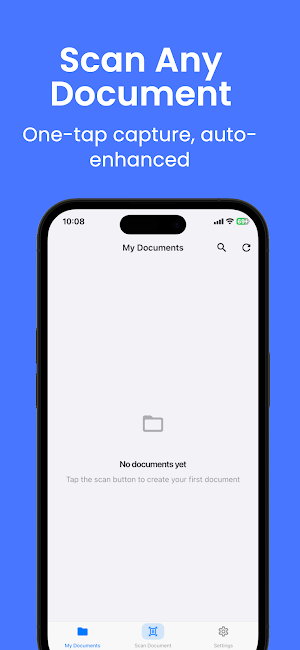
Scanner transforms your phone into a professional document scanner. Capture documents, receipts, contracts, notes, and business cards instantly, then export them as polished PDFs complete with your digital signature.
SMART EDGE DETECTION
Point your camera and Scanner automatically finds the edges of your document and crops it to a perfect rectangle. You get a clean, flat scan every single time without any manual cropping.
FOUR IMAGE FILTERS
Original
Keep the photo exactly as captured for natural-looking results.
Black and White
Maximum contrast output that makes printed text crisp and easy to read.
Grayscale
Balanced neutral tones for documents with mixed images and text.
Magic Enhancement
Adaptive processing that boosts contrast, brightens shadows, and removes background noise automatically. Great for documents scanned in uneven lighting.
ON-DEVICE OCR TEXT RECOGNITION
Scanner uses Google ML Kit to extract text from your scans. Recognition runs entirely on your device, so no internet connection is needed and your documents stay private. Supports English, Simplified Chinese, Traditional Chinese, and Japanese.
Once extracted, you can copy, search, or share the text freely.
PDF EXPORT WITH DIGITAL SIGNATURE
Create a professional PDF from any document with one tap. Before exporting, draw your signature on screen and embed it directly into the PDF. Perfect for official documents, contracts, and approval forms.
MULTI-PAGE DOCUMENTS
Combine multiple scans into a single document. Add new pages from the camera or your photo library at any time. Rotate or delete individual pages without affecting the rest of the document.
ORGANIZED DOCUMENT LIBRARY
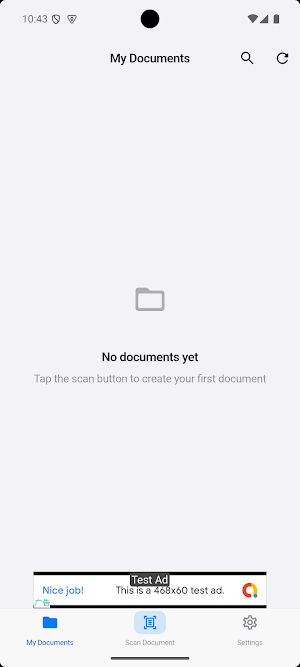
All your scans are saved locally in a clean, searchable list. Rename documents, browse by thumbnail, and search by document name or extracted OCR text. The library updates instantly as you scan.
SHARE ANYWHERE
Share any document as a PDF file, as individual images, or as plain extracted text. Works seamlessly with email, messaging apps, cloud storage apps, and any app that accepts standard file sharing.
COMPLETE PRIVACY
Everything runs on your device. Scanner does not upload your documents to any server unless you explicitly share them. No account sign-in is required. Your documents belong to you.
PRO SUBSCRIPTION
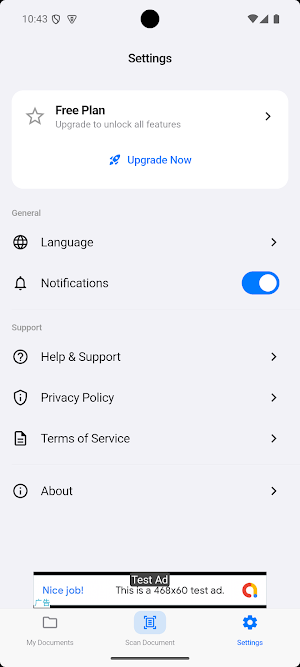
Upgrade to Pro and unlock the full experience.
- Unlimited scans with no daily limits
- Unlimited PDF exports
- OCR text recognition
- Digital signatures
- No ads
- Priority support
- Cloud sync coming soon
Try Pro free for 3 days. No payment is charged during the trial. Choose from Weekly, Monthly, or Yearly plans and cancel anytime from your Google Play account.
MULTIPLE LANGUAGES
Scanner is fully available in English, Simplified Chinese, Traditional Chinese, Japanese, German, and Spanish.
---
HOW TO SCAN
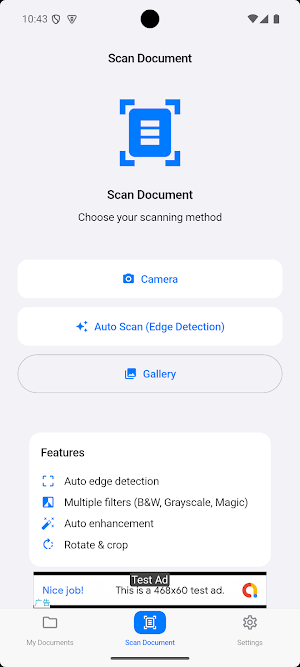
1. Tap the Scan button at the bottom of the screen.
2. Choose Camera or Gallery.
3. Position your document inside the guide frame and tap the shutter.
4. Select your preferred filter.
5. Save the document and export or share it as a PDF.
---
FREQUENTLY ASKED QUESTIONS
Does OCR work without internet?
Yes. Text recognition runs entirely on your device using Google ML Kit. No internet is needed.
Can I combine multiple pages into one PDF?
Yes. Open a document and tap the add page option to insert additional scans. All pages are included when you generate a PDF.
How do I add a signature?
When generating a PDF, the app will ask if you want to add a signature. Draw it on screen and it will be embedded into the document.
How do I restore my purchase?
Go to Settings, open the Subscription section, and tap Restore Purchases
SMART EDGE DETECTION
Point your camera and Scanner automatically finds the edges of your document and crops it to a perfect rectangle. You get a clean, flat scan every single time without any manual cropping.
FOUR IMAGE FILTERS
Original
Keep the photo exactly as captured for natural-looking results.
Black and White
Maximum contrast output that makes printed text crisp and easy to read.
Grayscale
Balanced neutral tones for documents with mixed images and text.
Magic Enhancement
Adaptive processing that boosts contrast, brightens shadows, and removes background noise automatically. Great for documents scanned in uneven lighting.
ON-DEVICE OCR TEXT RECOGNITION
Scanner uses Google ML Kit to extract text from your scans. Recognition runs entirely on your device, so no internet connection is needed and your documents stay private. Supports English, Simplified Chinese, Traditional Chinese, and Japanese.
Once extracted, you can copy, search, or share the text freely.
PDF EXPORT WITH DIGITAL SIGNATURE
Create a professional PDF from any document with one tap. Before exporting, draw your signature on screen and embed it directly into the PDF. Perfect for official documents, contracts, and approval forms.
MULTI-PAGE DOCUMENTS
Combine multiple scans into a single document. Add new pages from the camera or your photo library at any time. Rotate or delete individual pages without affecting the rest of the document.
ORGANIZED DOCUMENT LIBRARY
All your scans are saved locally in a clean, searchable list. Rename documents, browse by thumbnail, and search by document name or extracted OCR text. The library updates instantly as you scan.
SHARE ANYWHERE
Share any document as a PDF file, as individual images, or as plain extracted text. Works seamlessly with email, messaging apps, cloud storage apps, and any app that accepts standard file sharing.
COMPLETE PRIVACY
Everything runs on your device. Scanner does not upload your documents to any server unless you explicitly share them. No account sign-in is required. Your documents belong to you.
PRO SUBSCRIPTION
Upgrade to Pro and unlock the full experience.
- Unlimited scans with no daily limits
- Unlimited PDF exports
- OCR text recognition
- Digital signatures
- No ads
- Priority support
- Cloud sync coming soon
Try Pro free for 3 days. No payment is charged during the trial. Choose from Weekly, Monthly, or Yearly plans and cancel anytime from your Google Play account.
MULTIPLE LANGUAGES
Scanner is fully available in English, Simplified Chinese, Traditional Chinese, Japanese, German, and Spanish.
---
HOW TO SCAN
1. Tap the Scan button at the bottom of the screen.
2. Choose Camera or Gallery.
3. Position your document inside the guide frame and tap the shutter.
4. Select your preferred filter.
5. Save the document and export or share it as a PDF.
---
FREQUENTLY ASKED QUESTIONS
Does OCR work without internet?
Yes. Text recognition runs entirely on your device using Google ML Kit. No internet is needed.
Can I combine multiple pages into one PDF?
Yes. Open a document and tap the add page option to insert additional scans. All pages are included when you generate a PDF.
How do I add a signature?
When generating a PDF, the app will ask if you want to add a signature. Draw it on screen and it will be embedded into the document.
How do I restore my purchase?
Go to Settings, open the Subscription section, and tap Restore Purchases
Alternatives to Scanner APP:JPG,Photo to PDF
Looking for apps like Scanner APP:JPG,Photo to PDF? Here are 6 similar Android apps on Google Play. All of them are free to download.
-
Metronome-Tempo Beat app
-
Gomoku-line five in a row game
-
Photo Counter-picture count
-
Spin Pick-make decison easy
-
Ringtone Maker-custom ring app
-
Bug Identifier-Insect id app
| App | Rating | Price | Installs | Last updated | Compare |
|---|---|---|---|---|---|
| Scanner APP:JPG,Photo to PDF | – | Free | 50+ | Apr 12, 2026 | |
| Metronome-Tempo Beat app | – | Free | 100+ | Aug 20, 2026 | Compare |
| Gomoku-line five in a row game | – | Free | 50+ | Aug 21, 2026 | Compare |
| Photo Counter-picture count | – | Free | 100+ | Apr 17, 2026 | Compare |
| Spin Pick-make decison easy | – | Free | 50+ | Apr 19, 2026 | Compare |
| Ringtone Maker-custom ring app | – | Free | 100+ | Apr 6, 2026 | Compare |
| Bug Identifier-Insect id app | – | Free | 100+ | Oct 7, 2026 | Compare |
Similar apps on Google Play
- Metronome-Tempo Beat app
- Gomoku-line five in a row game
- Photo Counter-picture count
- Spin Pick-make decison easy
- Ringtone Maker-custom ring app
- Bug Identifier-Insect id app
- Chess Coach-ELO Rating Puzzles
- Xiangqi-Chinese Chess game app
- love360-Live location Safety
- 2048-Puzzle Master Brain Games
- QR Scanner:Barcode Code app
- MP3 Converter-Ringtone Maker
- Timestamp Camera-Photos Timer
- PDF Converter-Word jpg Photo
- Passport Photo:ID Print App ai
- Collage Maker-Photo Editor Pic