

THETA+
Ricoh Co., Ltd. Photography
Let’s edit 360° images pleasantly and easily and share them.
- Rating
- 3.5
- 3.7K ratings
- Downloads
- 855K+
- on Google Play
- Price
- Free
- No in-app purchases
- Updated
- Sep 26
- 2022 · v3.11.0
Screenshots


About THETA+
Using THETA+, you can crop and edit 360° images freely after shooting them.
Not only you can view these images easily but also present creative and new expressions conventional cameras cannot provide.
You can share edited images and videos easily on Instagram, Facebook, and other SNS.
Editing functions only available for 360° images!
・Simple view functions to change presentations dynamically
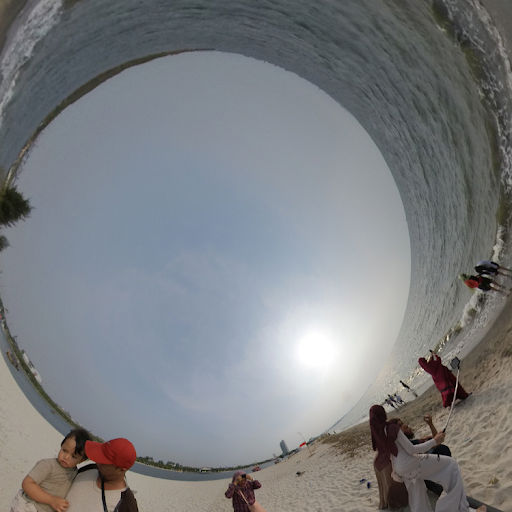
Adjusting viewpoint positions or zoom amounts, you can change presentations of a 360° image dynamically. Using a button alone, you can transform a 360° image into an earth-like shape called a Little Planet, an image on two screens, or a soratama, so that it is possible to make a 360° image attractive contents easier to present.
・Animation functions to share rotated images in a non-360° environment
You can create an animation from a still image by drawing close or pulling in a 360° image and rotating it. Also, you can freely specify a section you want to present, its motion and speed. Since the image is saved as a video after being edited, you can share a 360°-rotated image in a non-360° environment.
Basic video editing functions also provided
・While checking a 360° image by rotating it, you can adjust the overall colors using image correction or filter functions.
・You can present a more enjoyable 360° image by adding a stamp or text to it.
・Trimming, double speed editing, BGM, and other 360° video editing functions are also supported.
・You can create a time lapse video easily by combining multiple 360° images.
◇ Environments to support THETA+:
* Operations are not guaranteed for all terminals.
* For future updates, environments or terminals to support THETA+ may change.
Not only you can view these images easily but also present creative and new expressions conventional cameras cannot provide.
You can share edited images and videos easily on Instagram, Facebook, and other SNS.
Editing functions only available for 360° images!
・Simple view functions to change presentations dynamically
Adjusting viewpoint positions or zoom amounts, you can change presentations of a 360° image dynamically. Using a button alone, you can transform a 360° image into an earth-like shape called a Little Planet, an image on two screens, or a soratama, so that it is possible to make a 360° image attractive contents easier to present.
・Animation functions to share rotated images in a non-360° environment
You can create an animation from a still image by drawing close or pulling in a 360° image and rotating it. Also, you can freely specify a section you want to present, its motion and speed. Since the image is saved as a video after being edited, you can share a 360°-rotated image in a non-360° environment.
Basic video editing functions also provided
・While checking a 360° image by rotating it, you can adjust the overall colors using image correction or filter functions.
・You can present a more enjoyable 360° image by adding a stamp or text to it.
・Trimming, double speed editing, BGM, and other 360° video editing functions are also supported.
・You can create a time lapse video easily by combining multiple 360° images.
◇ Environments to support THETA+:
* Operations are not guaranteed for all terminals.
* For future updates, environments or terminals to support THETA+ may change.
What’s new
Version 3.11.0 · Updated September 26, 2022
・It is now possible to save your favorite scene from the video as a still image. In addition, it is now possible to correct the tilt when saving a still image. ・Bug fix
User reviews

Not bad

Fácil y rápido de usar.

Version 3.5.7 now running optimal! After catastrophic failure and force close in version 3.5.3 👍👍👍👍

Ftt
Amazing

Good
Alternatives to THETA+
Looking for apps like THETA+? Here are 6 similar Android apps on Google Play. The highest rated is RICOH THETA (3.5/5), and all 6 are free to download.
-
RICOH Smart Device Connector 3.4
-
RICOH THETA 3.5
-
Ricoh Printer 2.0
-
RICOH THETA Type HATSUNE MIKU 3.3
-
RICOH Support Station
-
RICOH360 Tours 2.7
| App | Rating | Price | Installs | Last updated | Compare |
|---|---|---|---|---|---|
| THETA+ | 3.5 / 5 | Free | 500,000+ | Sep 26, 2022 | |
| RICOH Smart Device Connector | 3.4 / 5 | Free | 1,000,000+ | Jul 21, 2026 | Compare |
| RICOH THETA | 3.5 / 5 | Free | 1,000,000+ | Feb 12, 2025 | Compare |
| Ricoh Printer | 2.0 / 5 | Free | 100,000+ | Feb 16, 2017 | Compare |
| RICOH THETA Type HATSUNE MIKU | 3.3 / 5 | Free | 50,000+ | Aug 8, 2019 | Compare |
| RICOH Support Station | – | Free | 50,000+ | Dec 2, 2025 | Compare |
| RICOH360 Tours | 2.7 / 5 | Free | 10,000+ | Oct 8, 2025 | Compare |
Compare THETA+ with the top alternatives: ratings, updates, ASO score and keyword gaps →
Similar apps on Google Play
- RICOH Smart Device Connector
- RICOH THETA
- Ricoh Printer
- RICOH THETA Type HATSUNE MIKU
- RICOH Support Station
- RICOH360 Tours
- RICOH InfoPrint Manager
- RICOH360 Projects
- RICOH Remote Field 設定
- UVA Print Click
- スタンプラリー for Clickable Paper
- IQUISPIN
- Excite the event
- RICOH AR+
- カクダプリ
- RICOH AD-Cam
- リコーイメージングスクエア
- RICOH Streamline NX for Guest
- RICOH Streamline NX for User
- RICOH Streamline NX for Admin
- RICOH SP C260 series Scan
- エム・シーシー食品 with Clickable Paper
- RICOH SP 200 series SOM
- RICOH SP 300 series SOM
- CLICKA for Clickable Paper
- RICOH IWB Client
- BlackRamsTokyo
- RICOH UCS
- RICOH AR
- RICOH Device Manager NX
- FlexRelease CX
- CP Clicker