
TaskAura
Techbaba Business
Client portal for tickets: create requests, chat, track status with your vendor
- Downloads
- 1+
- on Google Play
- Price
- Free
- No in-app purchases
- Updated
- Jul 30
- 2026 · v1.3.0
Screenshots
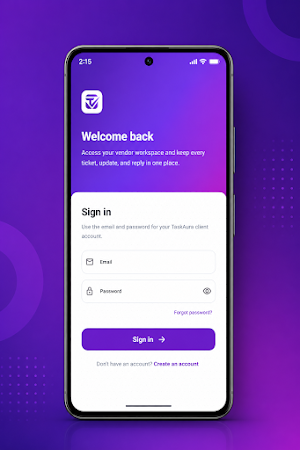
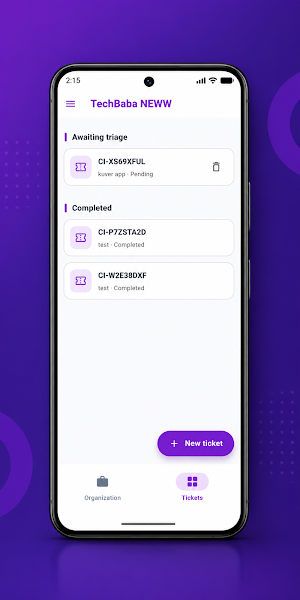
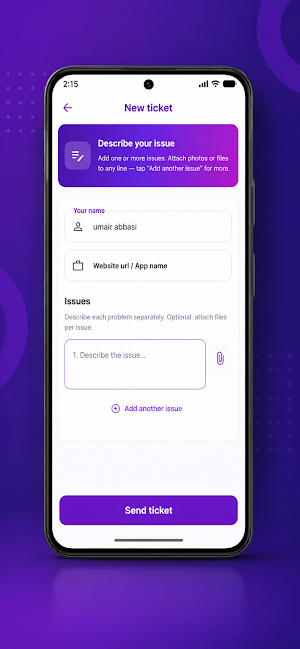
About TaskAura
TaskAura Client is your mobile workspace for collaborating with your service provider. It mirrors the TaskAura client portal experience on the web—so you can submit structured requests, share context, and track outcomes without digging through long email chains.
KEY FEATURES
• Workspace access — Join your organization using the client/workspace invite code from your vendor.
• Smarter tickets — Capture project information, describe issues clearly, and bundle multiple related items when needed.
• Attachments — Add images and common document types so your vendor can diagnose and resolve problems faster.
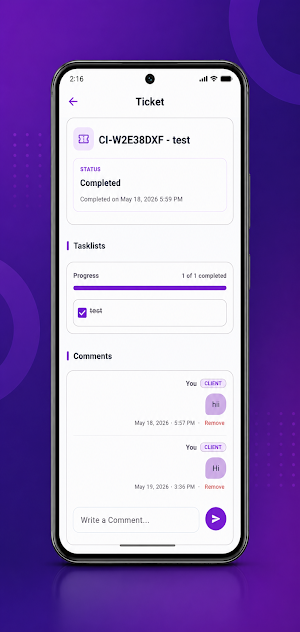
• Full ticket view — See subtasks and progress in one place, with status cues that match your vendor’s workflow.
• Threaded collaboration — Comment directly on a ticket to ask questions, confirm details, and keep decisions documented.
• Stay updated — Receive push notifications for important activity (where enabled on your device).
GETTING STARTED
You need a TaskAura client account and an invite/workspace code from your organization. If you’re unsure how to obtain access, contact your vendor or administrator.
TaskAura Client keeps communication clear, work traceable, and issue resolution moving—whether you’re at your desk or on the go.
KEY FEATURES
• Workspace access — Join your organization using the client/workspace invite code from your vendor.
• Smarter tickets — Capture project information, describe issues clearly, and bundle multiple related items when needed.
• Attachments — Add images and common document types so your vendor can diagnose and resolve problems faster.
• Full ticket view — See subtasks and progress in one place, with status cues that match your vendor’s workflow.
• Threaded collaboration — Comment directly on a ticket to ask questions, confirm details, and keep decisions documented.
• Stay updated — Receive push notifications for important activity (where enabled on your device).
GETTING STARTED
You need a TaskAura client account and an invite/workspace code from your organization. If you’re unsure how to obtain access, contact your vendor or administrator.
TaskAura Client keeps communication clear, work traceable, and issue resolution moving—whether you’re at your desk or on the go.
What’s new
Version 1.3.0 · Updated July 30, 2026
UI Improvments New chat feature you can now copy messages
Alternatives to TaskAura
Looking for apps like TaskAura? Here are 3 similar Android apps on Google Play. All of them are free to download.



| App | Rating | Price | Installs | Last updated | Compare |
|---|---|---|---|---|---|
| TaskAura | – | Free | 1+ | Jul 30, 2026 | |
| ParkSpot: Track Parking | – | Free | 10+ | Oct 1, 2026 | Compare |
| Kuver | – | Free | 10+ | Oct 24, 2026 | Compare |
| CabTaxi Driver | – | Free | 50+ | – | Compare |
Compare TaskAura with the top alternatives: ratings, updates, ASO score and keyword gaps →