

Photo Blur - mosaic editor
Photography Contains ads
With Photo Blur you can create mosaic photo, remove background automatically.
- Downloads
- 4.6K+
- on Google Play
- Price
- Free
- No in-app purchases
- Updated
- Jun 18
- 2026 · v1.3.12
Screenshots



About Photo Blur - mosaic editor
Photo Blur is a picture blur tool to make your photo blur effects.
And also can crop/cut photo as a photo editor. You can easily to draw blur and mosaic effect on your photos by using our app.
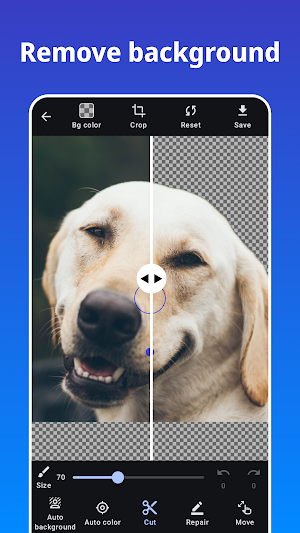
Photo Blur can automatically crop the background, blur and mosaic the background, and easily process photos with only the background in a single tap.
The face recognition function allows you to blur and mosaic faces with a single tap, even in photos with multiple people in the picture. Personal information such as faces, car license plates, and private information can be hidden by blur or mosaic using Photo Blur to support safe sharing of images on social networking sites.
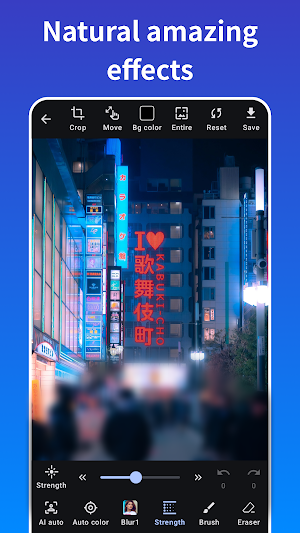
Photo Blur provides multiple effects for blur or mosaic your photo such as median blur (like stylish and cool effect). And you can use all of them for free.
Features of Photo Blur:
- Blur and mosaic on photos
- Automatically blur and mosaic on photos
- One-tap blur feature with automatic face detection.
- Image cropping.
- Zoom image while editing.
- Eraser tool.
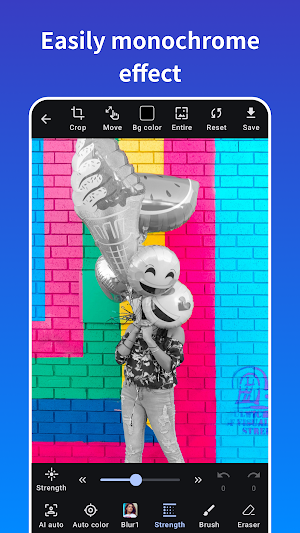
- Adjust the strength of effects.
- crop/cut photos
- Automatically crop/cut background
Types of Effects:
- Gaussian Blur.
- Median Blur.
- Box Blur.
- Mosaic.
And also can crop/cut photo as a photo editor. You can easily to draw blur and mosaic effect on your photos by using our app.
Photo Blur can automatically crop the background, blur and mosaic the background, and easily process photos with only the background in a single tap.
The face recognition function allows you to blur and mosaic faces with a single tap, even in photos with multiple people in the picture. Personal information such as faces, car license plates, and private information can be hidden by blur or mosaic using Photo Blur to support safe sharing of images on social networking sites.
Photo Blur provides multiple effects for blur or mosaic your photo such as median blur (like stylish and cool effect). And you can use all of them for free.
Features of Photo Blur:
- Blur and mosaic on photos
- Automatically blur and mosaic on photos
- One-tap blur feature with automatic face detection.
- Image cropping.
- Zoom image while editing.
- Eraser tool.
- Adjust the strength of effects.
- crop/cut photos
- Automatically crop/cut background
Types of Effects:
- Gaussian Blur.
- Median Blur.
- Box Blur.
- Mosaic.
What’s new
Version 1.3.12 · Updated June 18, 2026
Minor bug fixes and improvements.
Alternatives to Photo Blur - mosaic editor
Looking for apps like Photo Blur - mosaic editor? Here are 6 similar Android apps on Google Play. The highest rated is Coolina (4.8/5), and 3 of the 6 are free to download.
-
PicWish: AI Photo Editor 2.9
-
Coolina 4.8
-
Future Face: AI Face Aging
-
Storyboard GO
-
Lift: AI Photo Editor 4.2
-
AI Outfit: Try Outfit Changer
| App | Rating | Price | Installs | Last updated | Compare |
|---|---|---|---|---|---|
| Photo Blur - mosaic editor | – | Free | 1,000+ | Jun 18, 2026 | |
| PicWish: AI Photo Editor | 2.9 / 5 | Free | 5,000,000+ | Oct 28, 2026 | Compare |
| Coolina | 4.8 / 5 | Free | 1,000+ | Oct 13, 2026 | Compare |
| Future Face: AI Face Aging | – | – | – | Apr 15, 2026 | Compare |
| Storyboard GO | – | – | 10,000+ | Sep 4, 2026 | Compare |
| Lift: AI Photo Editor | 4.2 / 5 | Free | 1,000,000+ | Jul 10, 2026 | Compare |
| AI Outfit: Try Outfit Changer | – | – | – | Mar 30, 2026 | Compare |