

Swipe Navigation Gesture
ND Infosoft Tools Contains ads
Swipe Navigation Gesture app allow to add back navigation gesture on device
- Rating
- 3.4
- 1K ratings
- Downloads
- 328K+
- on Google Play
- Price
- Free
- No in-app purchases
- Updated
- Dec 27
- 2025 · v3.0
Screenshots


About Swipe Navigation Gesture
Swipe Navigation Gesture app allow you to add back navigation gesture on Android devices.
It allow on any app, calender, contact, music player, calculator etc.
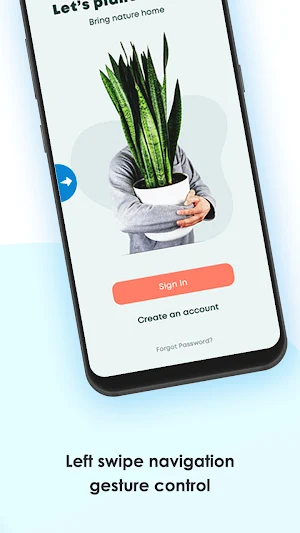
It makes swipe to back easy and smooth navigation like wipe Left ➡️ right, right ⬅️ left and Bottom ⬆ top to navigate back.
Key Features of Actions:-
• Back
• Setting
• Screenshots
• Browser
• Power Summary
• Toggle down notification
• Split screen
• Voice command
• Dialer
• Date and time setting
• Power Dialog
• Home
• Recent Apps
Steps to Download app and How to use :-
1) Download & install Swipe navigation Gesture app
2) Enable accessibility service to use swipe navigation gesture app
3) steps to understand the swipe navigation app
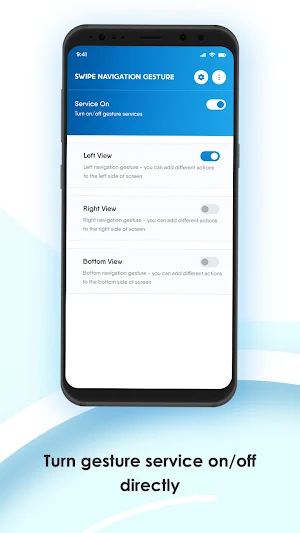
4) For enable Navigation services you get left, right and bottom view for enable/Disable options
5) Swipe LEFT-RIGHT-BOTTOM edge to perform actions.
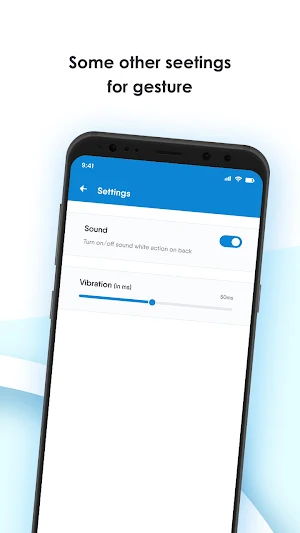
6) Easy Customize display, size, sensitivity for each gesture.
7) You can partitions edge for perform different action on swipe.
Easy and simple to use with customize display and size with smooth swipe gesture.
If any query you can contact us on email [email protected]
It allow on any app, calender, contact, music player, calculator etc.
It makes swipe to back easy and smooth navigation like wipe Left ➡️ right, right ⬅️ left and Bottom ⬆ top to navigate back.
Key Features of Actions:-
• Back
• Setting
• Screenshots
• Browser
• Power Summary
• Toggle down notification
• Split screen
• Voice command
• Dialer
• Date and time setting
• Power Dialog
• Home
• Recent Apps
Steps to Download app and How to use :-
1) Download & install Swipe navigation Gesture app
2) Enable accessibility service to use swipe navigation gesture app
3) steps to understand the swipe navigation app
4) For enable Navigation services you get left, right and bottom view for enable/Disable options
5) Swipe LEFT-RIGHT-BOTTOM edge to perform actions.
6) Easy Customize display, size, sensitivity for each gesture.
7) You can partitions edge for perform different action on swipe.
Easy and simple to use with customize display and size with smooth swipe gesture.
If any query you can contact us on email [email protected]
What’s new
Version 3.0 · Updated December 27, 2025
New features added
User reviews

iii

💪👍👊👊👌👌

Good

Dipak Kumar
Alternatives to Swipe Navigation Gesture
Looking for apps like Swipe Navigation Gesture? Here are 3 similar Android apps on Google Play. All of them are free to download.



| App | Rating | Price | Installs | Last updated | Compare |
|---|---|---|---|---|---|
| Swipe Navigation Gesture | 3.4 / 5 | Free | 100,000+ | Dec 27, 2025 | |
| Back Button Anywhere | – | Free | 10,000+ | Nov 12, 2025 | Compare |
| Mht - Mhtml Creator | – | Free | 1,000+ | Oct 20, 2025 | Compare |
| MHT/MHTML Reader & PDF Convert | – | Free | 10,000+ | Oct 19, 2025 | Compare |