

KeyDock – Password Manager
eSP Tools
Securely store, manage, and protect your passwords all in one place
- Downloads
- 7+
- on Google Play
- Price
- Free
- No in-app purchases
- Updated
- Apr 3
- 2026 · v1.0.0
Screenshots
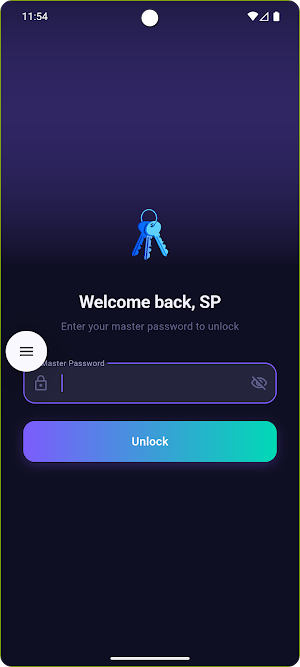
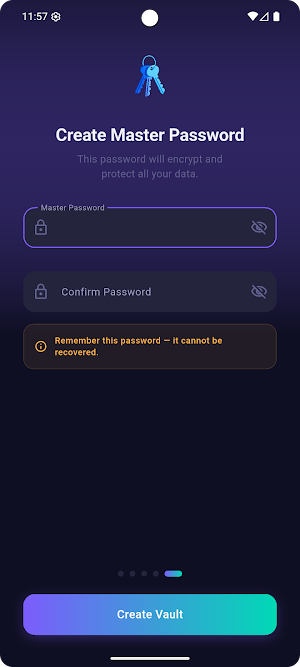
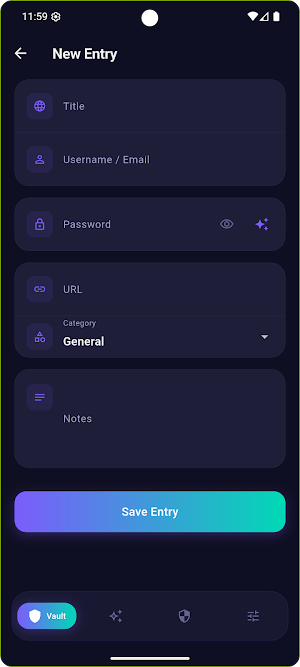
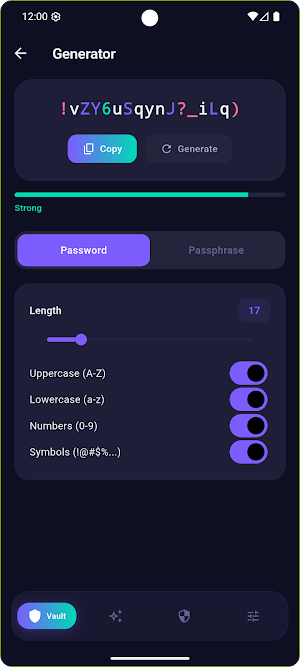


About KeyDock – Password Manager
KeyDock is a simple and secure password manager that helps you store, organise, and autofill your passwords across apps and websites — without ever forgetting one again.
Whether you're managing a handful of accounts or dozens, KeyDock keeps all your credentials safe behind one master password, protected with strong encryption.
🔐 Secure by Design
Your data is encrypted using AES-256 encryption before it ever leaves your device. Only you can access your vault — not even we can.
🗄️ Organized Vault
Store passwords, secure notes, credit card details, and personal information – neatly organised and always within reach.
🔁 Password Generator
Create strong, unique passwords instantly with the built-in password generator. Customise length, symbols, numbers, and more.
☁️ Sync Across Devices
Keep your vault in sync across all your Android devices seamlessly. Access your passwords wherever you are.
🌙 Clean, Minimal UI
A distraction-free interface designed for ease of use — no clutter, no confusion.
🔒 Biometric Unlock
Unlock your vault quickly and securely using fingerprint or face recognition.
Why choose KeyDock?
No ads, no tracking
Works offline
Regular security updates
Simple setup in under a minute
KeyDock is built for people who value both simplicity and security. Your passwords are yours — keep them that way.
Whether you're managing a handful of accounts or dozens, KeyDock keeps all your credentials safe behind one master password, protected with strong encryption.
🔐 Secure by Design
Your data is encrypted using AES-256 encryption before it ever leaves your device. Only you can access your vault — not even we can.
🗄️ Organized Vault
Store passwords, secure notes, credit card details, and personal information – neatly organised and always within reach.
🔁 Password Generator
Create strong, unique passwords instantly with the built-in password generator. Customise length, symbols, numbers, and more.
☁️ Sync Across Devices
Keep your vault in sync across all your Android devices seamlessly. Access your passwords wherever you are.
🌙 Clean, Minimal UI
A distraction-free interface designed for ease of use — no clutter, no confusion.
🔒 Biometric Unlock
Unlock your vault quickly and securely using fingerprint or face recognition.
Why choose KeyDock?
No ads, no tracking
Works offline
Regular security updates
Simple setup in under a minute
KeyDock is built for people who value both simplicity and security. Your passwords are yours — keep them that way.
User reviews

Found KeyDock while searching the web—turned out to be really useful. Simple to use, works well, and does what it promises. Definitely worth trying 👍
Alternatives to KeyDock – Password Manager
Looking for apps like KeyDock – Password Manager? Here are 4 similar Android apps on Google Play. All of them are free to download.



| App | Rating | Price | Installs | Last updated | Compare |
|---|---|---|---|---|---|
| KeyDock – Password Manager | – | Free | 5+ | Apr 3, 2026 | |
| Crimson Desert: Fan Guide | – | Free | 5,000+ | Sep 3, 2026 | Compare |
| Today in History | – | Free | 500+ | – | Compare |
| DeadlineFlow | – | Free | 100+ | Mar 18, 2026 | Compare |
| eChess Clock | – | Free | 50+ | Dec 3, 2025 | Compare |